Chapter 3 ’Web Browser Interface’ — Interface Description
Amethyst III DTV Smart Switch 161
User Manual
Interface Supervision Items Description
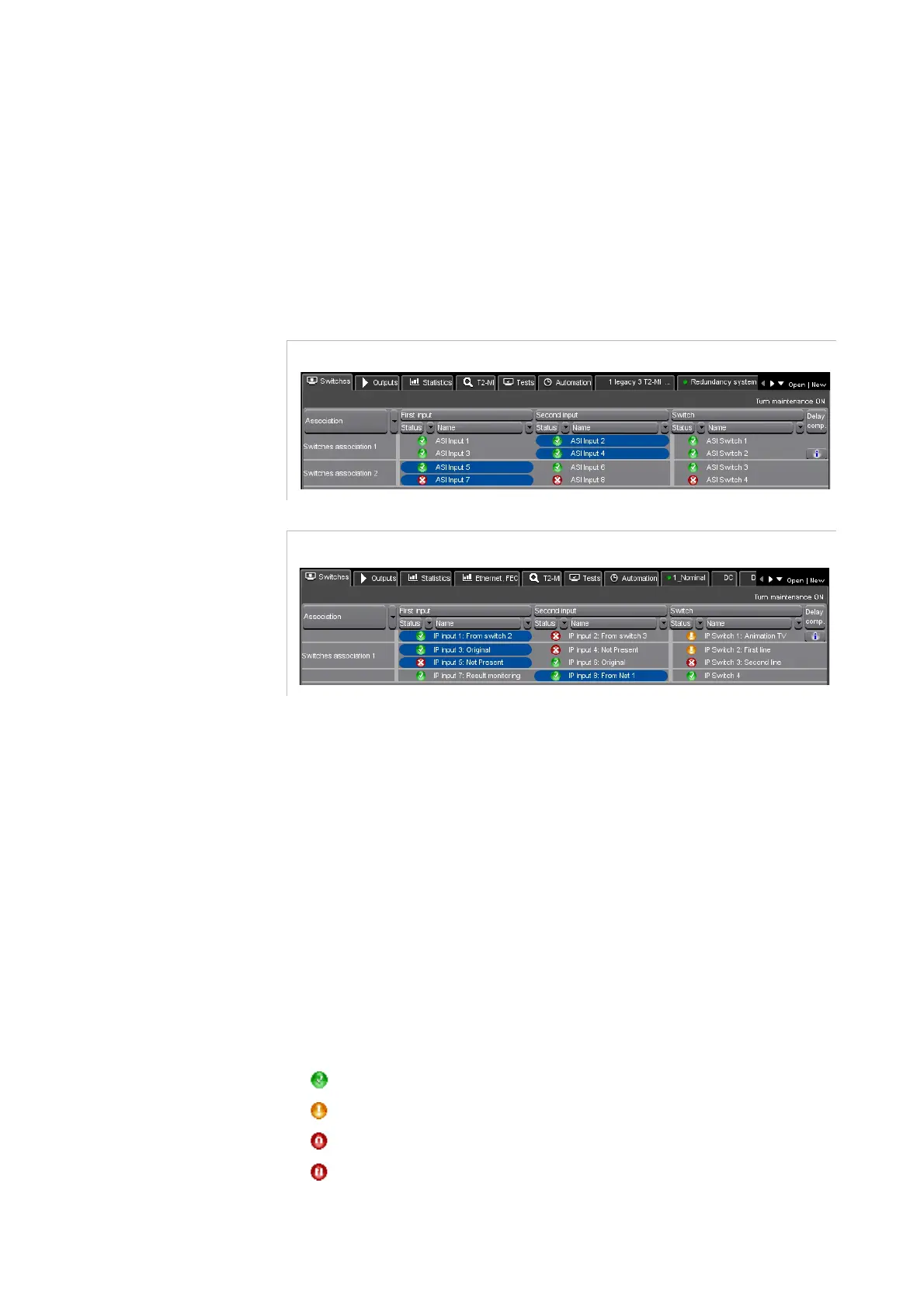
Switches Tab
The
Switches
tab is used to display the current state of the switches and
to perform manual switching.
Figure 3-92. Switches tab
The
Switches
tab content is a table with several rows (as many as
switches) and five columns.
For each row, that is for each switch:
The first column indicates whether the switch belongs to an
association. This column is not present if there is not any association
in the active configuration.
The second column gives the primary input’s name and status.
The third column gives the secondary input’s name and status.
The fourth column shows the name and status of the switch itself.
The fifth column indicates if a delay compensation has been defined
for this switch.
An icon gives the status of each item
(input, output or switch). Possible
status are:
: no problem is detected on this item.
: the most serious alarm on this item is a warning alarm.
: the most serious alarm on this item is a minor alarm.
: the most serious alarm on this item is a major alarm.



 To Next Page