Chapter 3 ’Web Browser Interface’ — Advanced Settings
112 Amethyst III DTV Smart Switch
User Manual
Setting the Automation
Principle
Instead of applying manually your configurations, you can choose to
activate the
Schedule
mode so that your configurations are applied
according to a schedule you will define.
The automation system moves from
one configuration to another
according to the schedule you created.
Prerequisite
: you must create your configurations in the GUI previously
to the schedule.
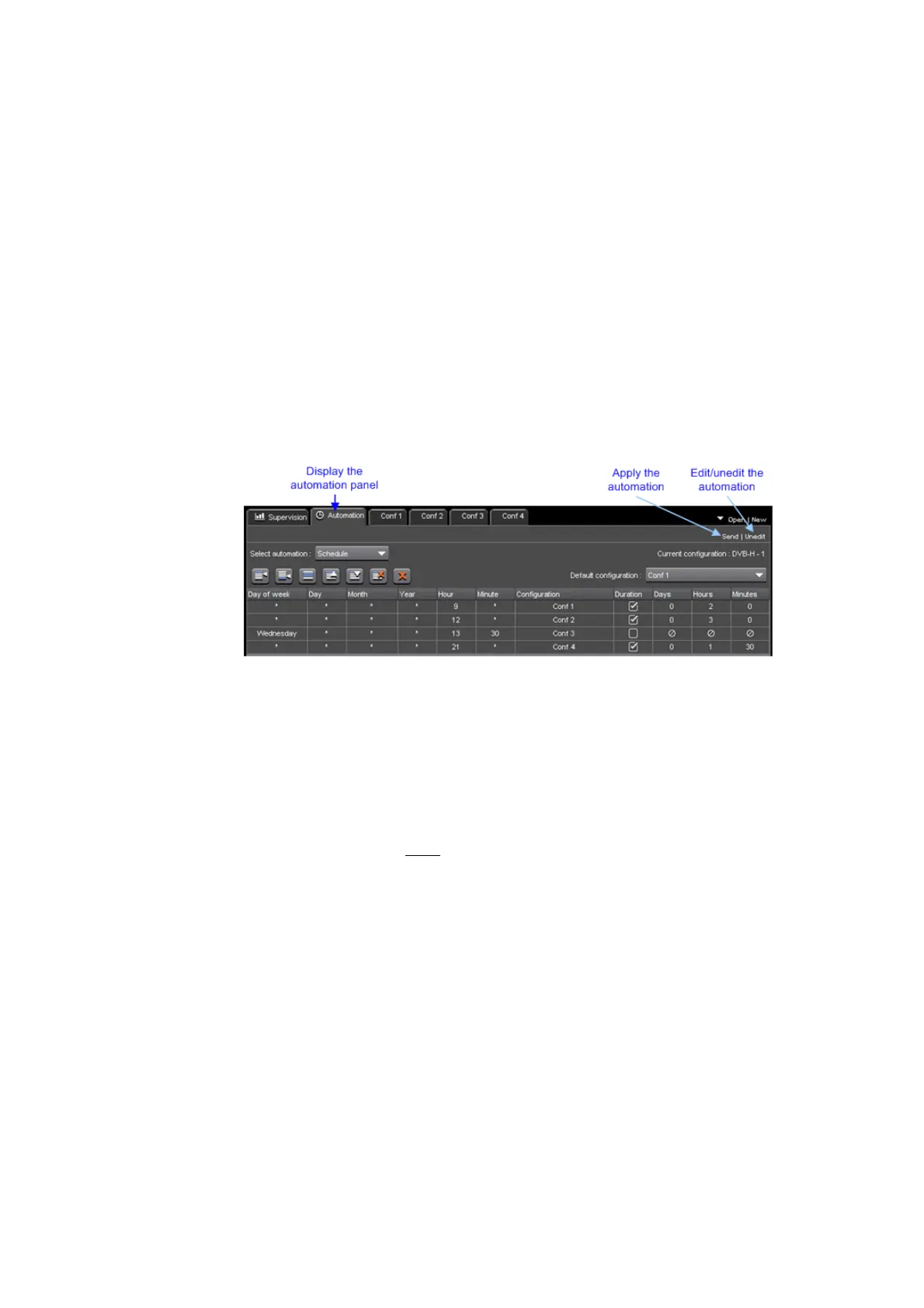
Figure 3-64. Automation tab overview
To schedule your configurations:
1.
Define a default configuration that will be the first configuration to be
activated. It is also the one that will be used when no other can be
activated.
2.
Create a list of configurations and define to which conditions these
configurations can be activated.
These conditions are
time conditions only. Thus a configuration can start
either:
At a precise date and time, e.g. on May, 27th, 2008 at 3:00
Every day at a precise time, e.g. every day at 9:00
On a given day of the week at a precise time, e.g. every Tuesday at
noon (12:00)
On a given day of the month at a precise time, e.g. every first day of
the month at midnight (0:00)
A configuration can also be scheduled for a gi
ven duration or to last until
another configuration in the list is due to start (no duration).
3.
Create the schedule.
Once the schedule is applied, the automation system continuously
c
hecks your list of configurations. As soon as it finds one that meets the



 To Next Page