Chapter 4 ’Servicing’ — Installing Software Update
180 Amethyst III DTV Smart Switch
User Manual
Installing Software Update
Introduction
The purpose of this section is to explain how upgrading the device
software.
Downloader Overview
From the supplied CD-ROM, run
Downloader\Downloader.jar
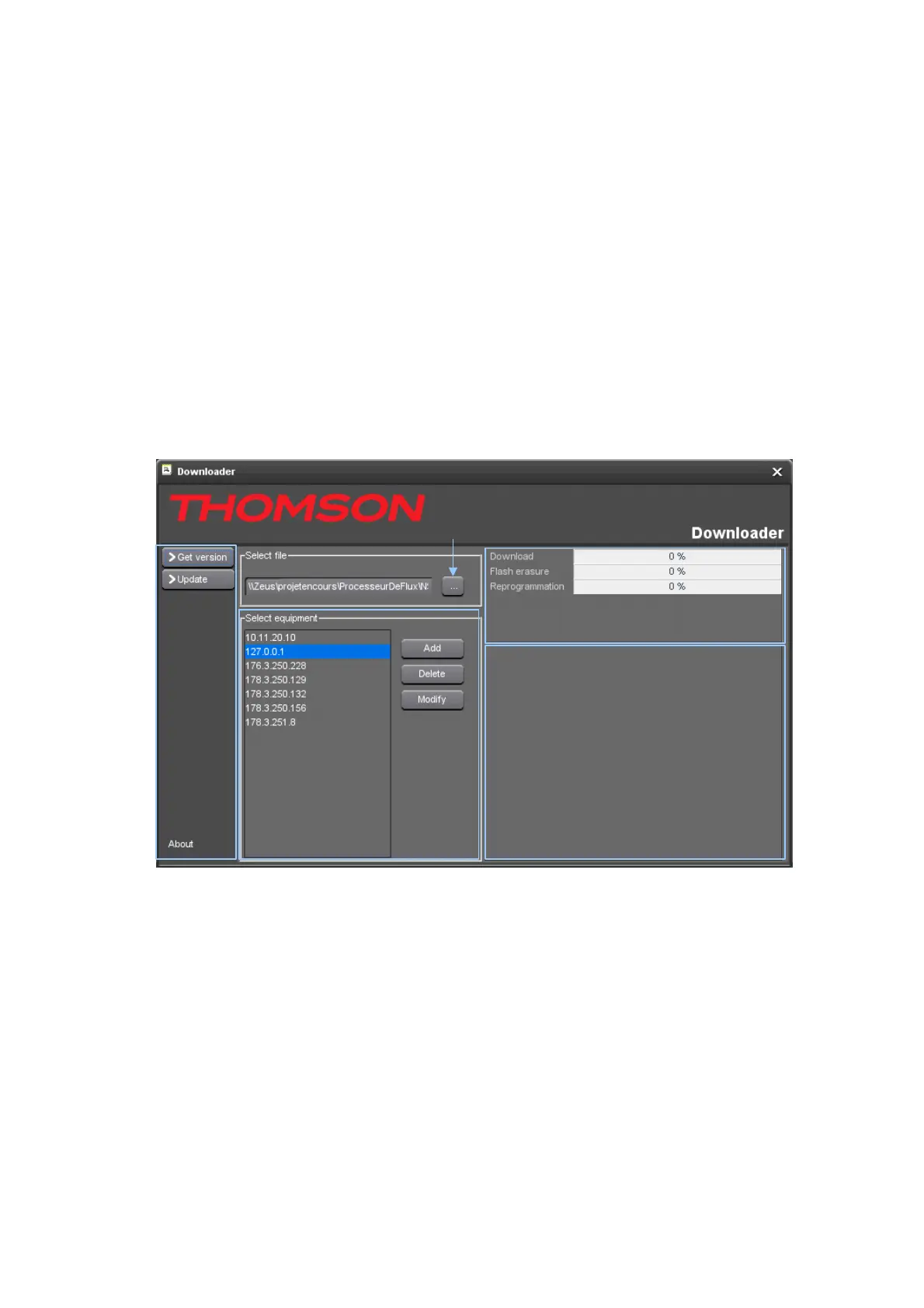
Figure 4-1. Firmware download
Equipment
panel
File browser
Progress panel
Log panel
Menu
panel
Menu panel:
Get version: gets the firmware version loaded in the selected
equipment.
Update: updates the firmware of the selected equipment.
About: displays the version number of the download software.
Select File panel: lets you select the file to be downloaded (".trf" file).
Select Equipment panel:
Add: lets you add a new IP address to the list.
Delete: lets you delete the selected IP address.
Modify: lets you modify the selected IP address.



 To Next Page