Chapter 3 ’Web Browser Interface’ — Interface Description
Amethyst III DTV Smart Switch 129
User Manual
PID: enter the value of the PID that should be used for
synchronization.
Search window +/-: enter the value of the maximum delay that
can be corrected, in milliseconds. The pattern period must be
higher than twice the Search window value.
The search window shall not contain more than one pattern at a
ti
me or the synchronization may fail.
Input TS bitrate (max): enter the maximum estimated bitrate, in
bits per second. This value is used to compute the size of
buffers. For delay compensation, do not overestimate this value.
It should border on 10% of the real bitrate.
Maximum IP jitter +/- (on IP switches only): enter the value of the
maximum IP jitter that can occur on the inputs of the switch (min
5ms - max 250ms).
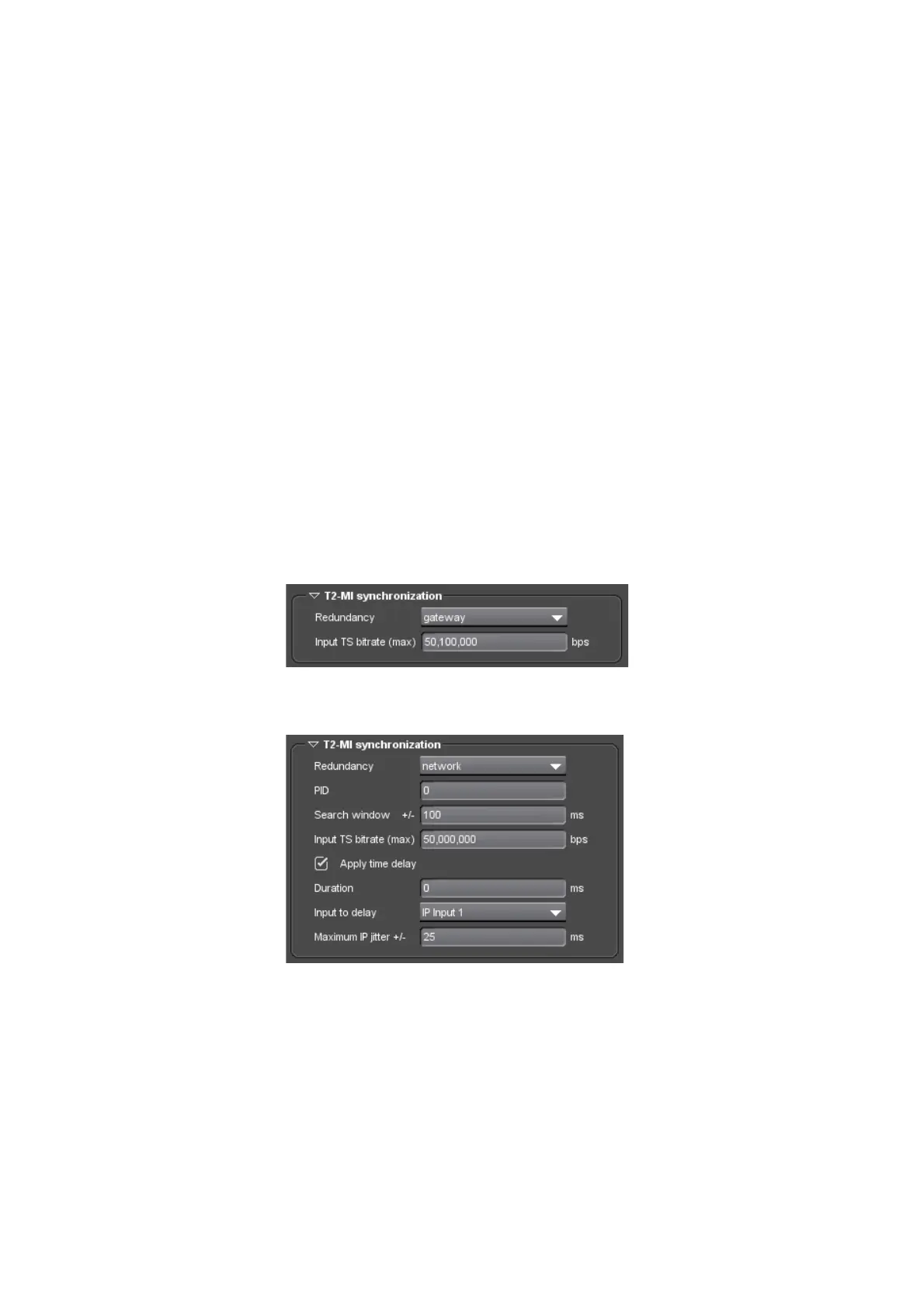
T2-MI Synchronization Area
The T2-MI synchronization area is displayed for T2-MI input streams only.
Figure 3-78. ASI switch dialog box (T2-MI input stream and gateway redundancy)
Figure 3-79. IP switch dialog box (T2-MI input stream and network redundancy)
In this area, you must set the following parameters:
Redundancy: choose a redundancy mode:
gateway
: redund two T2-MI streams from two synchronized
THOMSON NetProcessor T2 gateways.
network
: redund two identical T2-MI streams (duplicated signal)
transmitted over two separate network paths.



 To Next Page