Chapter 3 ’Web Browser Interface’ — Interface Description
Amethyst III DTV Smart Switch 157
User Manual
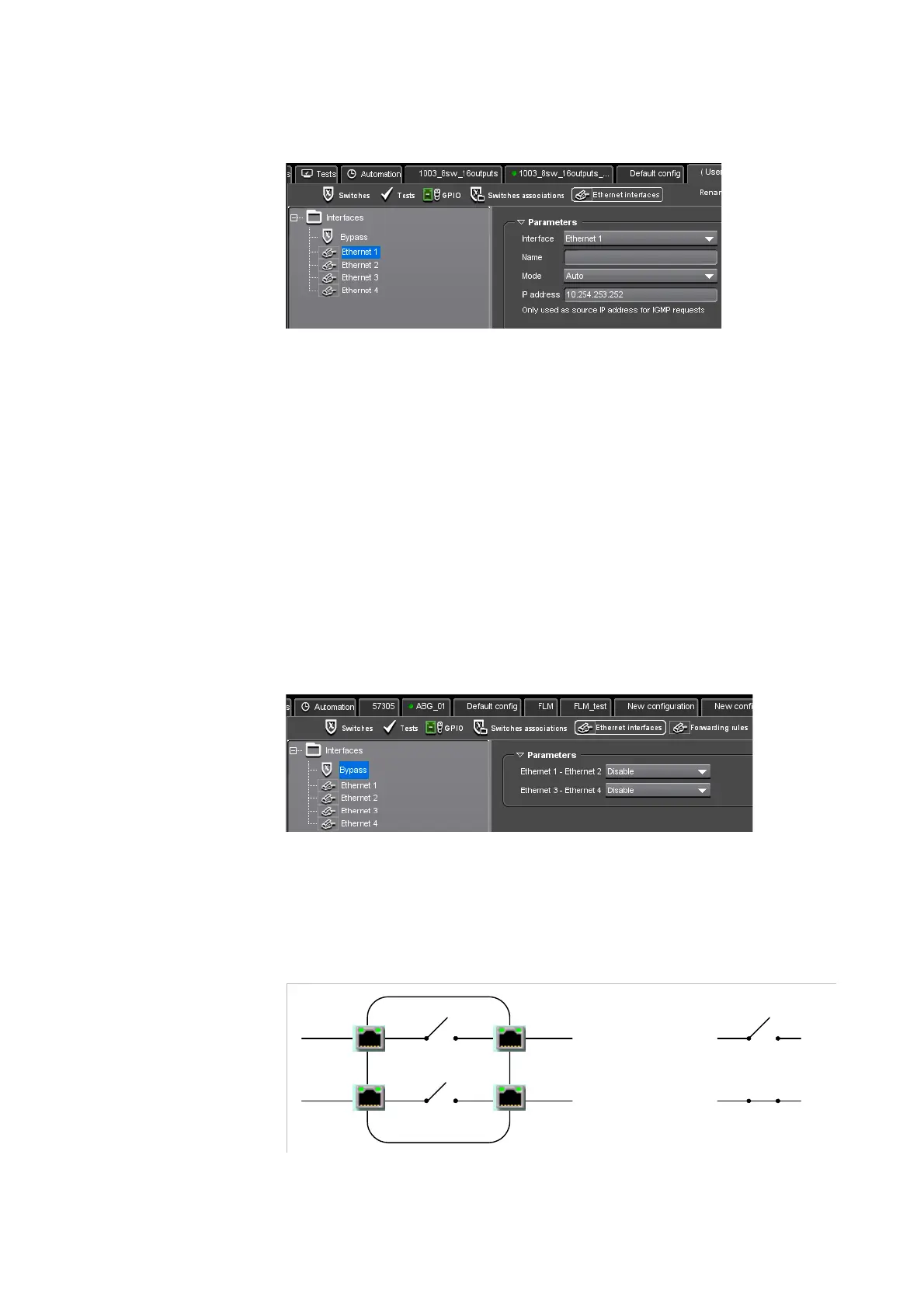
Figure 3-88. Ethernet Interface view - Ethernet port parameters
The following parameters are available:
Interface
Name
Mode: Auto, 1000 BASE-T, Half-duplex/100 BASE-T, Full-duplex/100
BASE-T.
IP address: enter the IP address used as source IP address for IGMP
requests.
Bypass Parameters
Select the Bypass node from the tree on the left to set the bypass
parameters.
Figure 3-89. Ethernet Interface view - Port bypass
Even in case of power failure, Amethyst III has the capability to deliver
streams by enabling a bypass between the Ethernet physical ports #1
and
# 2, as well as between the Ethernet physical ports #3 and # 4.
Figure 3-90. Bypass behaviour
Eth 1
Eth 3
Eth 2
Eth 4
disabled
enabled



 To Next Page