101
OPUS Projektor Manual
User Interface
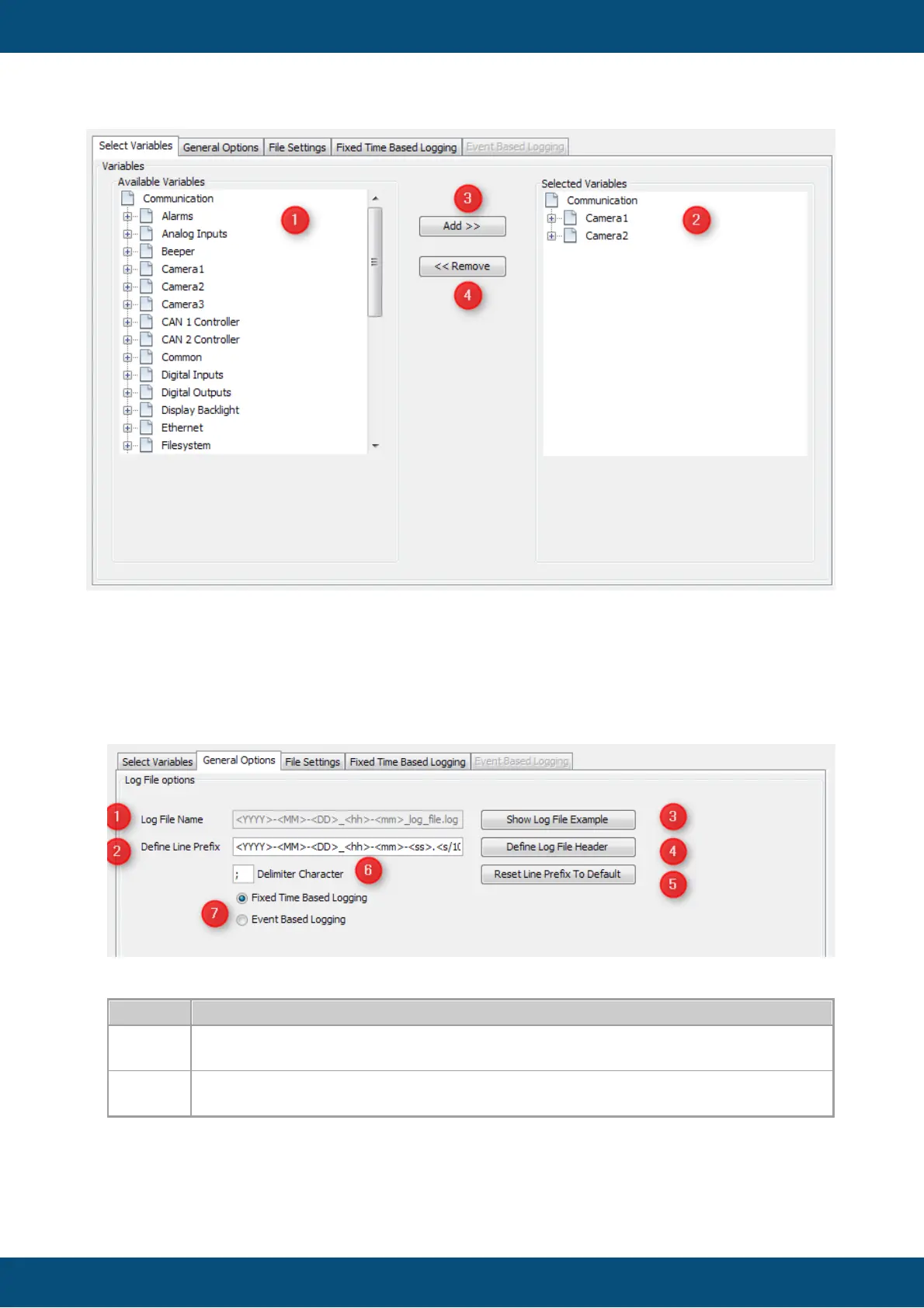
The tab provides you an overview of the current available variables (1). Now you can add (3)
and remove (4) the variables which you like to log with the according labelled buttons. All
selected variables you will find in the right tree view (2). Variables are written to a file. How the
variables are written is defined by the method of logging. You basically have two choices
"fixed time based logging" and "event based logging".
General Options
Changes to older versions: Log path and Copy/Move path can be set during runtime with
the variables @LogPath and @LogCopyPath. The defaults are mentioned below.
Configure the Log File Options
The option "Log File Name" (1) is disabled. The file name is chosen by the system and can
not be changed.



 To Next Page