109
OPUS Projektor Manual
User Interface
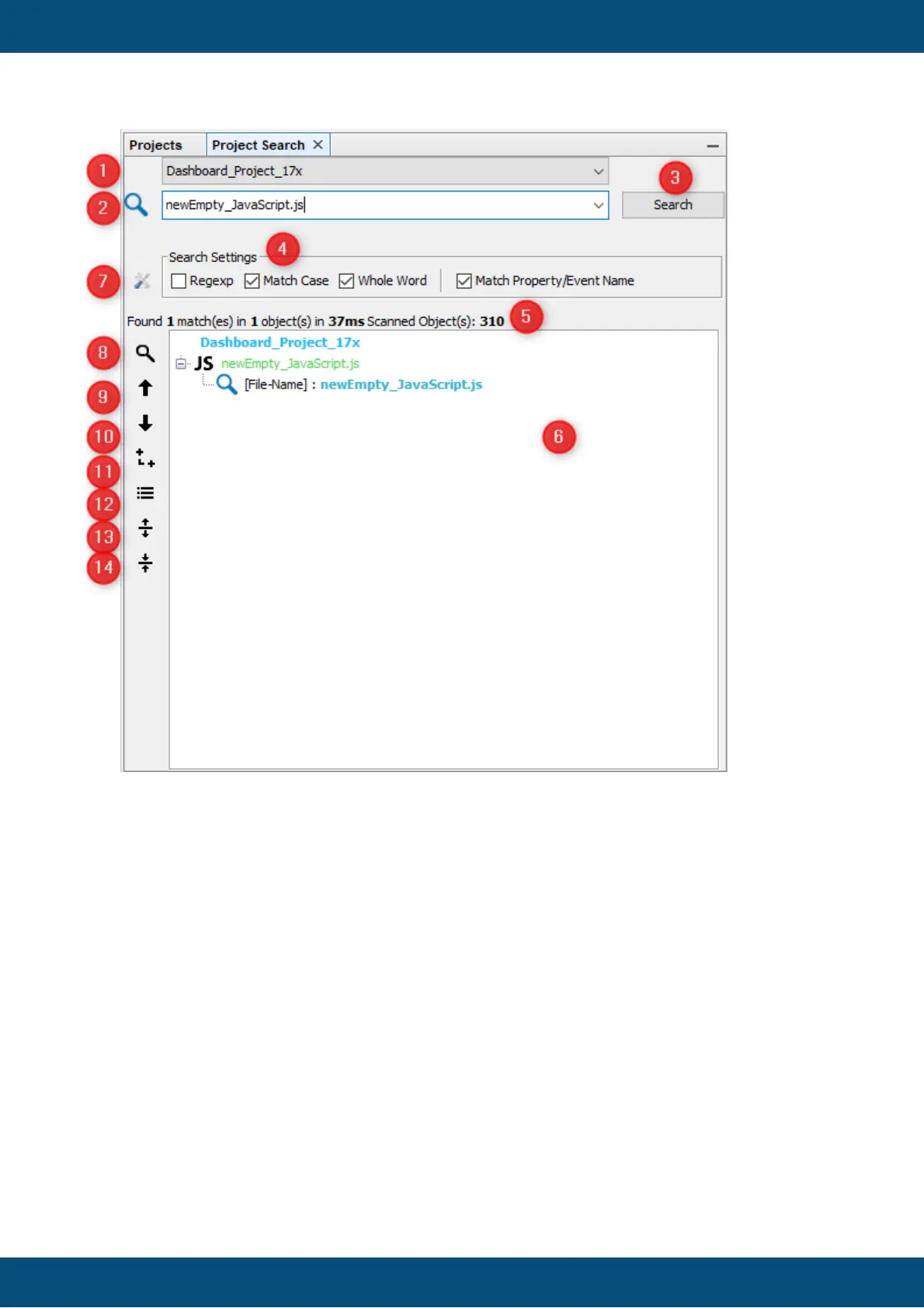
1. Combo-Box: list of all opened projects
2. Text box/Combo box: search command
3. Button: search
4. Check boxes: search settings
5. Label: search details
6. Tree: search results
7. Latching button: show all search settings
8. Latching button: show detailed search results. (property/event matches)
9. Button: go to previous search result node (with rollover)
10.Button: go to next search result node (with Rollover)
11.Latching button: show search results as a tree (similar to project tree)
12.Latching button: show search results as a list
13.Latching button: expand search tree
14.Latching button: collapse search tree
Explanation of the elements



 To Next Page