14
OPUS Projektor Manual
Quick Start Tutorial
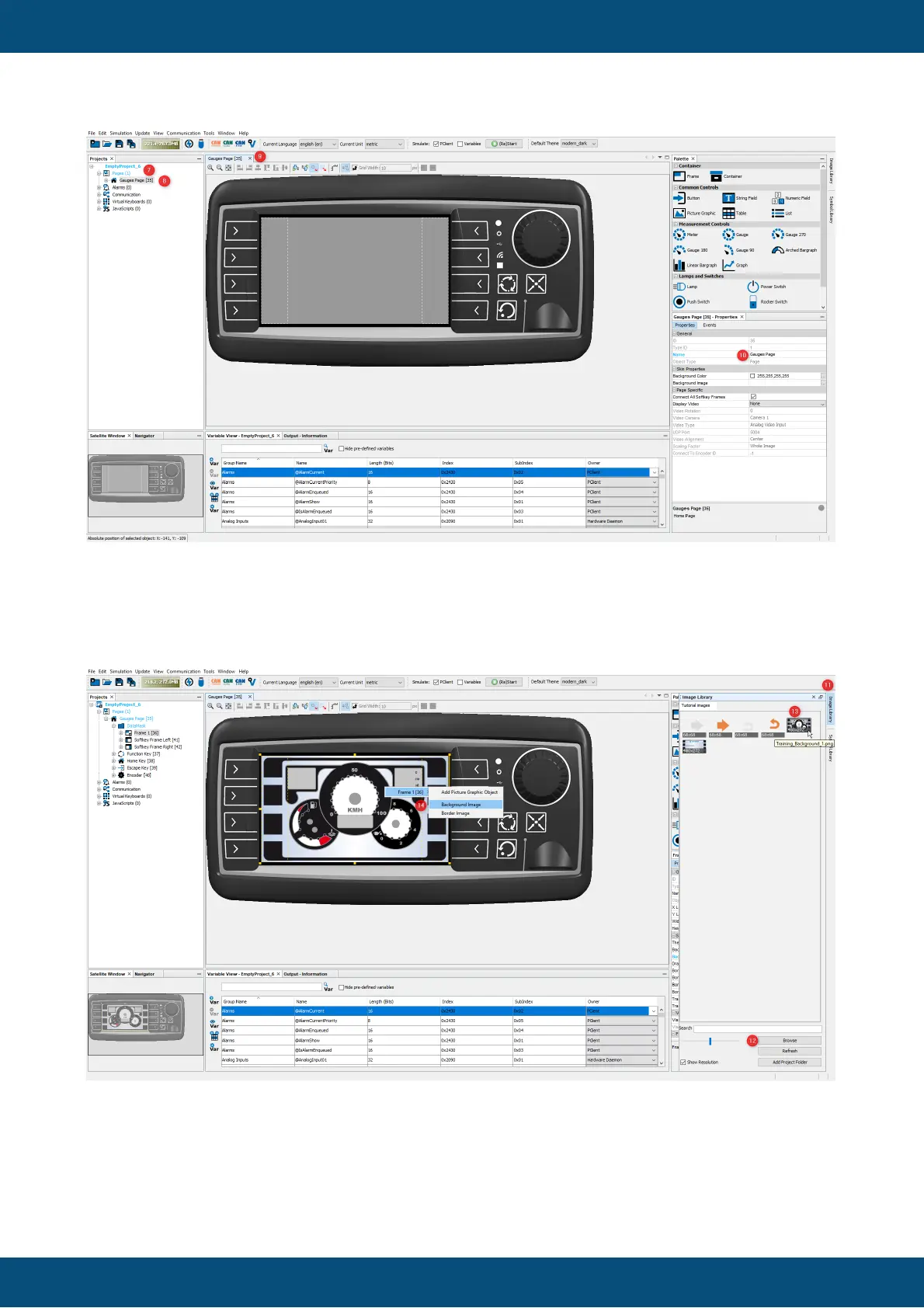
In this tutorial, the basic page layout is given by a background image. To add a background
image, open the Image Library tab (11), and use the Browse button (12) to add the folder
where the tutorial images were saved. Then select the image Training Background1.png (13)
and drag & drop it onto the gray frame in the virtual device (14). Select the Frame 1 and then
Background Image.
Note that the image now has a suffix _480_272 in the file name . A new instance of the image
in this resolution is automatically created.
Visualization of Received Values



 To Next Page