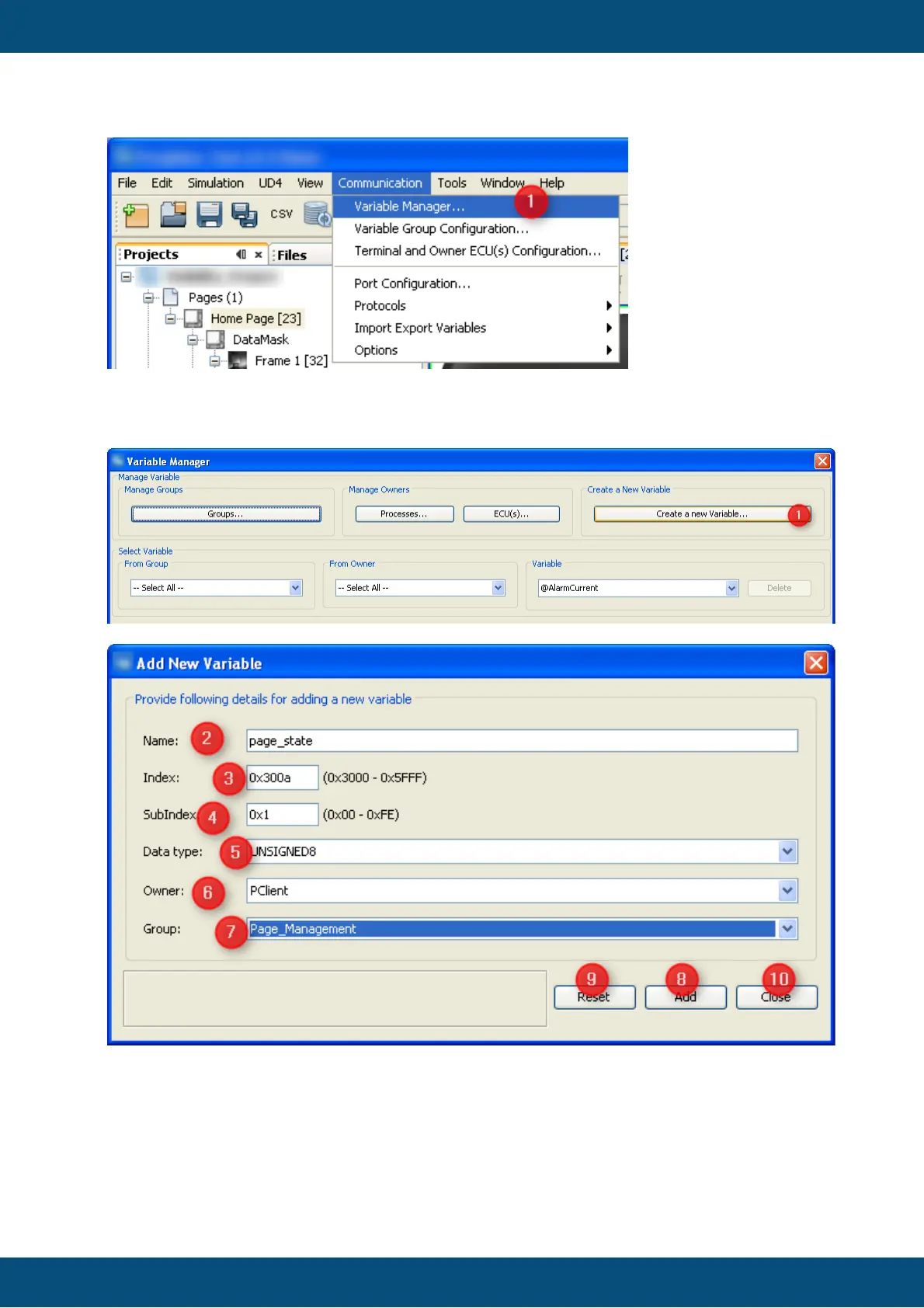
1. Open "Communication" menu.
2. Select "Variable Manager..."
Create New Variable
In order to add a new variable to the GUI definition
1. Press button "Create a new Variable..." in Variable Manager dialog. This opens the
"Add New Variable" dialog.
2. Type a valid name that you will recognize when you want to attach this variable to
DDOs later or when you want to use it in a script.



 To Next Page