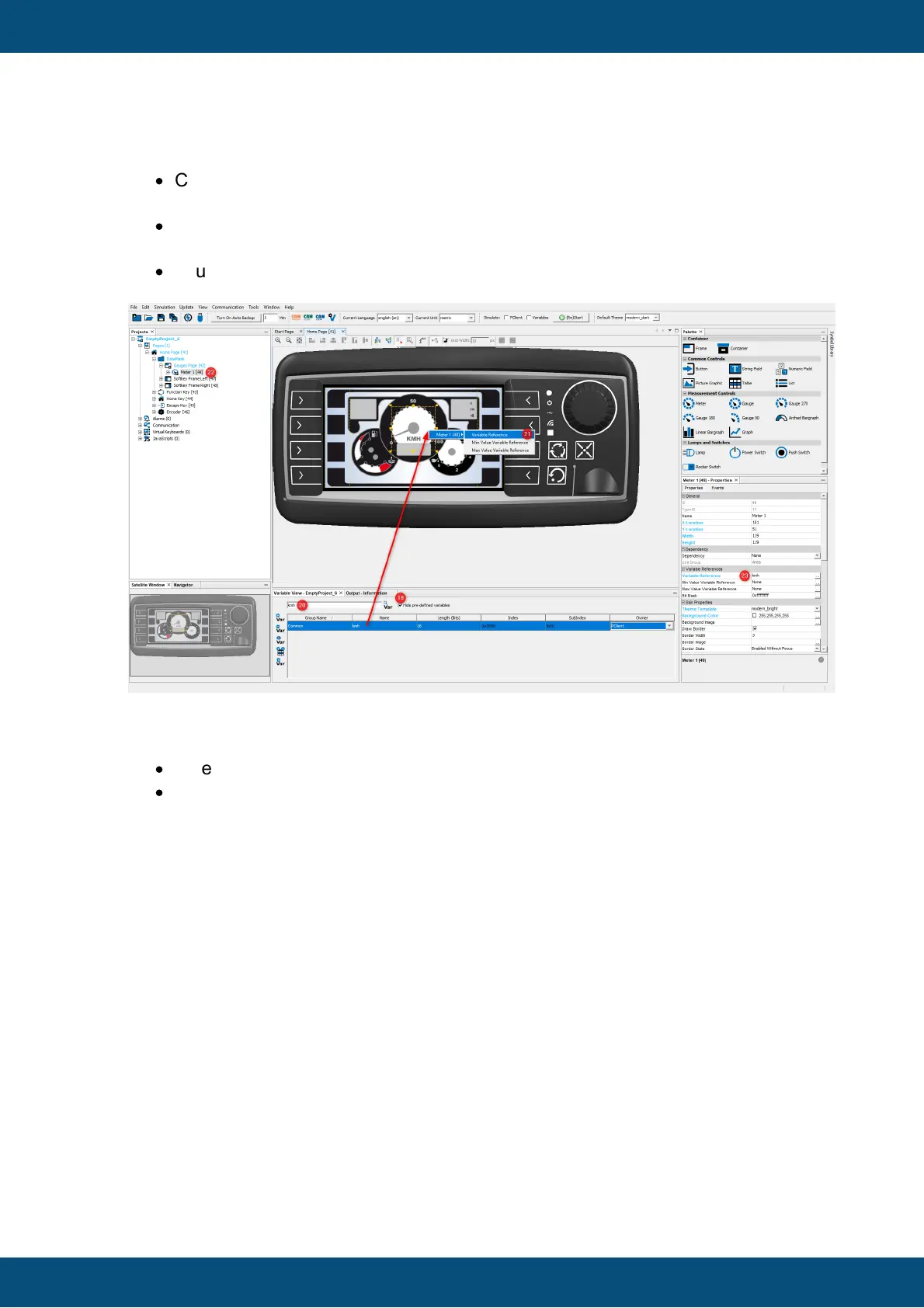
Now you need to attach the variable kmh to the meter:
·
Click the kmh variable row to select it and drag & drop the variable over the meter.
You can also drop the variable on the Meter 1 in the project tree (22).
·
A context menu appears. In the first level, select the Meter 1 object. In the second
level, select the the Variable Reference option (21).
·
You can now check in the Properties window, that the variable kmh is referenced
by the meter object (23).
Later we will simulate the project. To be able to easily simulate the correct variable
values, we have to set the minimum and maximum values of the kmh variable:
·
Select the kmh variable in the Variable View (24).
·
Open the right click context menu of the kmh variable and choose Edit in
Variable Manager (25).



 To Next Page