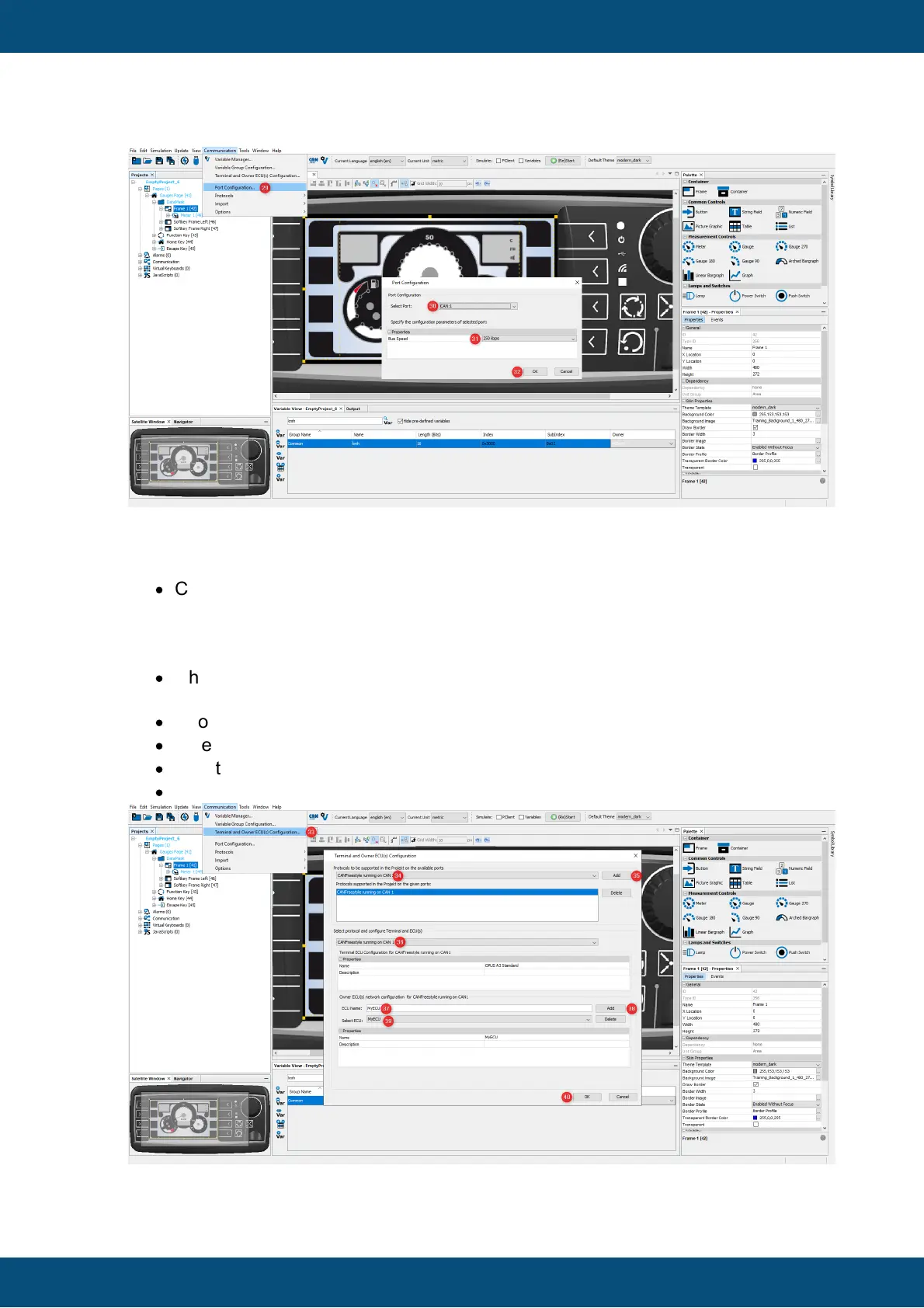
After configuring the CAN port, the CAN protocol and a communication partner, e.g. an
ECU, must be defined:
·
Click the Terminal and Owner ECU(s) Configuration... entry in the
Communication menu (33).
The Terminal and Owner ECU(s) Configuration... dialog appears.
·
Choose protocol CANFreestyle running on CAN1 (34) and click the Add button
(35).
·
Choose CANFreestyle running on CAN1 (36).
·
Enter ECU Name MyECU (37) and click the Add button (38).
·
Now the ECU is listed in the Select ECU dropdown menu (39).
·
Close the window by clicking OK button (40).



 To Next Page