307
OPUS Projektor Manual
CAN
5
CAN
The communication between the terminal and other devices is realized with the help of CAN
protocols. Each kind of protocol supported has its special properties to be configured
according to the requirements.
Supported are 2 prevalent and 1 proprietary CAN protocol:
·
SAE J1939
·
CANopen
·
CANFreestyle (proprietary)
Tutorial video about setting up the basic CAN settings
https://www.youtube.com/watch?v=DO0tPCmaB1w
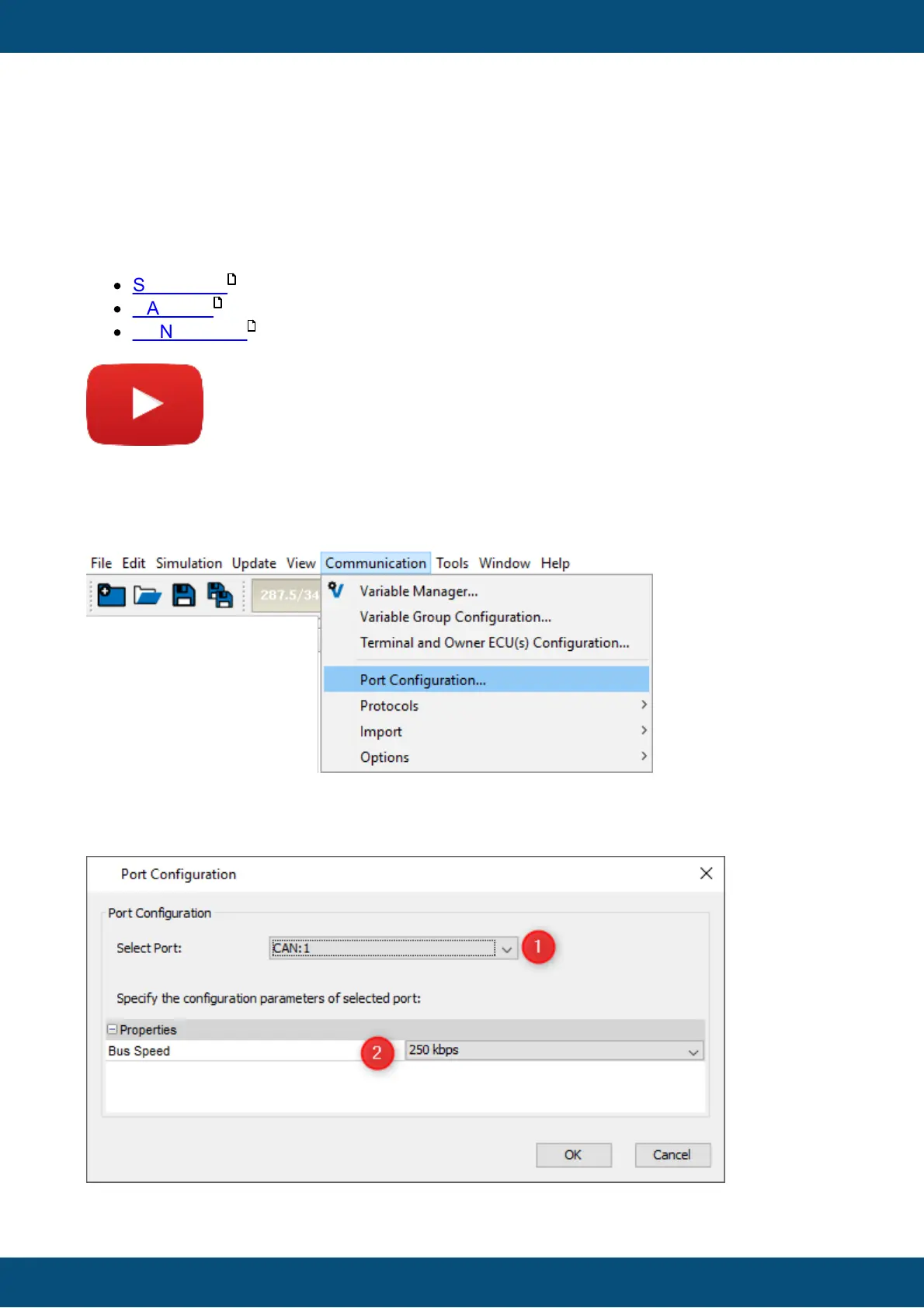
Firstly, you always need to set up the bit rate that you want to use. Open the menu
Communication -> Port Configuration...
In the dialog, choose the CAN port you want to use (1) and then the bit rate / baud rate / bus
speed that you want to use in your project for that port (2).
342
328
308



 To Next Page