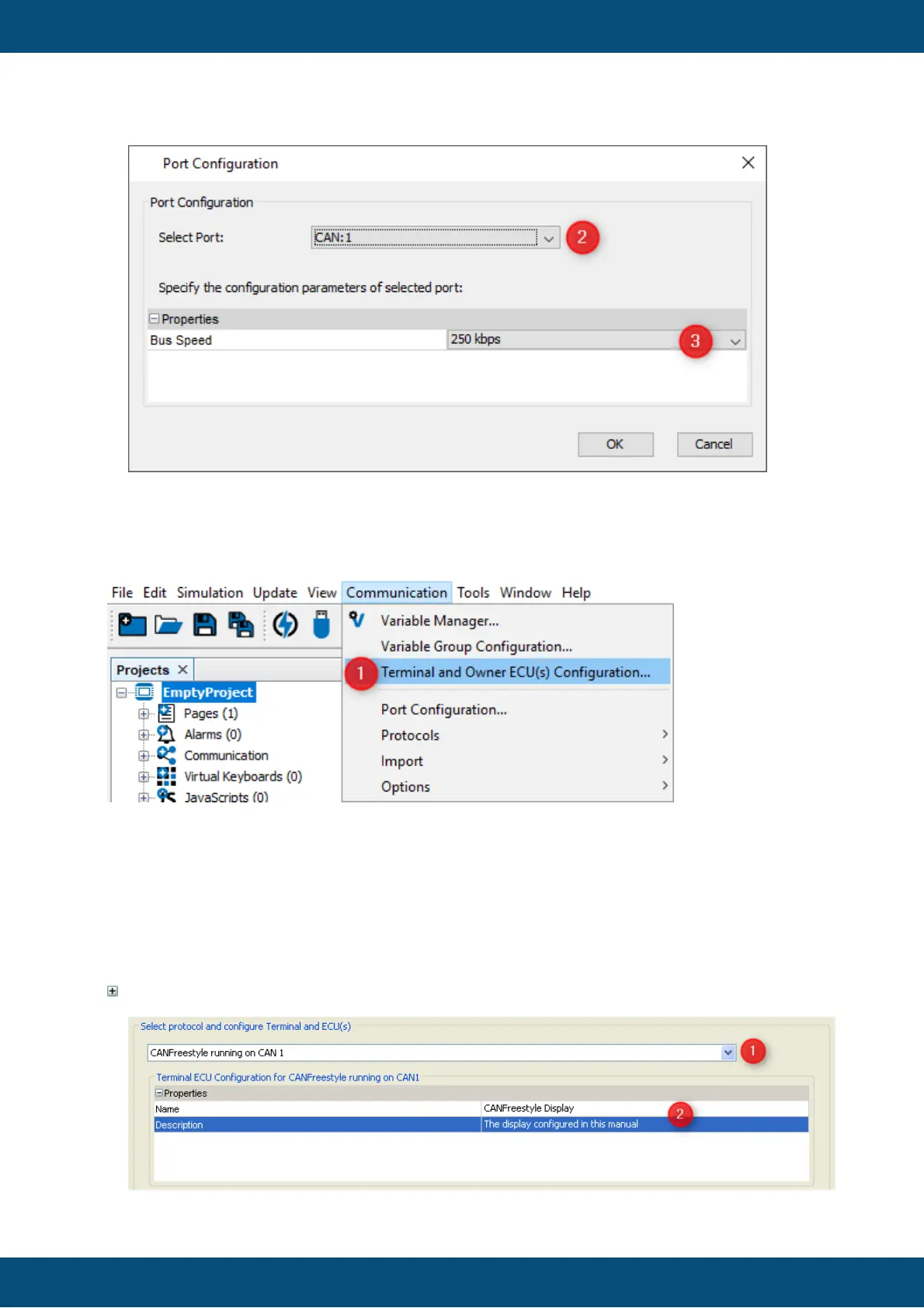
Once the port is configured the protocol itself has to be assigned to it.
1. Open "Communication" menu and choose "Terminal and Owner ECU(s)
Configuration ...". The "Terminal and Owner ECU(s) Configuration" dialog will
appear
2. Press on the arrow and select CANFreestyle protocol for the CAN port you want it
to run on
3. Press "Add" to use this protocol with your GUI on the display
Properties of Terminal ECU



 To Next Page