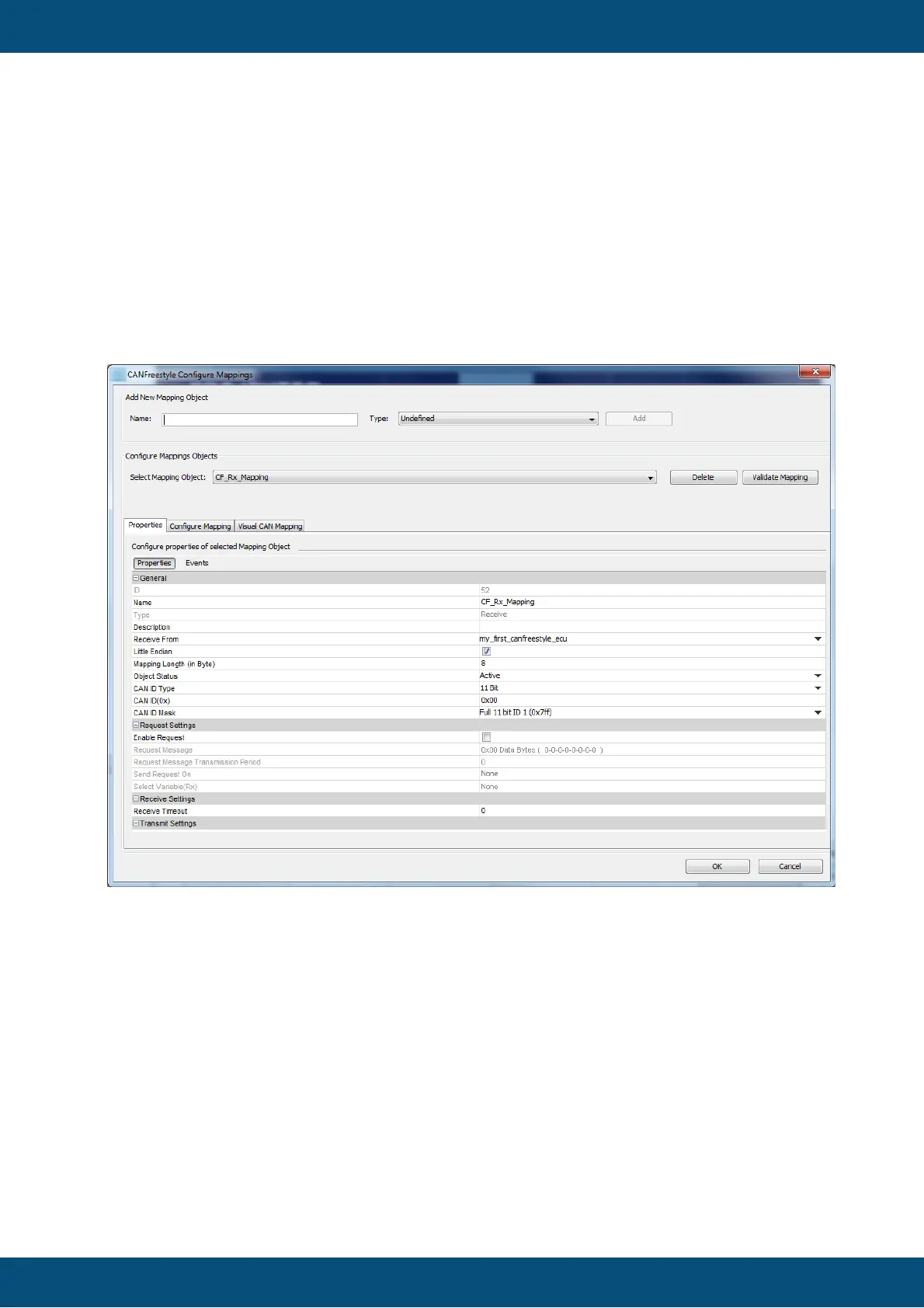
1. Open the menu "communication". Select "Protocols". Choose "CANFreestyle".
Select "Configure Mappings ...".
2. The "CANFreestyle Configure Mappings" dialog will pop up.
3. Type the name of your mapping
4. Select the type "Receive" if the display shall fetch values from CAN bus and
"Transmit" if the display shall send out values.
5. Press "Add" to create the new mapping.
Setting Mapping Properties
The dialog will populate with the default settings for the new mapping object which have to
be modified according to your intentions:
Defining Variable Mappings
General
ID
Is the object ID created internally which can not be modified.
Name
The name of the mapping as used during creation. This name can be edited here.
Type
"Receive" or "Transmit" - this property can not be modified. If this needs to be changed
you have to delete and recreate the mapping.



 To Next Page