Create the mapping multiple times with different constant values. Each mapping will only
react if its constant value equals the incoming message. The variables should match the
message structure for the according multiplexer value.
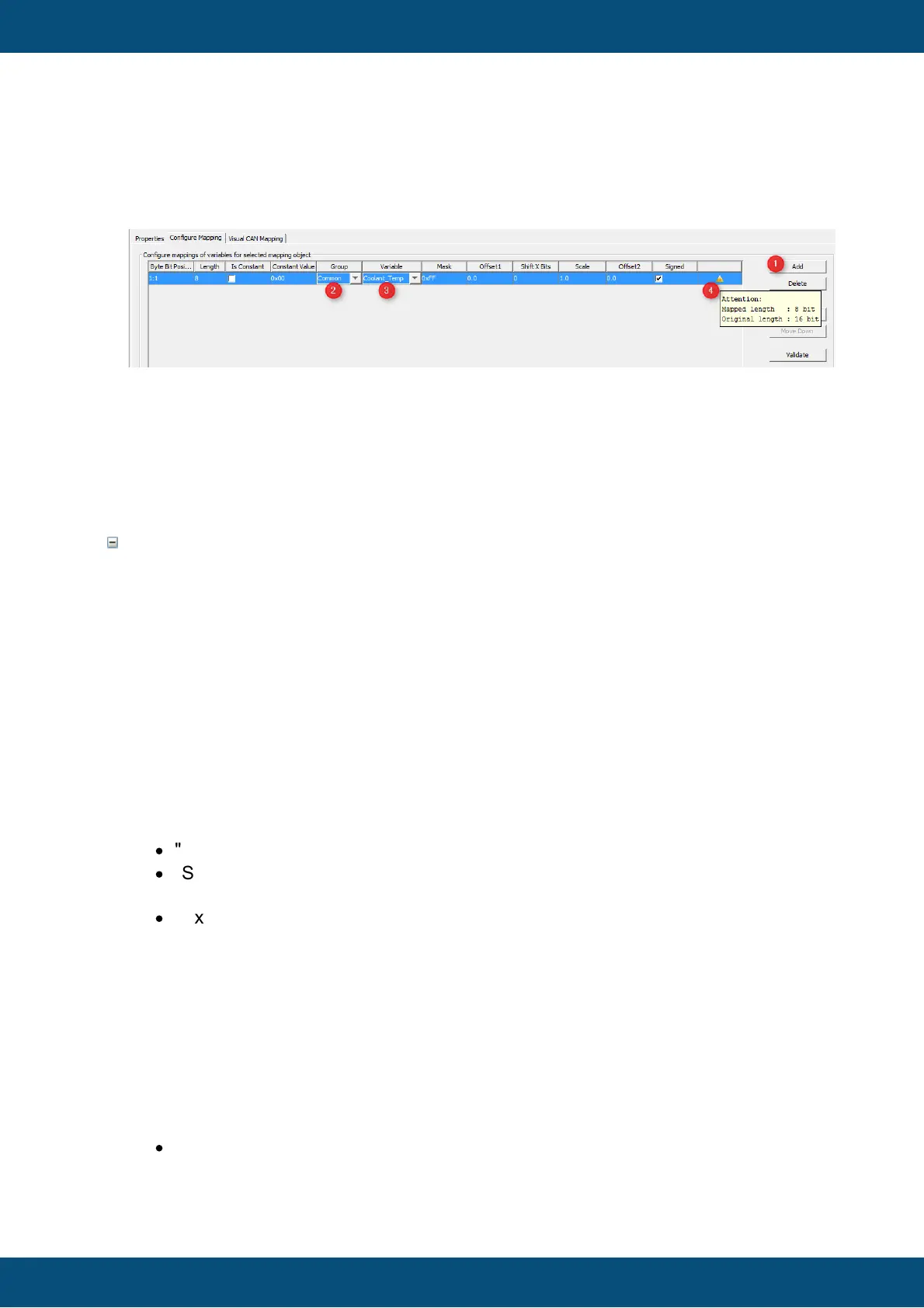
1. Press "Add" button to add a line to the mapping.
2. Select the group of the variable to map.
3. Select the variable itself.
After doing this the properties in the line adjust to the variable definitions made earlier
e.g. the length is set to 16 bits and the mask is set to 0xffff meaning all the bits will be
taken.
This tab allows adding actions to mapping related events. It only appears for receive
mappings.
The configured actions for the events are executed directly in the CAN thread when the
event happens.
The CAN stacks will wait until the actions are executed.
OnReceiveTimeOut
This event is triggered if a receive mapping is not received within the period defined as
"Transmission Period". If this happens all the variables mapped to the PGN are
automatically considered invalid and additionally the action is executed.
If you should see any "Event Options" for this event - ignore them like the PClient does.
Possible actions that can be assigned are
·
"No Action" which is the default
·
"Set Value" to assign a constant value to a variable, e.g. to reset a counter, raise
an alarm or trigger something attached to a variable where "Force Writing" is true.
·
"Execute Script" allows to execute a script and provides additional parameter
"Execute on every Xth Event" so that it is possible to execute the script only for e.g.
every third timeout.
OnReceiveTimeOutResolved
This event is triggered if a receive mapping which time out before is received again. If
this happens all the variables mapped to the PGN are automatically considered valid
again (assuming the PGN received really contained a value for them) and additionally
the action is executed.
If you should see any "Event Options" for this event - ignore them like the PClient does.
Possible actions that can be assigned are
·
"No Action" which is the default



 To Next Page