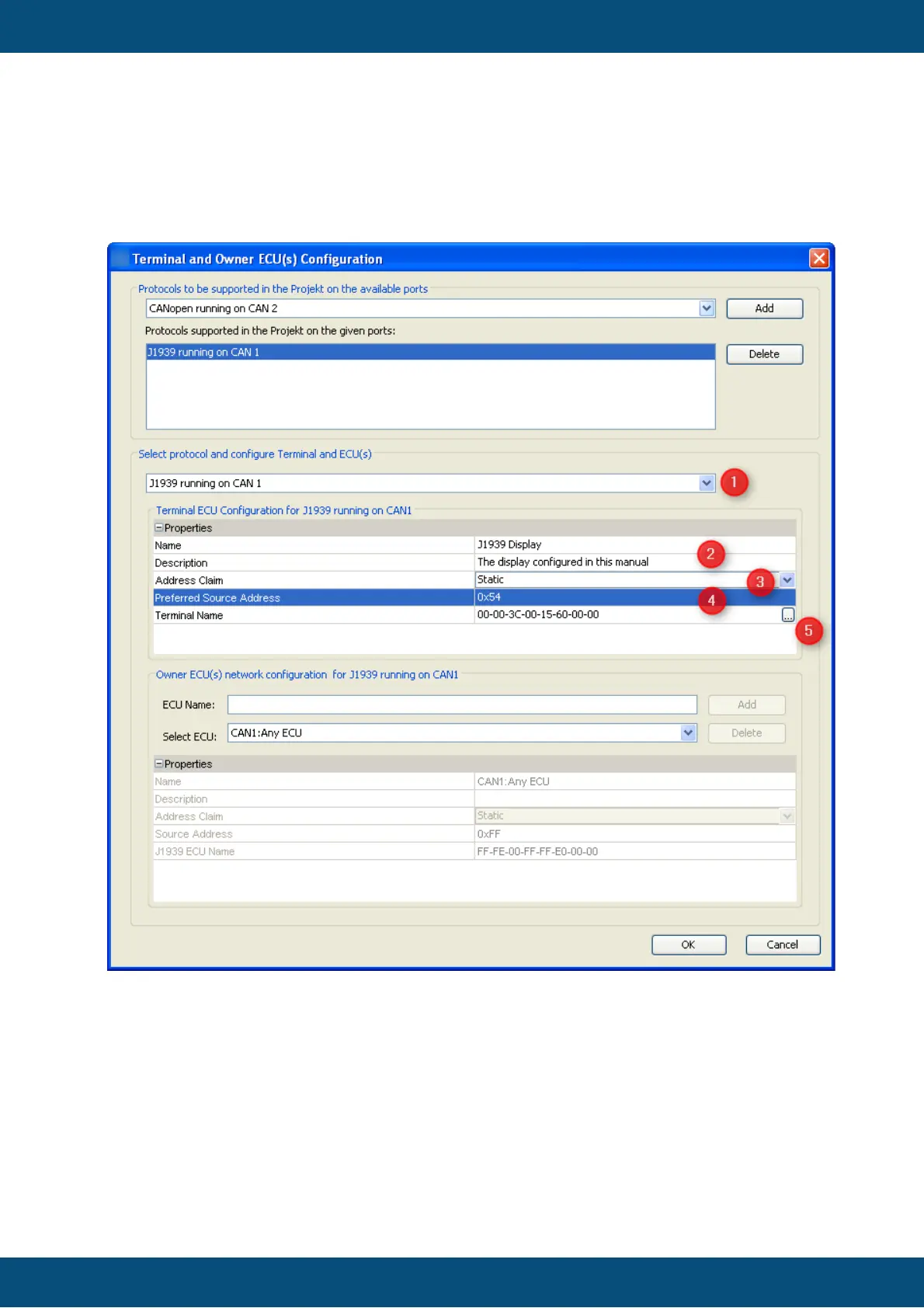
Knowing that every ECU on the bus has to claim an address we now have to configure the
display's own address in the same dialog:
1. Select J1939 on the CAN port configured before - in our example we configured it for
CAN 1.
2. Type a valid name and description - these are mainly for your convenience and may
help others to understand the GUI configuration in future.
3. Choose "static" if you know all ECUs on your network in advance and want the
display to always claim the preferred address (or none if another ECU with a higher
priority claims the same address). Choose "dynamic" if the display should only start
with the preferred address but is allowed to use another address.
4. Select a "preferred source address". For static address claiming this will be the
display's address. For dynamic address claim the display will try to claim this



 To Next Page