address but use another one if forced to do so by an ECU with higher priority. The
default 0x54 == 84 is reserved for "Cab Display #2" in the main J1939 document.
5. Configure the display's J1939 name after pressing the button with the three dots.
The display claims a J1939 name at startup and whenever asked for it. To do so it needs a
J1939 name independent of whether address claim is configured as "static" or "dynamic".
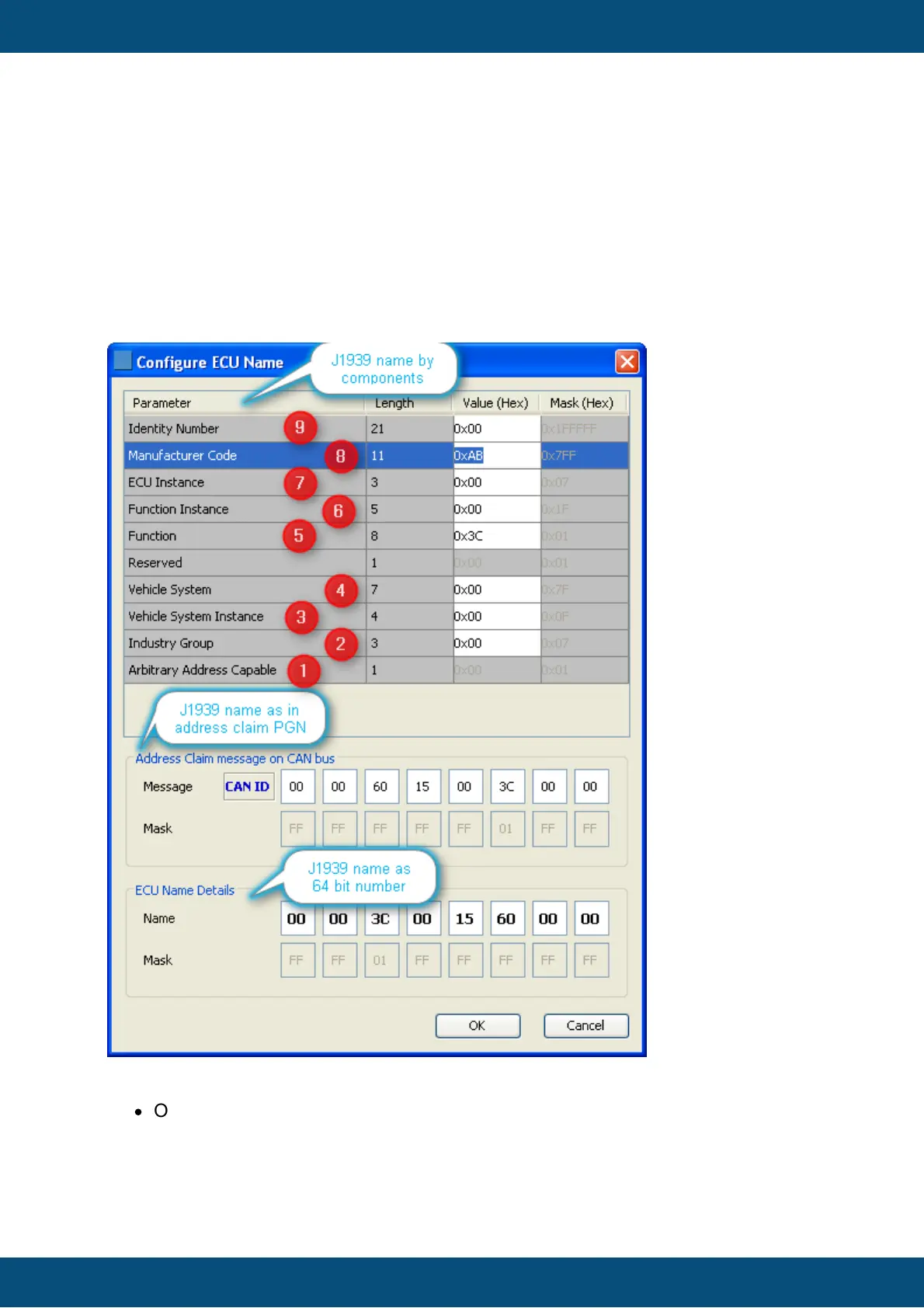
Pressing the button with the three dots in the above dialog opens the following dialog
where the name can be configured:
This dialog is divided into three sections all showing the same J1939 in different formats:
·
On top one can edit the sections of the name as defined in J1939-81. This sections
allows entering values in decimal (displayed in tooltip) and hexadecimal format
(displayed).



 To Next Page