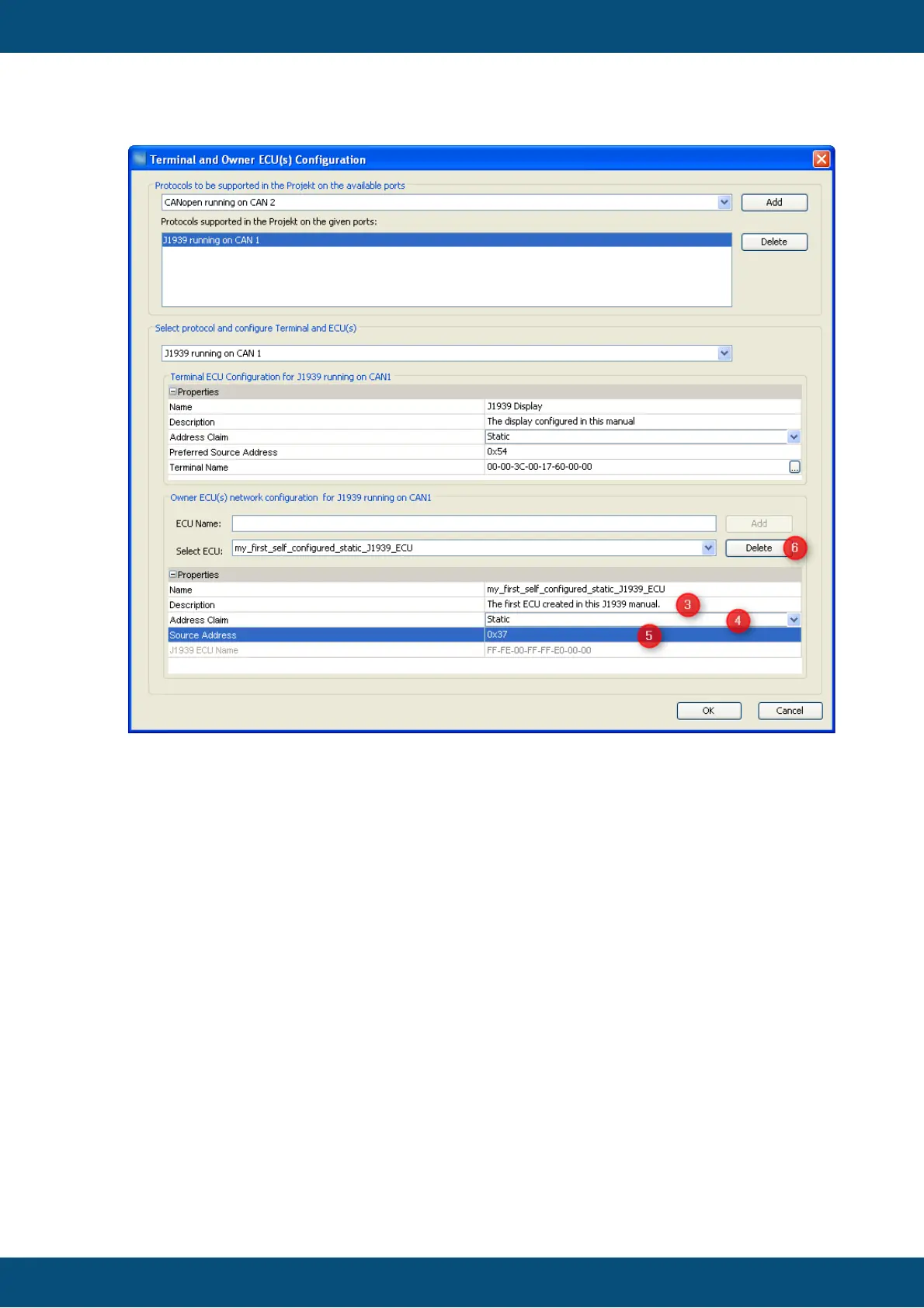
3. Provide a description that could help others to understand better which ECU is
meant here.
4. Select "Static" since we want to configure an ECU with a static address here
(ECUs with dynamic addresses are handled below).
5. Type the source address this ECU will use. This can be done in decimal or
hexadecimal format. Anyways hexadecimal is shown.
6. In case the ECU is not needed anymore it can be deleted again. If it should
already own any variable all these will be owned by the display afterwards.
The first steps are the same as for the ECU with static address described above - with
the exception of the "Address Claim" field which has to be set to "dynamic" and then the
"J1939 ECU Name" field becomes unlocked:



 To Next Page