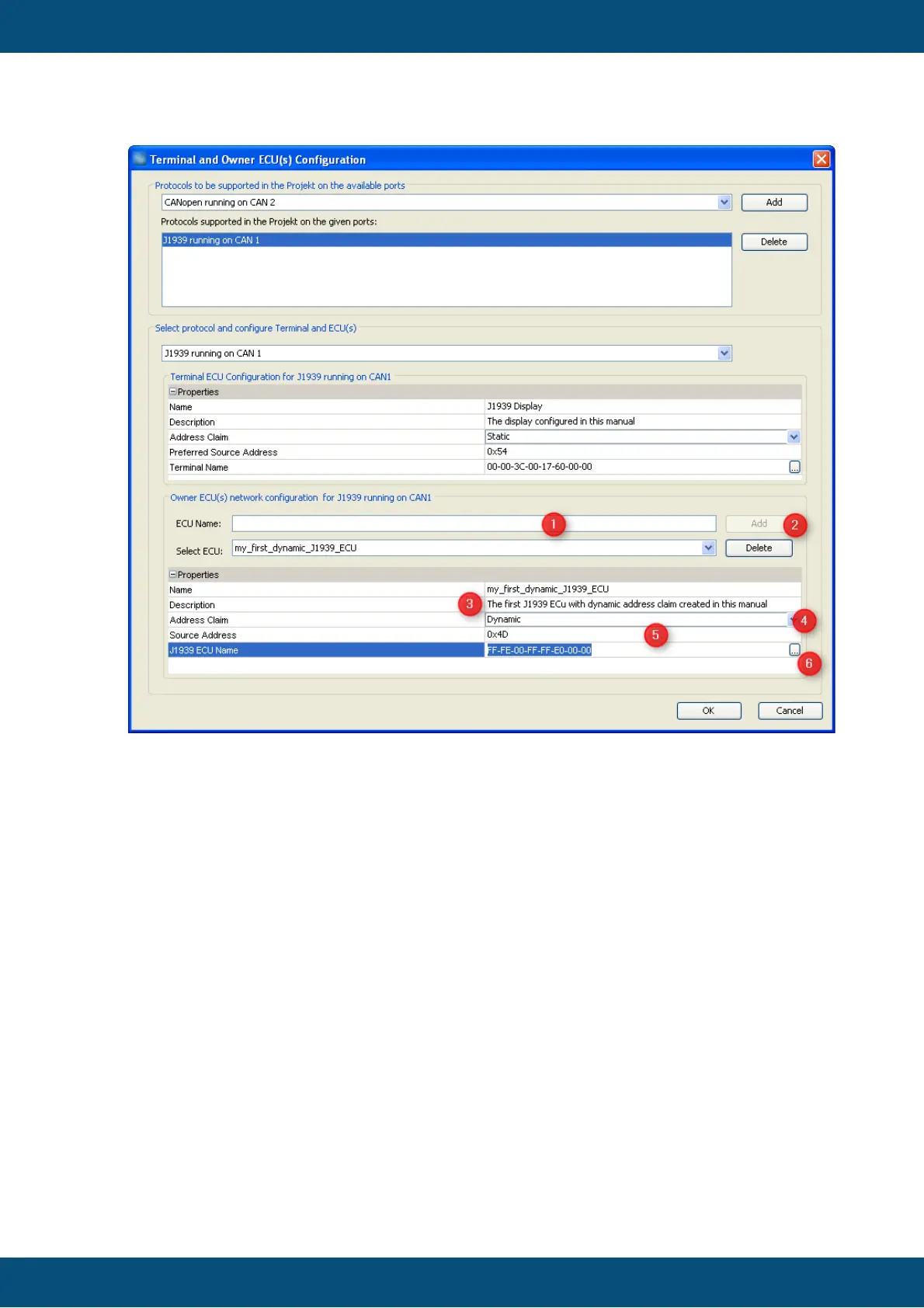
1. ... 3. Are the same steps as above.
2. Select "Dynamic" since we want to configure an ECU with dynamic address claim
here
3. The "Source Address" chosen here is not really relevant - the display will identify
the ECU by its J1939 name. Anyways it's a good idea to configure the preferred
address of the ECU here.
4. Press the ". . ." button in the J1939 ECU Name field in order to configure the
ECU's J1939 name. This will open a dialog similar to the one used to configure
the display's name earlier:



 To Next Page