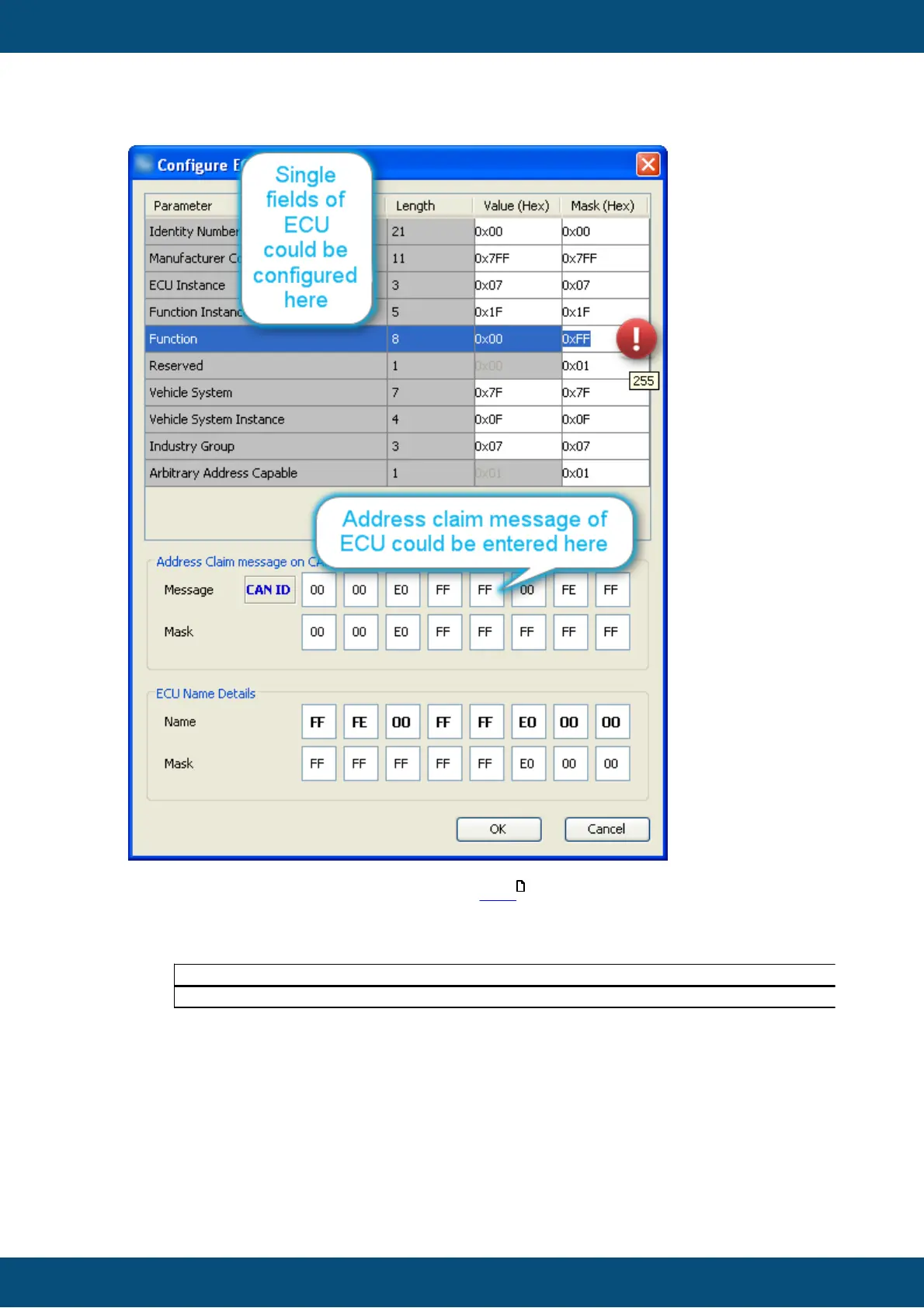
The fields of the J1939 name are explained here .
One could find out the name of an ECU with a CAN tool the name is the data part of the
address claim message looking like this in a CAN tool:
18EAFFFE 3 00 EE 00
18EEFF4D 8 23 47 E0 FF FF 00 FE FF
The first line shows a "request for address claimed" which you could send from your
CAN tool to get the response in the second line.
This second PGN 0x00EE00 is the address claim coming from ECU with source
address 0x4D and having the name we have as default in the dialog.
The most convenient way to enter this name obtained with a CAN tool is provided in the
center of the dialog.
Note: In our CAN example the bytes belonging to the "Identity Number" field are "23 47"
whereas the tool default is "00 00" because we expect them to be ignored anyways.



 To Next Page