389
OPUS Projektor Manual
CAN
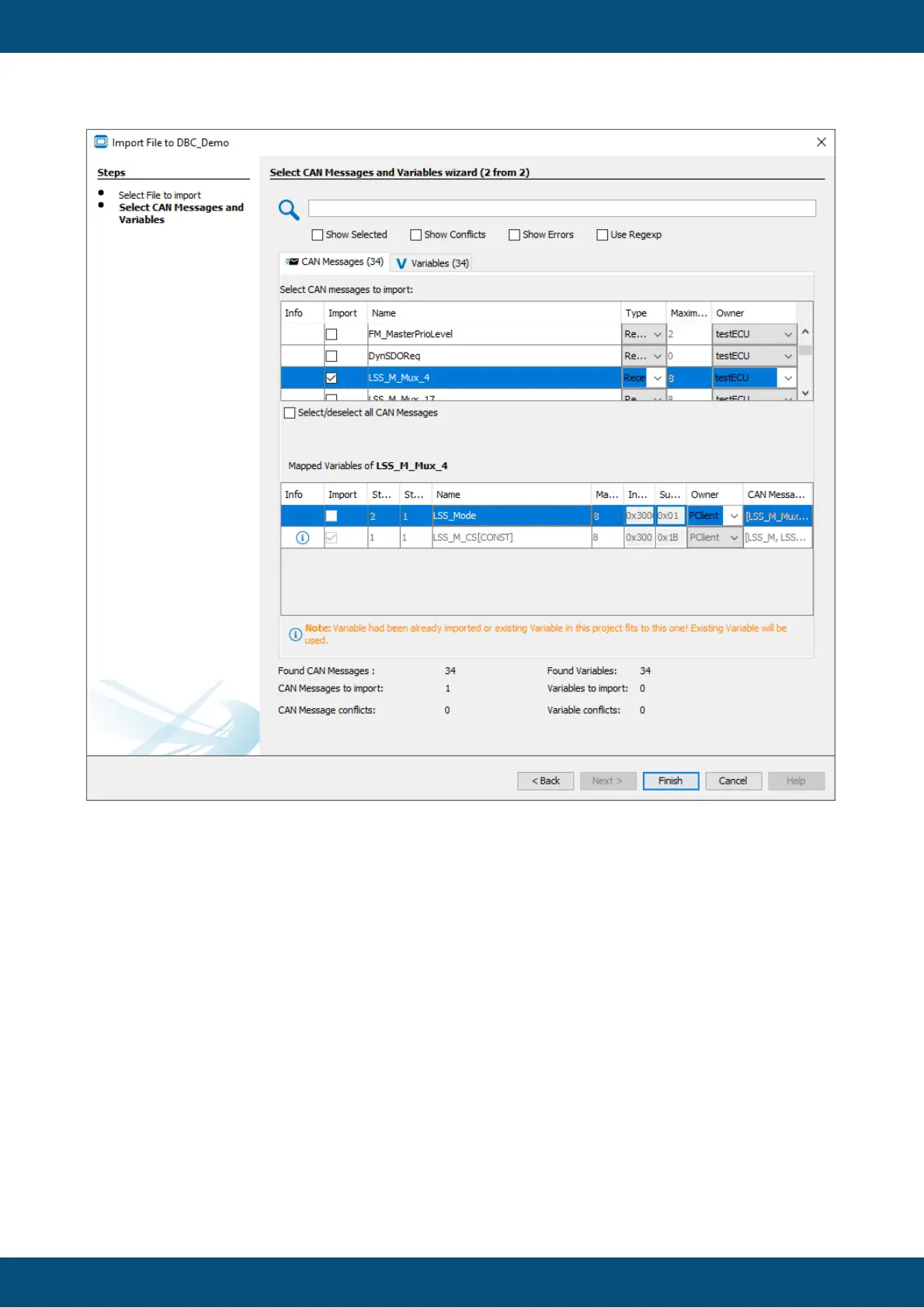
In the bottom of the dialog an overview of the CAN messages and variables in the DBC file
and the ones selected for import are shown.
In the Variables tab all variables in the DBC file are shown. In this tab, variables can be
selected and deselected for import.
Please note: If a variable is deselected in this tab, this will lead to the deselection of all CAN
messages where this variable is mapped.
Variables can be imported without the CAN messages, but CAN messages can not be
imported without the according variables.
In the upper part of the dialog the search field can be used to filter the currently displayed
variables / CAN messages.
Below the search field the current view can be filtered for
- only elements selected for import
- elements that have conflicts left to be resolved.
- elements with errors that can not be resolved



 To Next Page