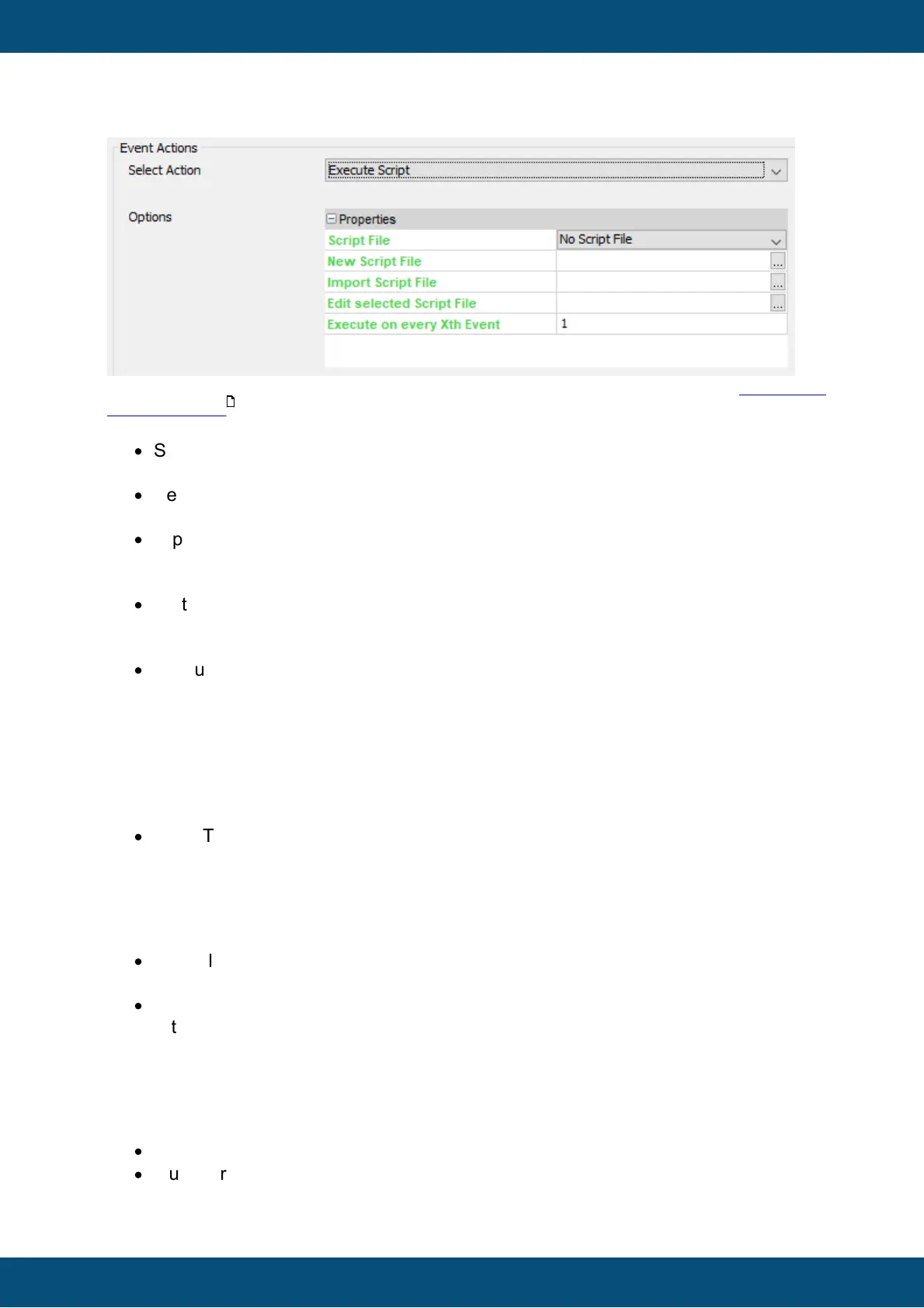
The execute script action can trigger the execution of a JavaScript file. See the JavaScript
documentation for more information.
Properties:
·
Script File
The JavaScript file that shall be executed
·
New Script File
Not really a property, rather a short-cut which will open the new script dialog.
·
Import Script File
Not really a property, rather a short-cut to import an existing script file from another
location
·
Edit selected Script File
Not really a property, rather a short-cut to open the JavaScript editor with the currently
selected script file.
·
Execute on every Xth Event
This property allows the execution of the JavaScript to not happen every time the
event is triggered but only at e.g. every 5th event: This can act as kind of a low-pass
filter for value change events.
Jump To Page
The jump to page action triggers a change to another page in the project.
Properties:
·
Jump To
Select the page from the drop down list to which the project shall change
Set Value
With the set value action a fixed value can be set to a variable.
Properties:
·
Variable
Select the variable that's value shall be set
·
Value
Either a number or a string depending on the variable type
Scale Value
With this action a value of a variable can be scaled. The following formula is used for that:
scaledValue = (((Value + Offset1) * Multiplier) / Divisor) + Offset2
Properties:
·
Offset1
·
Multiplier



 To Next Page