479
OPUS Projektor Manual
Object Reference
The table in the dialog shows all items in the list. The one of the top is the one that will be
shown when setting value 0 the list. The one on the bottom of the list is the one that is shown
when the highest value is set.
To change the order simply select one item in the table and then click either the Up or Down
button on the right side of the dialog.
-Number Of List Items
This property can not be edited. It just shows the number of items inside the list.
-Touch Input (new in 2020.4.2)
This property is not visible in the OPUS Projektor property window. It can be set with
JavaScript.
The syntax is as follows:
setProperty(<list_id>,"Touch Input",true);
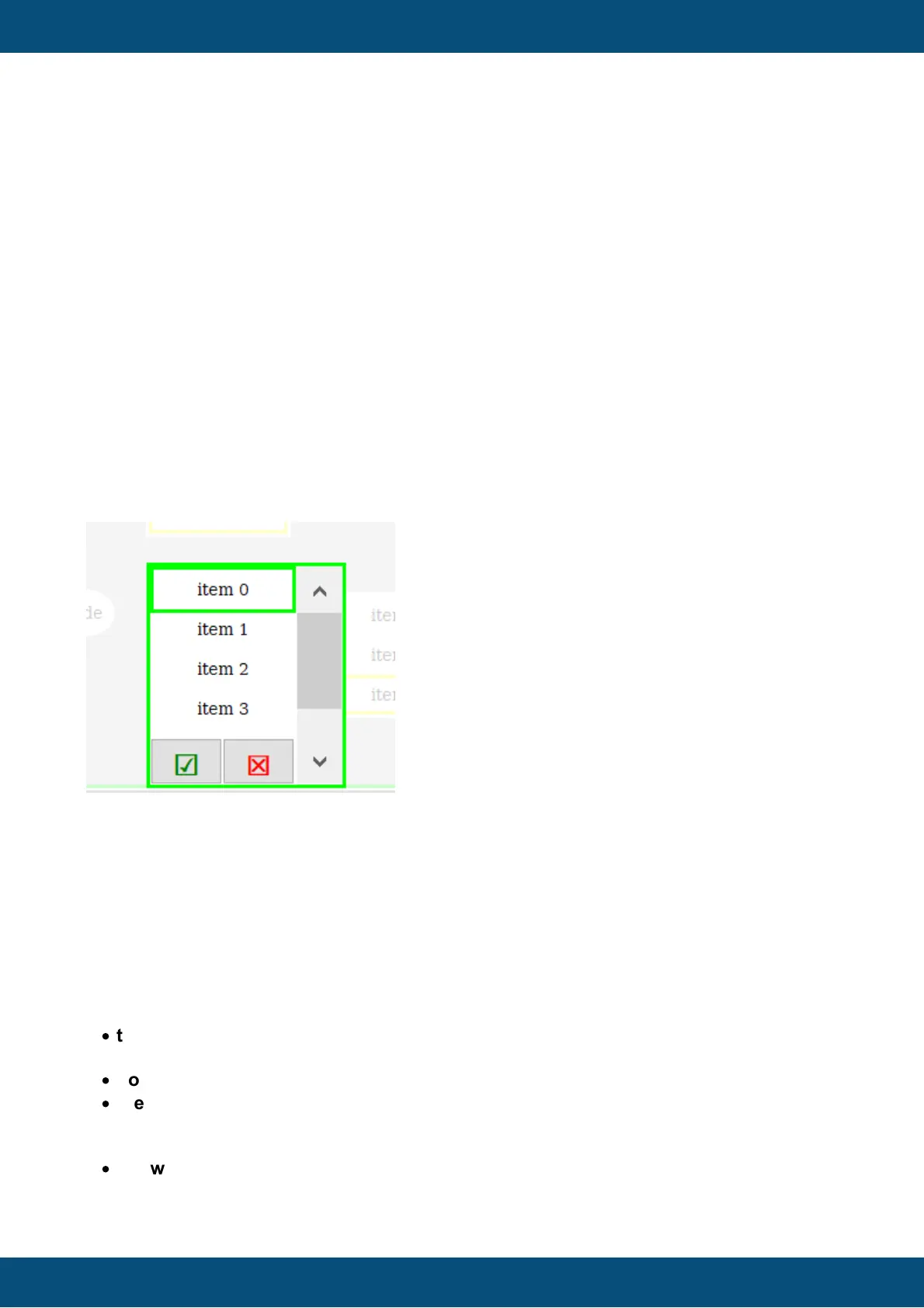
As a result, a list object in editing mode will now look like this:
There are two buttons, one Enter, one Escape, and the background of the page will be half-
transparent to put visual focus on the edited list.
The default value for this is false, so it needs to be activated e.g. on the event OnPageInit of
the page where the list object is.
Behavior details
Some details as to how the list objects behaves in certain special situations:
If only one item is shown the list object shows
·
the item belonging to the value if the item is valid (not a NULL-ID and not rendered
invisible via visibility)
·
nothing if value is below max value and the item is invalid
·
the last item if the value is equal to or above max value (and it is visible)
If more than one item is shown the list widget
·
shows as many items as configured if there are enough valid ones



 To Next Page