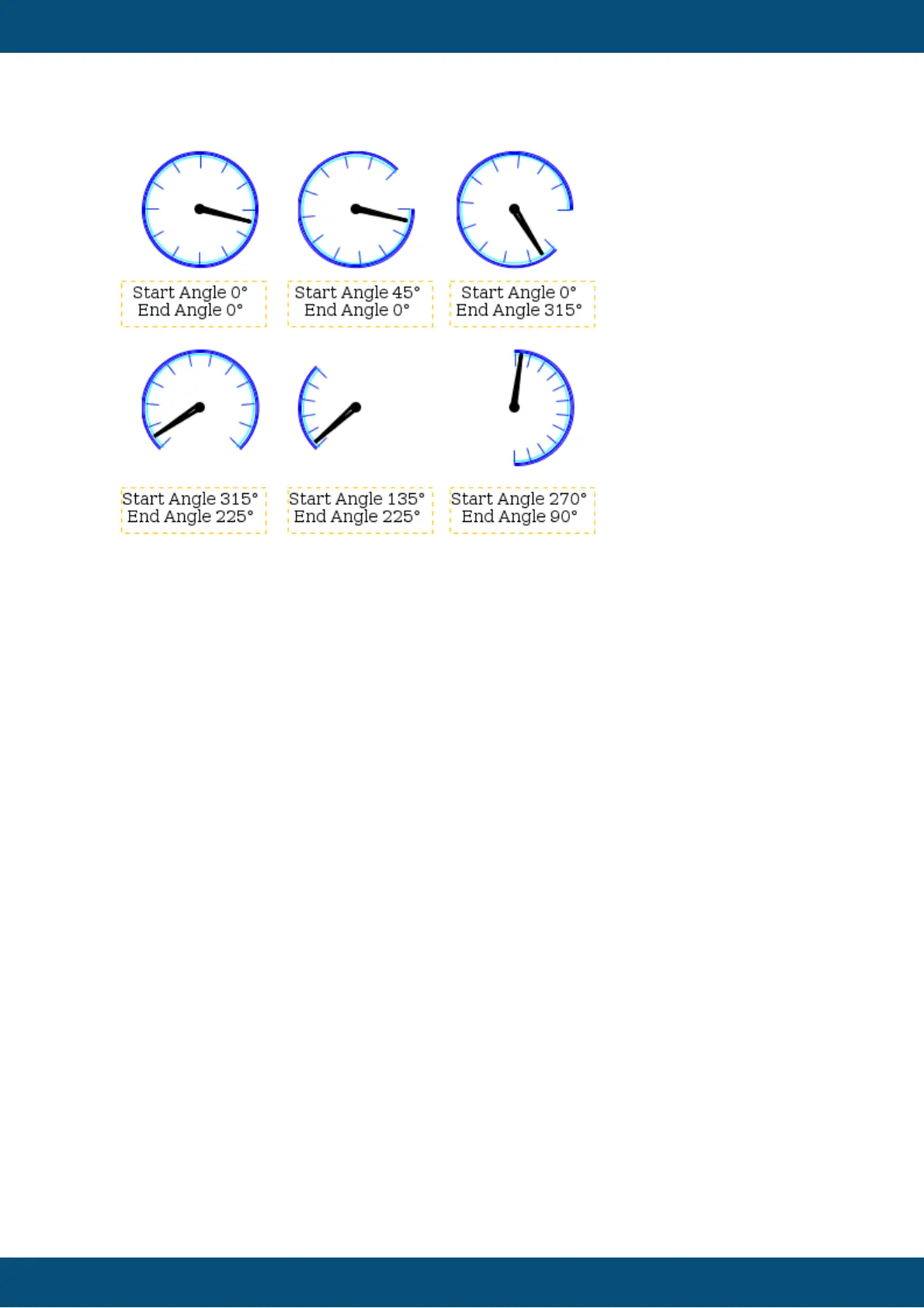
Start Angle
The start angle of the meter can be defined with this property.
The start angle's 0° position is at 3 o clock.
Default value: 0°
Possible values: 0° ... 360°
See examples above
End Angle
The end angle of the meter can be defined with this property.
The start angle's 0° position is at 3 o clock.
Default value: 0°
Possible values: 0° ... 360°
See examples above
Deflection Direction
The deflection direction defines how the value grows in the meter. Either clockwise or anti
clockwise.
Default value: ClockWise
Possible values: ClockWise or AntiClockWise
Needle Color (Theme dependent)
With this property the color of needle can be defined.
Note: This property has no effect if a Needle Image is used.
Note: Ses also common properties Color Above Maximum and Color Below Minimum
which also have influence on the needle color.
Default value: Signal blue (RGB 0, 51, 255)
Possible values: Any 24Bit RGB color



 To Next Page