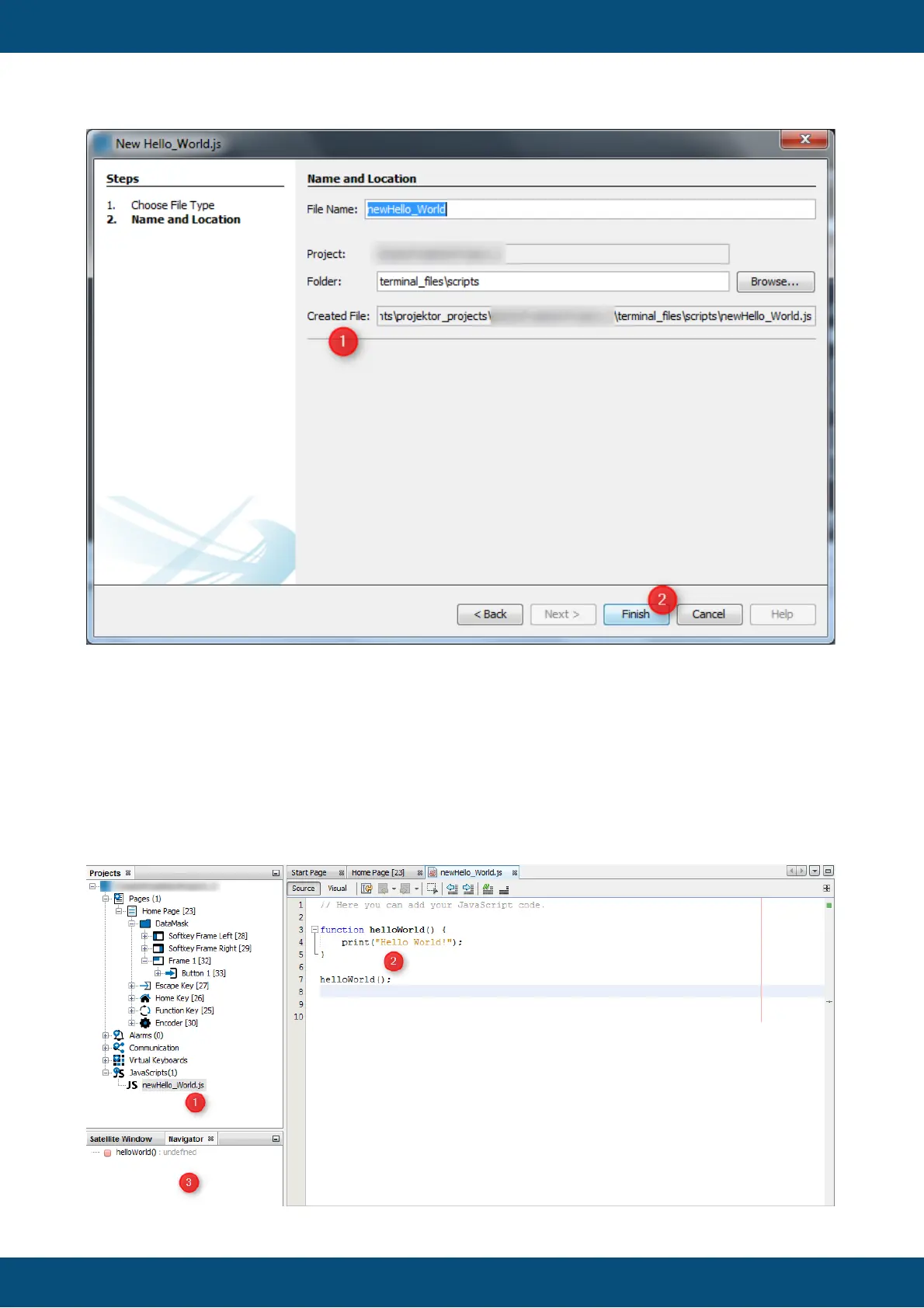
A script file can be edited by double clicking the corresponding file (1) insides the
JavaScripts node. A new JavaScript editor tab (2) will be opened. In our example we have
created an "Hello World" application with an template. The script file includes a function call
"helloWorld()" and the definition of the function which prints out a String.
To edit a script just write your source code in the content area (2). Syntax highlighting is
supported. A summary of all functions will displayed in the Navigator View (3).



 To Next Page