55
OPUS Projektor Manual
User Interface
Unused Images
As you can see in the image above, the Image Pool also shows unused images. The image in
the example was automatically included when a picture graphic object was added to the
project, but when the image was set for the object, the default image was not used anymore.
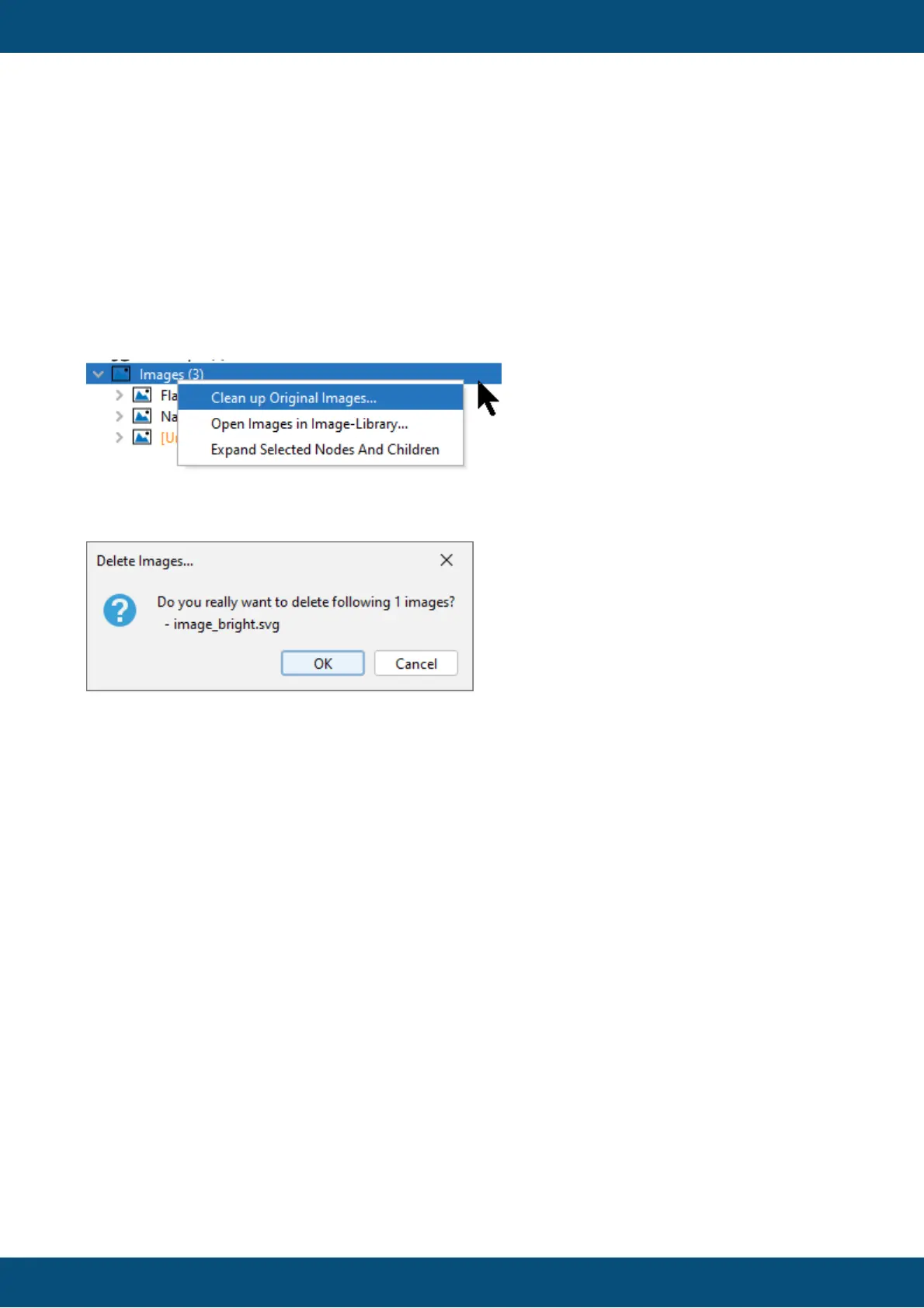
Unused images can be deleted by right-clicking the Images (n) node and selecting Clean up
Original Images...
A dialog will appear asking if the following images should really be deleted.
Up to 10 images will be listed in the dialog. If more than 10 images are to be cleaned, a ...
indicates that there are more of them.
Press OK to remove the unused images. Press Cancel to cancel the process.
Updating Image Pool
The image pool and all its children will be updated immediately by every image change in the
project.
Note that external file name changes are not tracked in the program.
The corresponding node will not work fully as expected, i.e. it cannot be used to put the image
on another Picture Graphic object.
When the project is closed and opened again, the original image is reinstated and the
manually renamed image will be ignored, i.e. it does not appear in the image pool.
If an image in the image pool should be renamed, it should be renamed within the program.
Renaming images
To rename an image in the program, right-click it and select Rename...



 To Next Page