57
OPUS Projektor Manual
User Interface
OK confirms the choice, Cancel cancels the process.
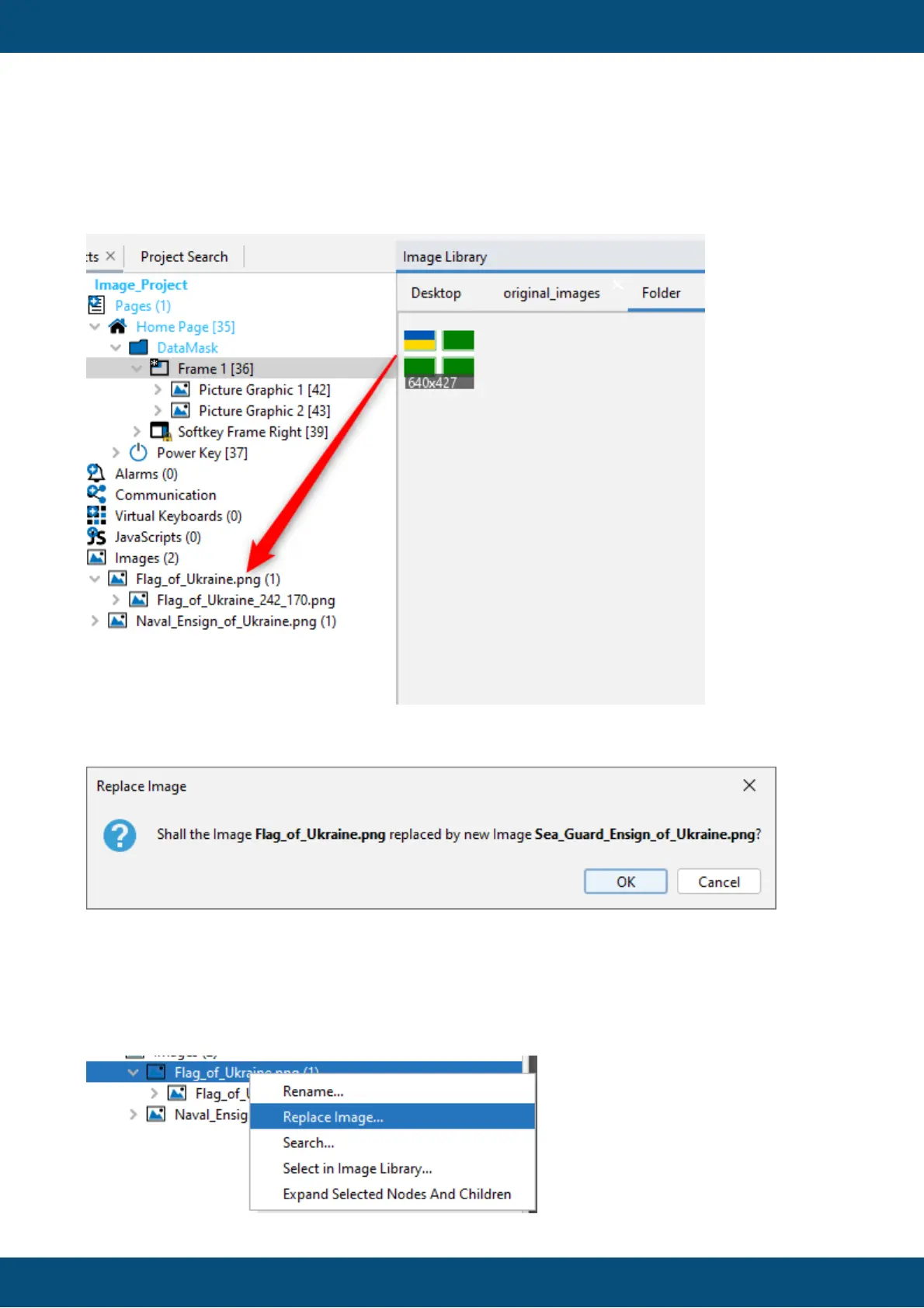
2) Drag & drop from the Image Library
A dialog will be opened asking for confirmation.
OK confirms the choice, Cancel cancels the process.
3) Context menu
Right-click on the original image and select Replace Image...



 To Next Page