586
OPUS Projektor Manual
Functionalities
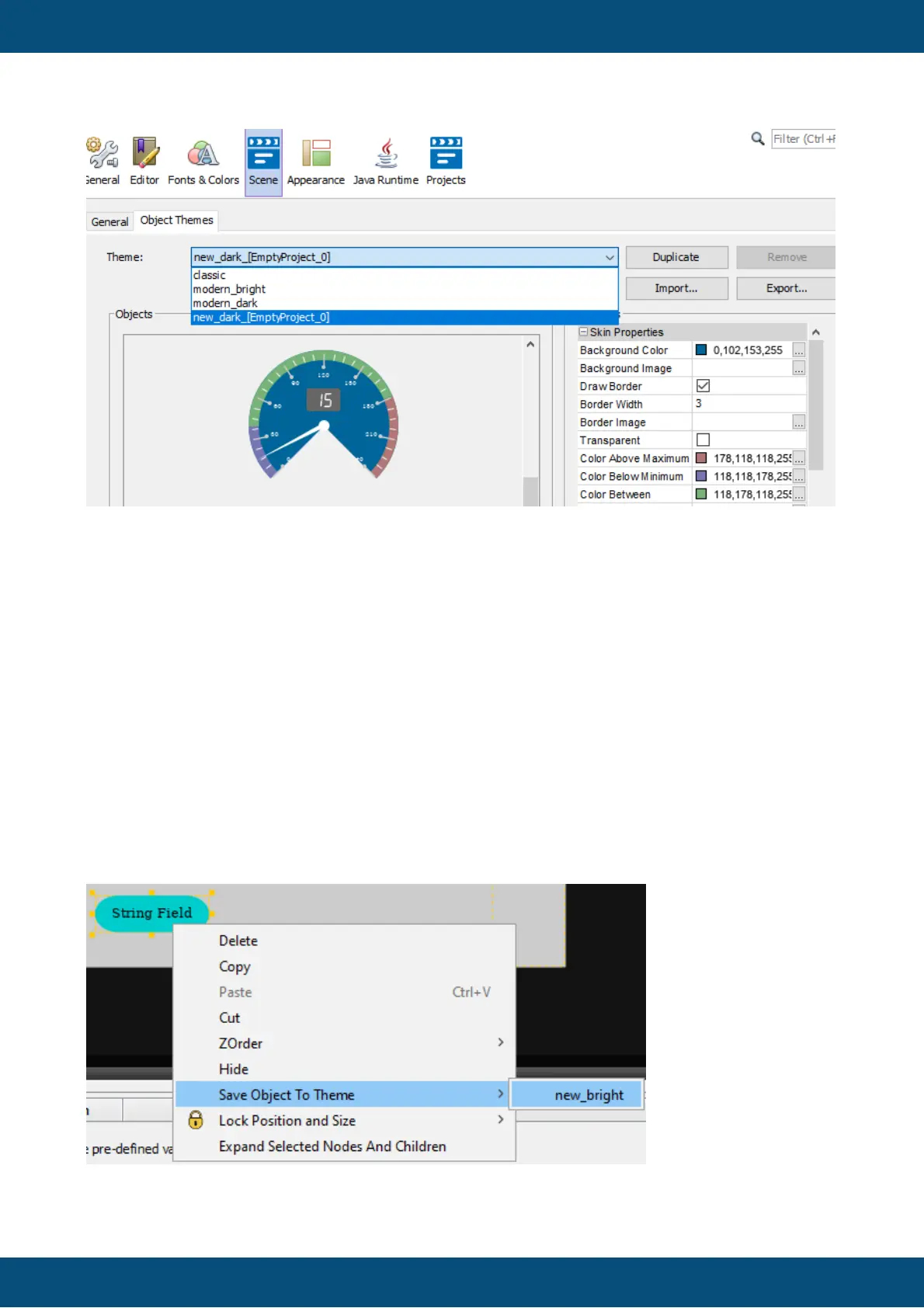
This theme is only visible with the project selected. Changes to this theme will only be applied
to the project, and all changes to the project theme will directly be applied to the project when
clicking OK or Apply.
To use this theme globally it can be duplicated and the duplicate becomes a global theme
and can be used in other projects.
Yes - The modified theme will be copied to your project and the changes you made will
directly be applied to your project.
In this case the project still uses the global project.
Note: The updated theme will only be applied to all objects which already use the theme.
Object properties that were changed will not be overwritten.
It is also possible to put the settings from an existing object into a theme. To do this, right-click
any graphical object with theme-dependent properties, select Save Object To Theme and
select the custom theme you want to save the properties into.
Please note that only the theme-dependent properties will be copied into the theme.



 To Next Page