·
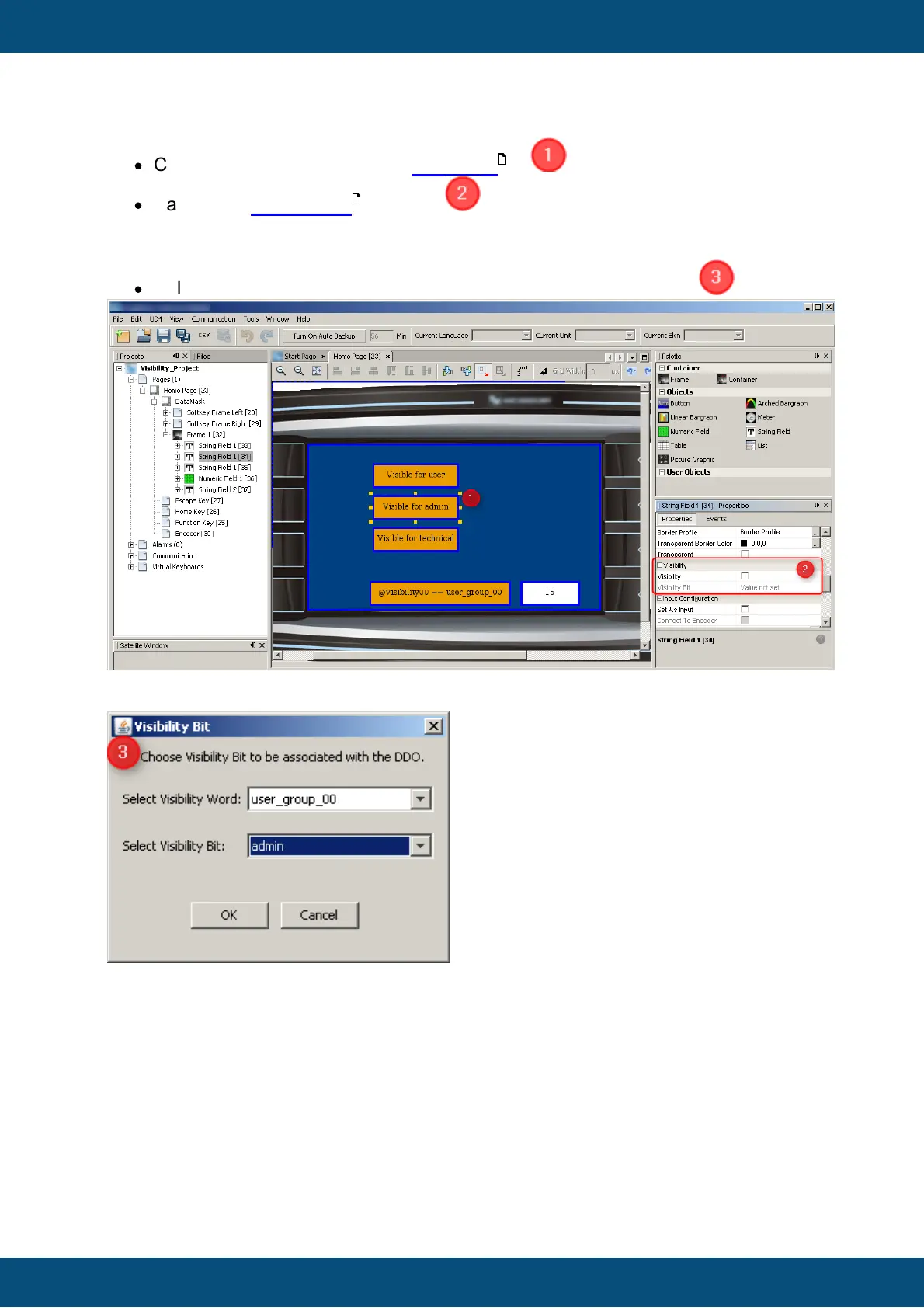
Click on a graphical object e.g. 'Text Field '
·
Navigate to 'Properties' window
o Enable checkbox at property 'Visibility'
o Click on 'Value not set' at property 'Visibility Bit'
·
Select Visibility variable and Visibility bit at the dialog 'Visibility Bit'
At the end following settings should be set:



 To Next Page