EasyManua.ls Logo

Topcon OPUS A6G2 - Page 600

Topcon OPUS A6G2
800 pages
Print Icon
To Next Page IconTo Next Page
To Previous Page IconTo Previous Page
Loading...
600
OPUS Projektor Manual
Simulations
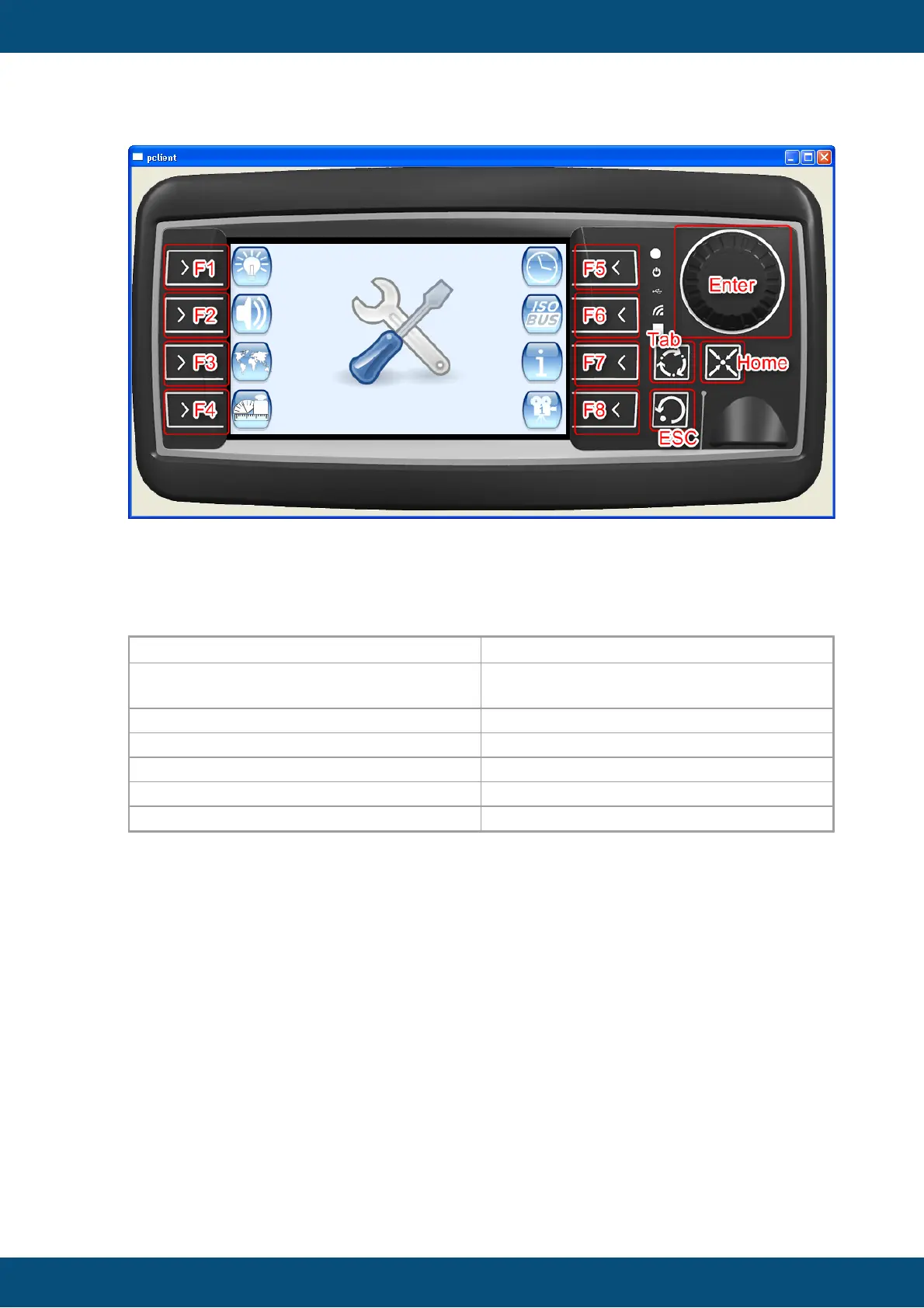
Above: A running PClient simulation on the device with the click areas on the housing
marked with red rectangles and the associated keyboard keys.
Navigation via keys
The following keys simulate the hardware keys:
Hardware Key
Key on PC Keyboard
Softkeys
The F-Keys (F1 to FX, depending on
device type, starting from Top-Left)
ESC
Esc
3 Arrow Key
Tab
Home Key
Home Key
Encoder Press
Enter
Encoder Turn
Up/Down or mouse wheel
The output of the PClient console will be printed into the Output Window of the program to
make simulation debugging easier.
The output will be in a separate tab in the Output Window.

Table of Contents