Legend:
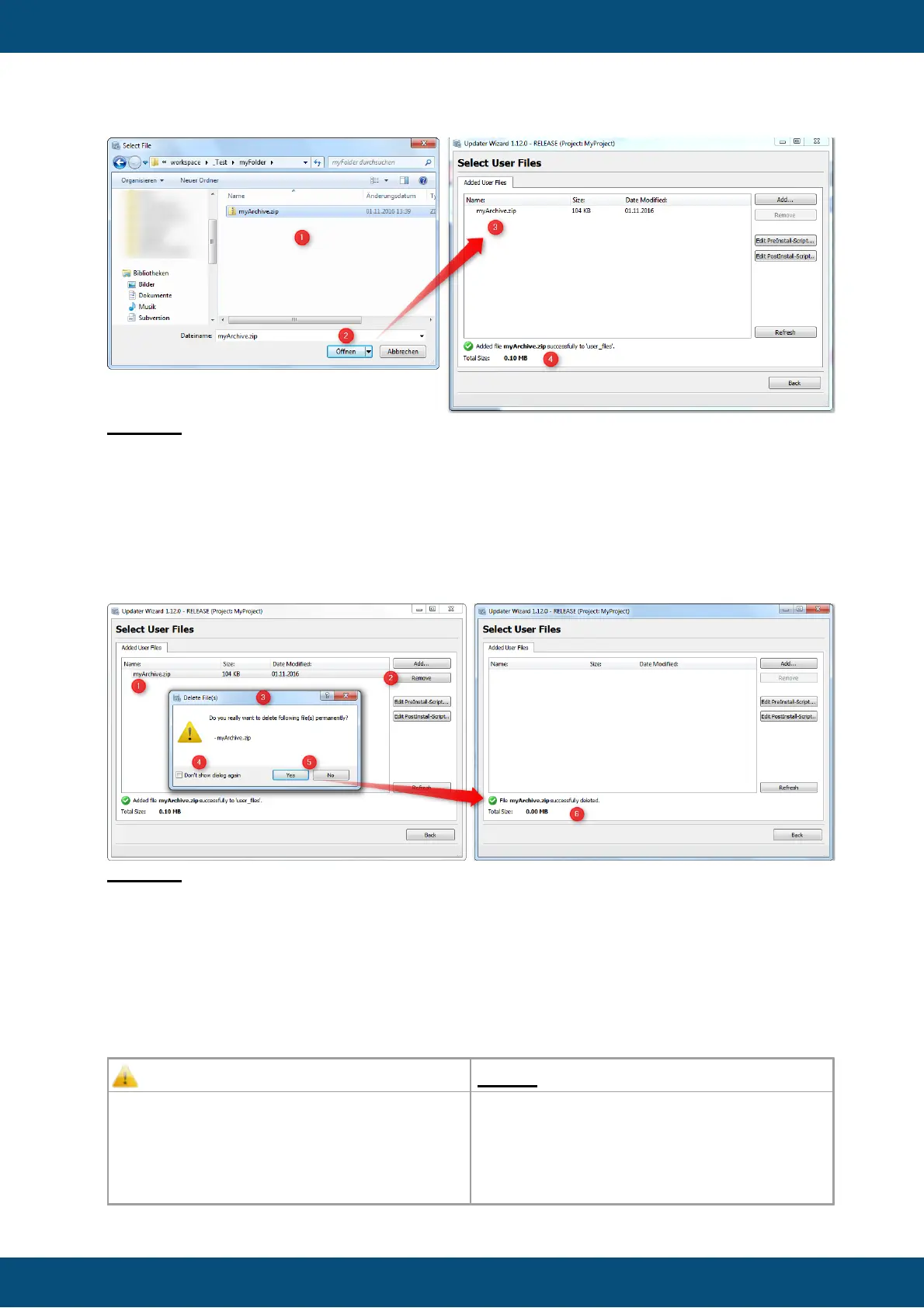
(1) Select a file which shall be added to project package.
(2) Click on Open to add the file.
(3) The file list view shows all files which are added to the user_files folder.
(4) The green check shows that the file could be copied to the folder, and below the size of
all files shown.
Remove Files
Legend:
(1) Select a file which shall be removed from user_files folder.
(2) Click on Remove button.
(3) A dialog Delete File(s) is shown, where you have to confirm the delete operation.
(4) If the dialog shall not be shown again you can check the checkbox Don't show dialog
again.
(5) With click on Yes the file will be deleted, click on No closes the dialog without an action.
(6) After click on Yes, the file will be deleted and the files view is updated.



 To Next Page