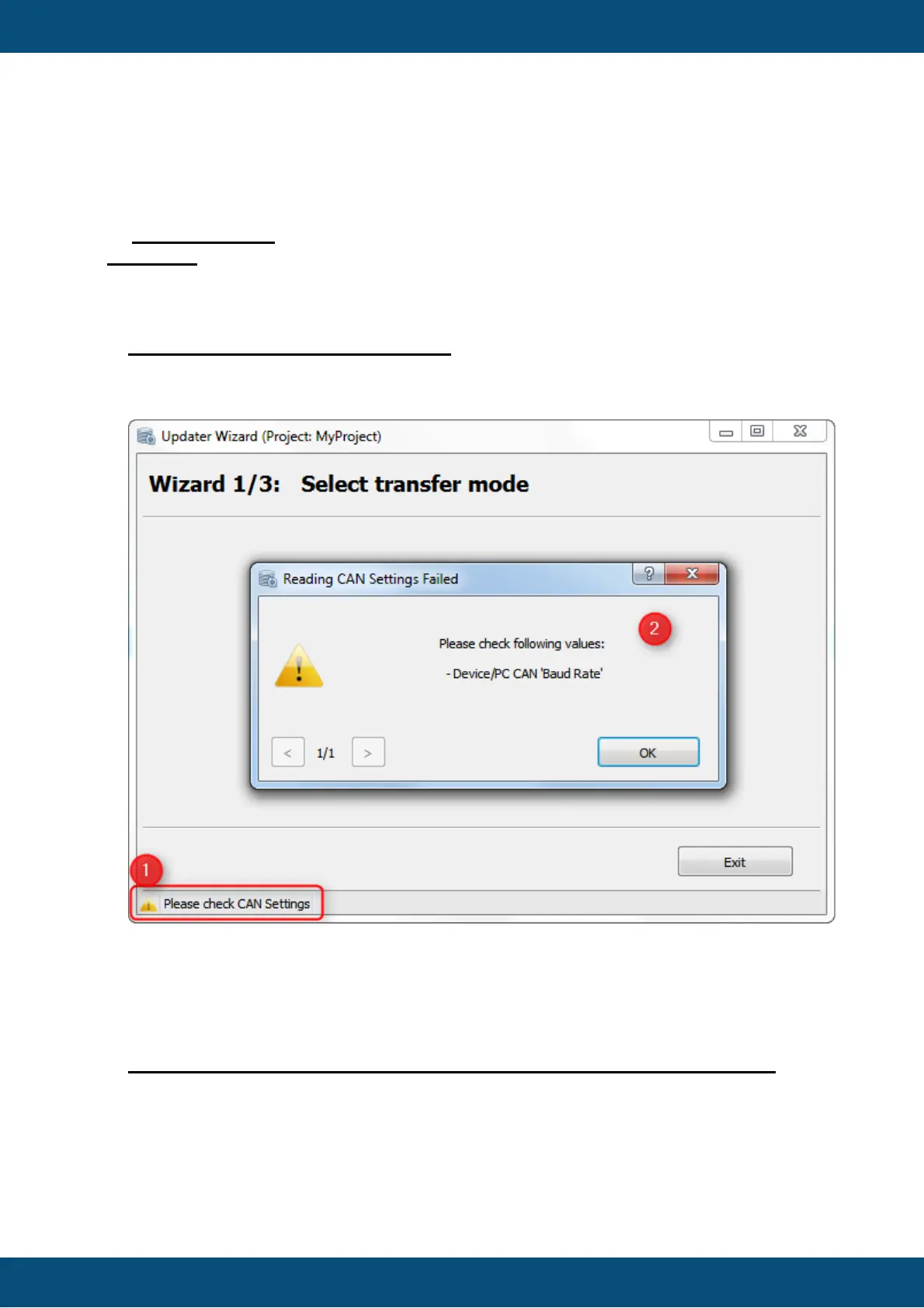
If an error occurs in the Updater application, the warning is shown in the status bar.
By clicking the icon or label in the status bar, a dialog with detailed information is shown.
All error messages will disable the Transfer button until the error is resolved.
Warnings do not disable the Transfer button, but it is recommended to check why the
warning is shown.
Common
Warning reading HostSettings.ini file
If the HostSettings.ini file can not be read by the Updater, a warning is shown. The
warning shows which parameter could not be read properly.
In this example, the "Baud Rate" was removed in the settings file.
(1) By pressing on the warning icon in bottom left corner a dialog appears with detailed
information.
(2) A dialog is shown that the user shall check the Baud Rate in the CAN Settings for
Device and PC.
Missing Files (postinstall_script.sh, preinstall_script.sh, terminal_files.zip)
If one of these files is missing, an error is shown, and the Transfer button will be
disabled. These files are mandatory for the updater to install the Project Package on
the device. If the file(s) are available again, the message will disappear and Transfer
button gets enabled again.



 To Next Page