702
OPUS Projektor Manual
Miscellaneous
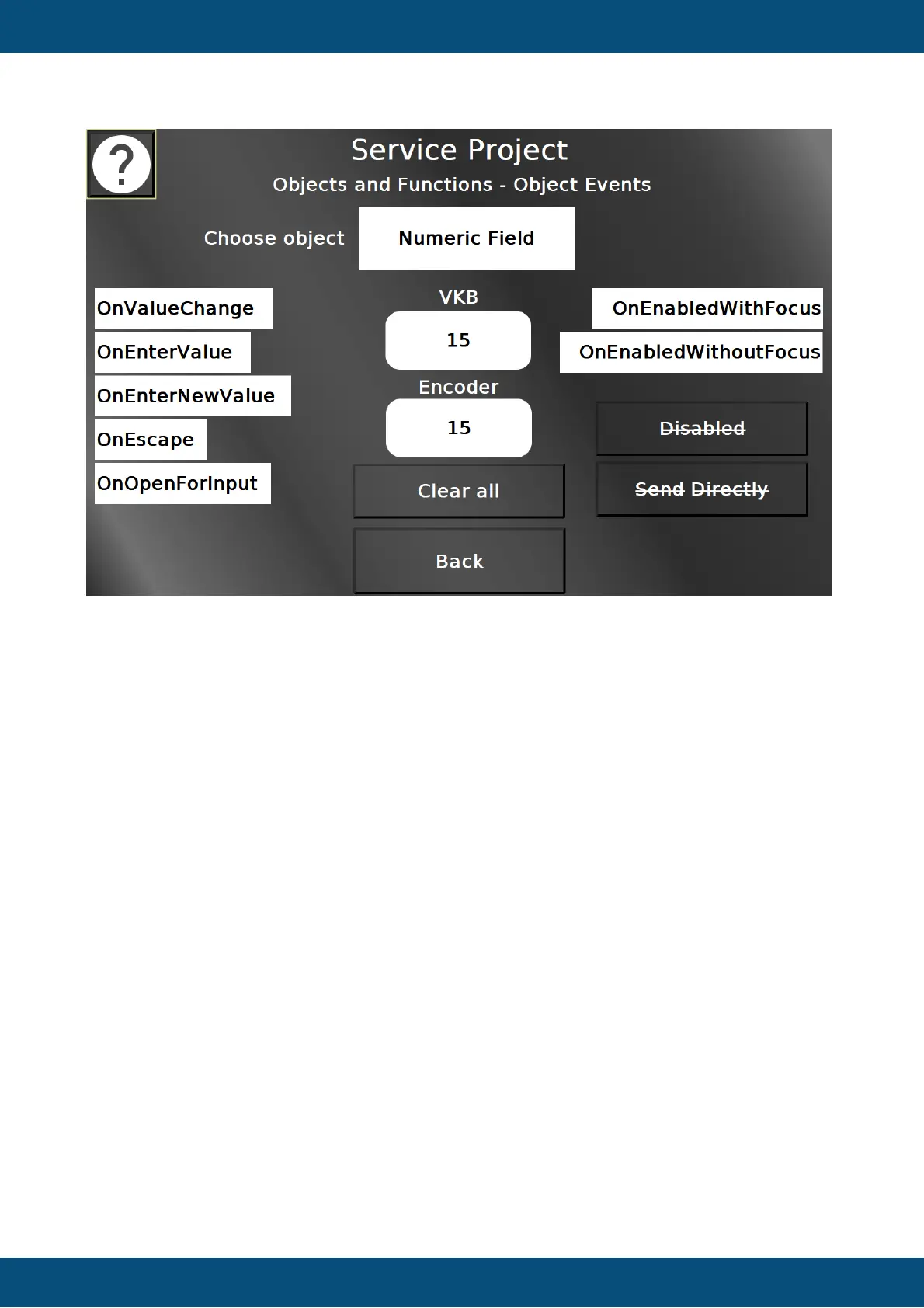
On this page most object events of all input objects can be tested. In the list object in the top
an object type can be selected, from String Field, Numeric Field, Button, Table, List, Meter,
Gauge, Arched Bargraph, Linear Bargraph.
For the selected object type, the available events are listed on the left and right of the object in
the center. Use the object and/or change its value to activate the events. An activated event
will get a green background.
With Clear all, the event backgrounds can be reverted to white.
With the disabled button the object under test can be disabled. That will deactivate it as an
input, and it will be shown grayed out and strike through.
With the Send Directly button the behavior of the according object can be changed. With send
directly, each encoder rotation will directly invoke a value change. Without it, only when
confirming the value, it will actually be changed.
Back returns to the Objects and Functions menu.
Service Project -> Info to USB


 To Next Page
 Loading...