708
OPUS Projektor Manual
Miscellaneous
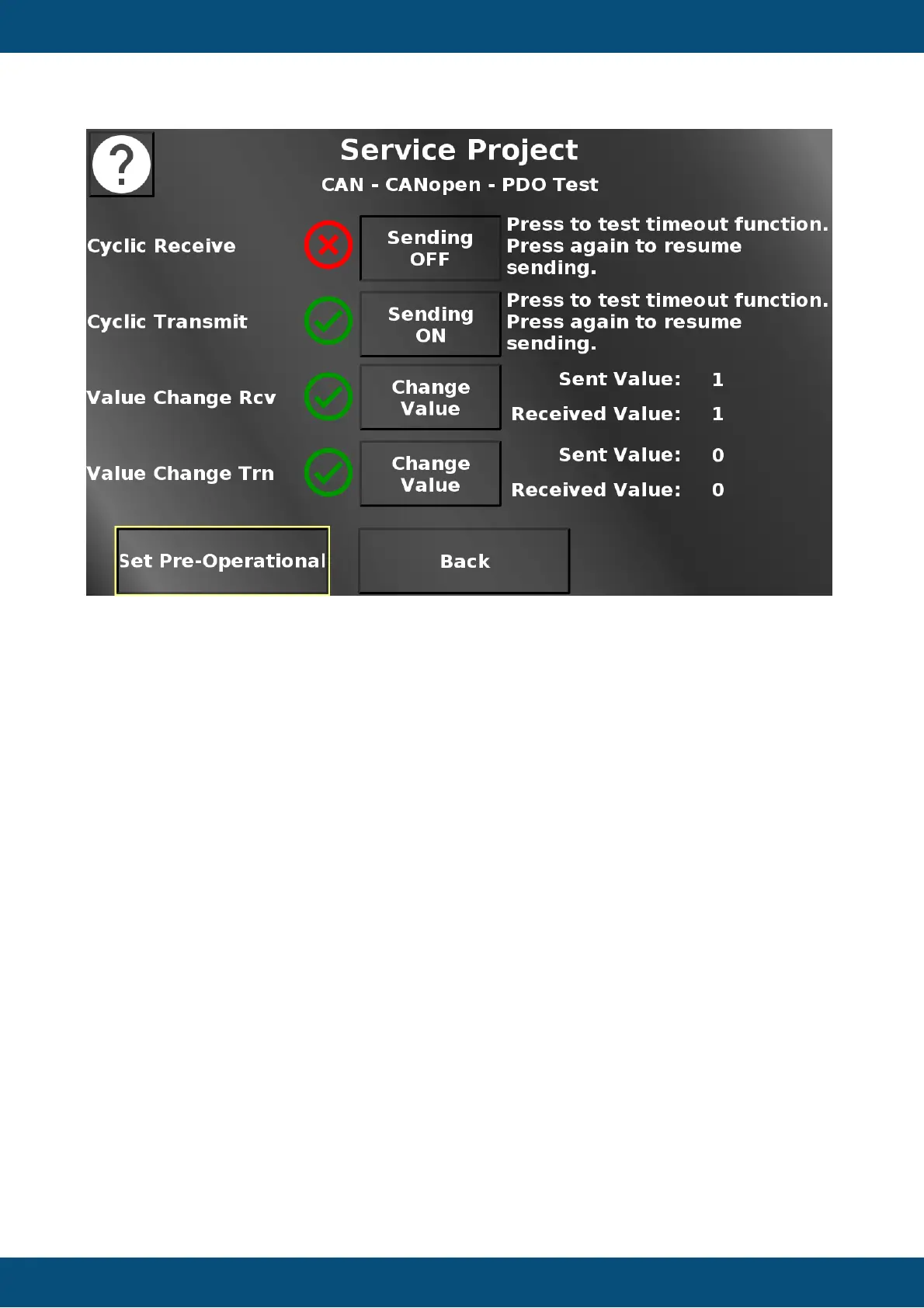
In this screen some PDO functionalities can be tested. For the PDO communcation to start,
the device first needs to be set into operational mode with the button in the bottom left.
The first two indicators show a green check mark if the cyclic receive and transmit
communication work correctly. You can disable the sending of the appropriate message with
the according button. This should make the red X appear. Note that the ECU is simulated with
CANFreestyle mappings on CAN port 2.
The second two indicators show a green check mark if the sent value and the received value
of a CANopen Receive(Rcv) and Transmit (Trn) mapping are identical.
Press the buttons to change the sent value. The received value should change to the same
almost instantly. Only very quick taps on these buttons should make the red X appear.
Initially, the received values are set to invalid, so the red X will appear for both values. Once
this communication was established, the green check mark will be displayed as long as the
values are the same, even if the device is set to pre-operational (i.e. it cannot send or receive
messages). Press the buttons to change the sent value and the red X should appear.
Also note that once the device is back to operational, only the Transmit (Trn) value might
automatically update. This is a property of the CANopen standard, when a device first goes
into operational mode, it will once send all transmit mappings with their current values. The
Receive (Rcv) value is being sent by a CANFreestyle mapping on CAN port 2 which does not
have such a feature. Press the Change Value button, then the received value should also
update and the green check mark appears.
Back returns to the CANopen menu.
Service Project -> CAN -> CANopen -> Heartbeat Test


 To Next Page
 Loading...