725
OPUS Projektor Manual
Miscellaneous
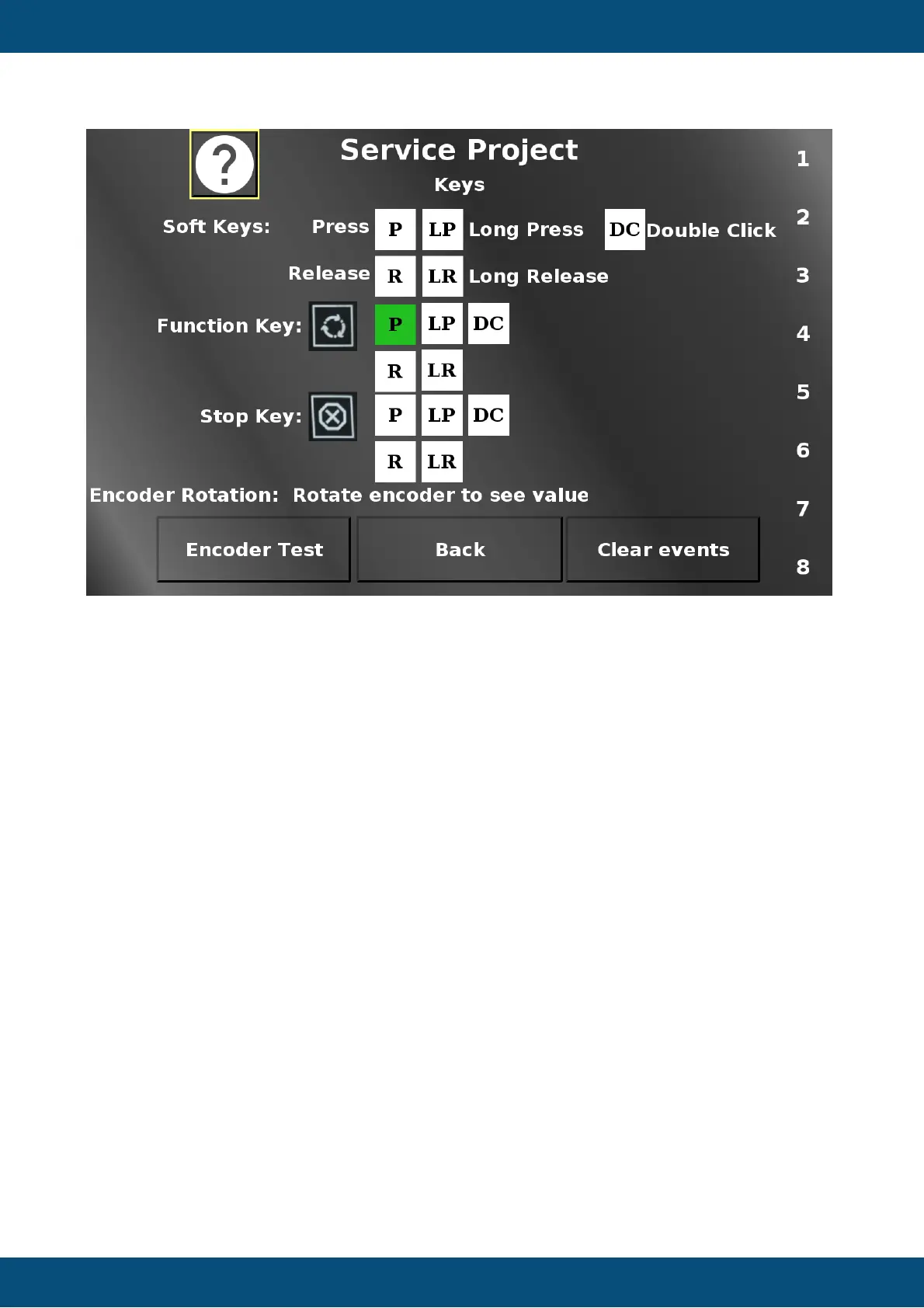
In this screen the soft- and hard keys as well as the encoder can be tested.
For the soft keys, both the actual physical key and the according touch region can be used to
test.
For each event, the according field will be colored green (P - press, R - release, LP - long
press, LR - long release, DC - double click).
The rotation of the Encoder is displayed in the Numeric Field. The Encoder Test button does
nothing, it can be used to test the press and release events of the encoder without executing
any unwanted action.
Clear events clears all event fields.
Back returns to the main menu.
Service Project -> Touch



 To Next Page