Editing Text or Doc File 3-9
Chapter 3: Speed Editor
SBX IP - PC Admin Guide
Editing Text or Doc File
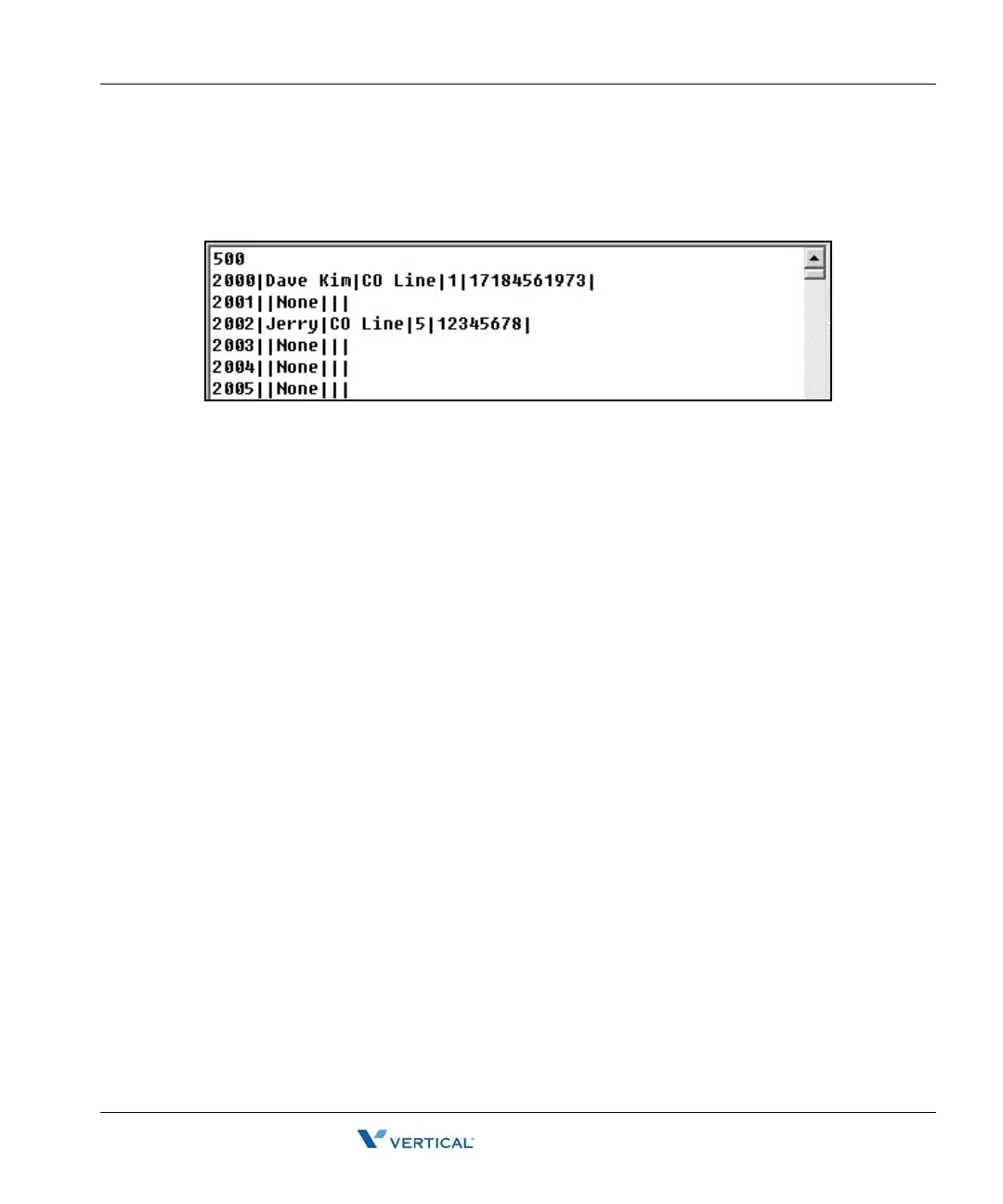
Open the file you want to edit using Notepad or MicroSoft Word. The file format looks similar to
the following.
• The number 500 on the first line represents the total number of speed data entries
contained within this file.
• Each item is separated by a separator, | .
• Speed No|Speed Name|CO Line Type|CO Number|Phone Number
• When you write CO Line Type, write CO Line, CO Group and None, keeping an empty
space between CO and Line, between CO and Group.
- Do not exceed 16 characters when entering the Speed Name.
- Do not exceed 24 characters when entering the Phone Number
- Recommend editing in Speed Editor View.



 To Next Page