Chapter 5 Machine Setup ALPHA V40
Version 18.07.06
46
Blow-Box Setup
This part covers the setup for ALPHA V40 with blow box at first. (in
the following see information for adjustment procedures for the tamp
applicators).
Fig. 5-7: V40 with Blow Box
Vacuum Adjustment
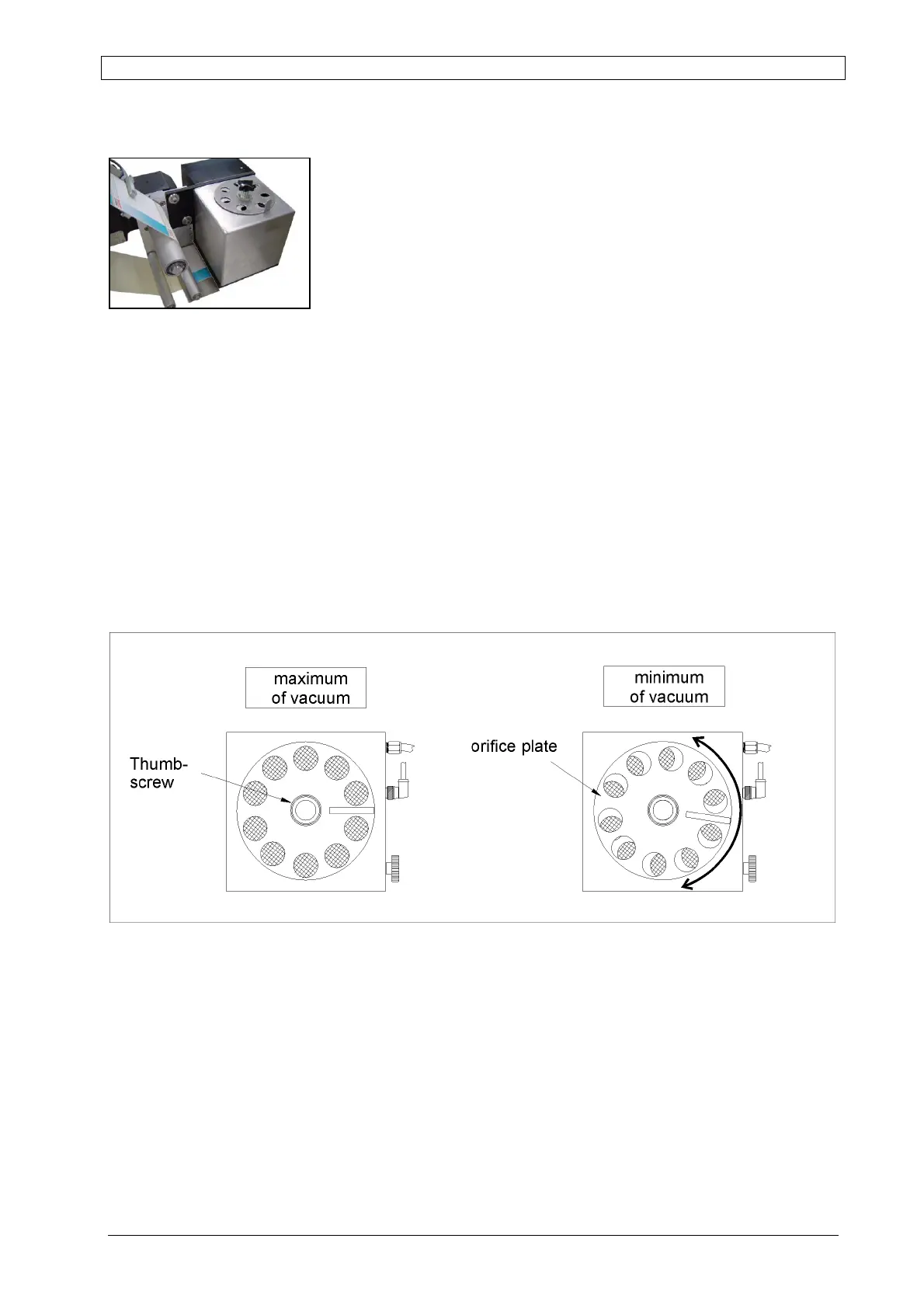
Turn the orifice plate located on the upper side of the blow box to rule the amount of emitting
air. To set the lowest vacuum, close the holes or open the slots to increase the vacuum.
1. Set the vacuum to its lowest setting by closing the holes on the top of the vacuum box.
2. Press [Enter] to dispense a label and hold it onto the vacuum grid with your finger.
3. Slowly open the slots to increase the vacuum until you feel it holding the label when you
pull your finger away. Tighten the thumbscrew to lock the orifice plate in place.
Fig. 5-8: Vakuum-Boxen in der Draufsicht:



 To Next Page