Objects 101
PageMaker 6.5 Foundation 2001 Cheltenham Computer Training
FOR USE AT THE LICENSED SITE(S) ONLY
Cheltenham Computer Training 1995-2001 - www.cctglobal.com
Arranging Objects
© Cheltenham Computer Training 2001
Adobe PageMaker 6.5 - Slide No 42
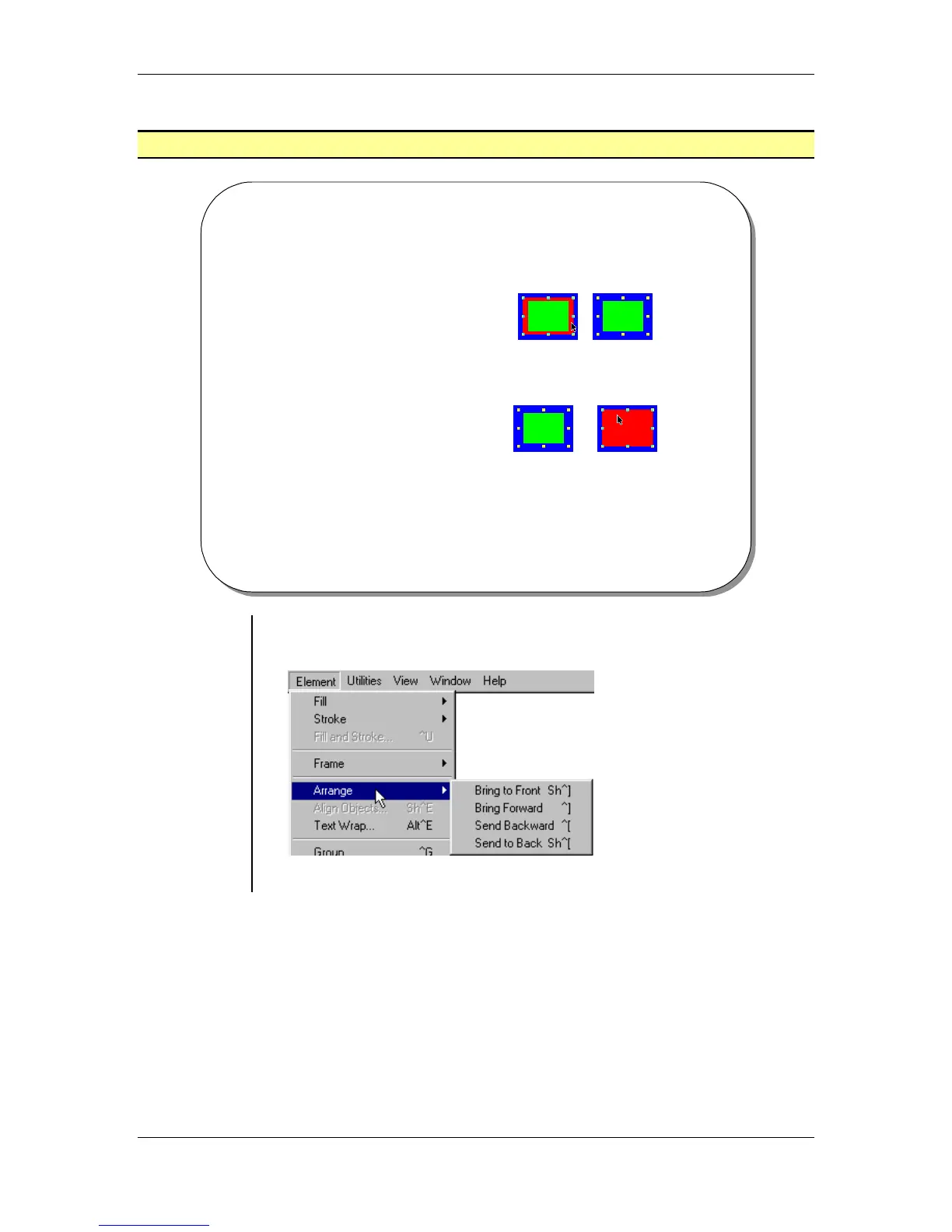
Arranging Objects
• The Send To Back
command will move
selected objects to the
back most level of any
overlapping objects.
• The Bring To Front
command will move
selected objects to the
front most level of any
overlapping objects.
Using the
Arrange
menu
• To arrange objects, select an object on the page.
• From the main menu, choose Element > Arrange:
• Select one of four available arrange commands.



 To Next Page