EXERCISES - Output 33
PageMaker 6.5 Foundation 2001 Cheltenham Computer Training
FOR USE AT THE LICENSED SITE(S) ONLY
Cheltenham Computer Training 1995-2001 - www.cctglobal.com
Output
Print Your Document
You are now ready to print your document!
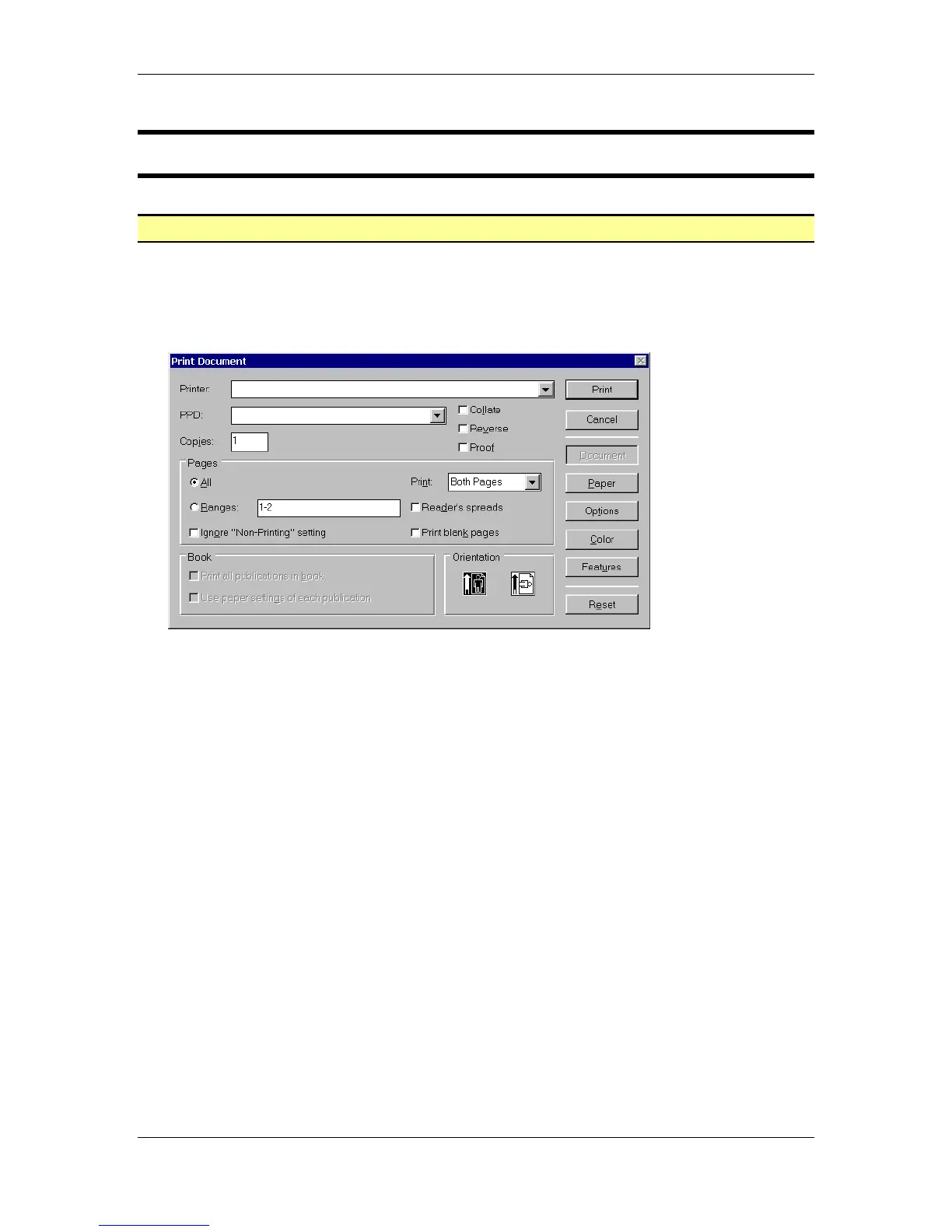
• From the main menu, choose File > Print to open the Print dialog box.
• Within the Print Document dialog box, input the following information:
Printer: select your available printer
PPD: select your available printer
Copies: 1
Collate: Unchecked
Reverse: Unchecked
Proofs: Unchecked
Page Range: All
Print: Both Pages
Ignore “Non-Printing” setting: Unchecked
Reader’s spreads: Unchecked
Orientation: Portrait



 To Next Page