Tables 45
PageMaker 6.5 Advanced 2002 Cheltenham Computer Training
FOR USE AT THE LICENSED SITE(S) ONLY
Cheltenham Computer Training 1995-2002 - www.cctglobal.com
Exporting Tables
© Cheltenham Computer Training 2002
Adobe PageMaker 6.5 - Slide No 17
Exporting Tables
• You can export Adobe
Table files by choosing
File > Export.
• You must export your table
as a graphic. Otherwise,
you will risk losing your
formatting that has been
applied in the Adobe
Table.
Exporting
Tables
• You can export Adobe Table files by choosing File > Export. You
must export your table as a graphic. Otherwise, you will risk losing
your formatting that has been applied in the Adobe Table.
Exporting
Tables as
Text
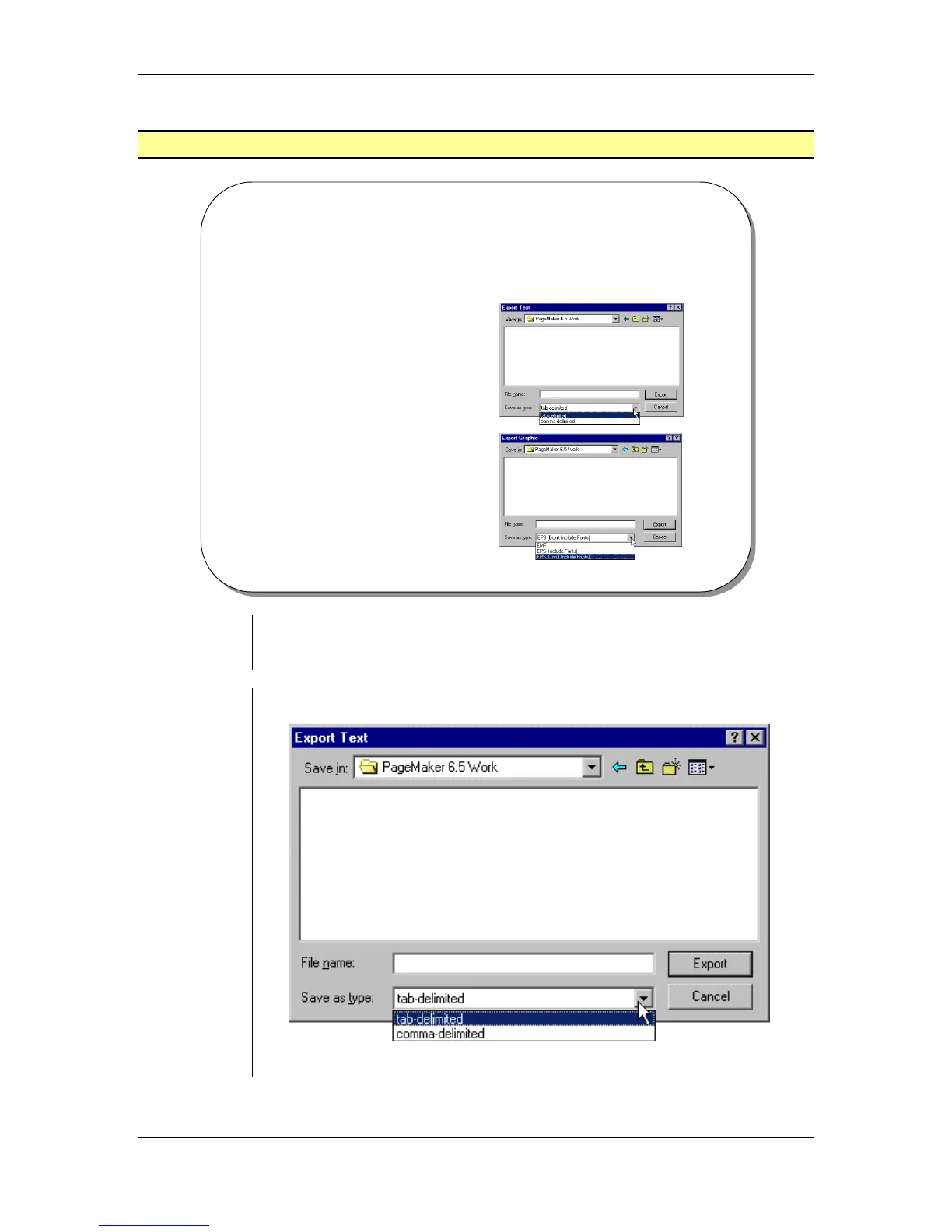
• From the main menu, choose File > Export > Text:
• Enter a name for the exported file into the File Name field.



 To Next Page