EXERCISE - Advanced Color 17
PageMaker 6.5 Advanced 2002 Cheltenham Computer Training
FOR USE AT THE LICENSED SITE(S) ONLY
Cheltenham Computer Training 1995-2002 - www.cctglobal.com
Advanced Color
Turning off CMS
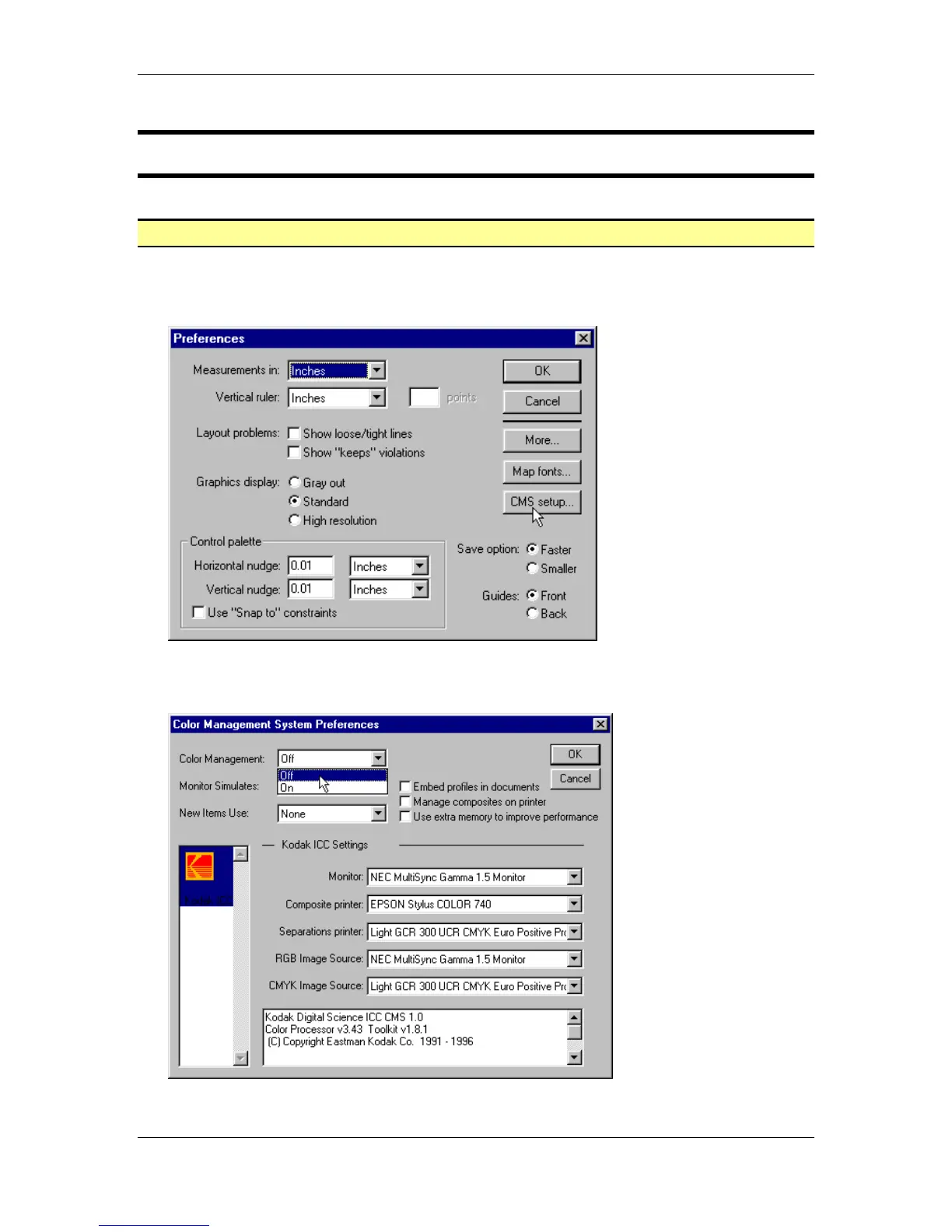
• From the main menu, choose File > Preferences > General.
• In the Preferences dialog box click the CMS setup button:
• Within the Color Management drop down list select the Off command and click the OK
button twice to return to the publication:



 To Next Page