EXERCISES – Colors and Fills 9
PageMaker 6.5 Foundation 2001 Cheltenham Computer Training
FOR USE AT THE LICENSED SITE(S) ONLY
Cheltenham Computer Training 1995-2001 - www.cctglobal.com
Colors and Fills
Creating Colors
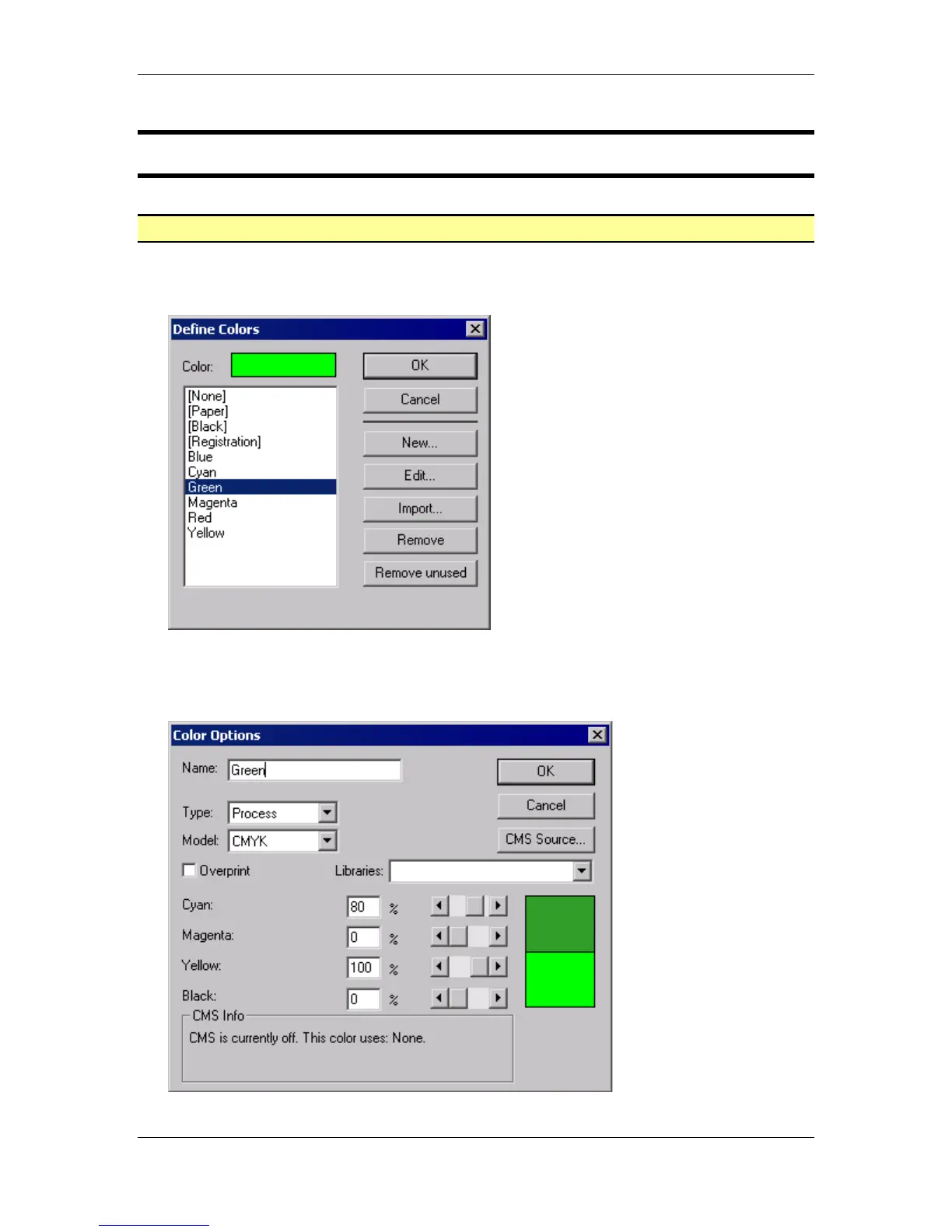
• From the main menu, choose Utilities > Define Colors to open the Define Colors dialog
box:
• Within the Define Colors dialog box, select the color Green from the list.
• Select the Edit button OR double click the color from the list to open the Color Options
dialog box:



 To Next Page