50 Working With Type
2001 Cheltenham Computer Training PageMaker 6.5 Intermediate
FOR USE AT THE LICENSED SITE(S) ONLY
Cheltenham Computer Training 1995-2001 - www.cctglobal.com
Bullets and Numbering
© Cheltenham Computer Training 2001
Adobe PageMaker 6.5 - Slide No 19
Bullets and Numbering
• When creating a numbered or
bulleted list, you can do it
manually by adjusting the
tabs and indents to create
the effect, but that is too time
consuming, PageMaker had
given you a plug-in that make
creating numbered and
bulleted list easy.
Displaying
the Bullets
and
Numbering
dialog box
• When creating a numbered or bulleted list, you can do it manually by
adjusting the tabs and indents to create the effect, but that is too time
consuming. PageMaker had given you a plug-in that makes creating
numbered and bulleted lists easy.
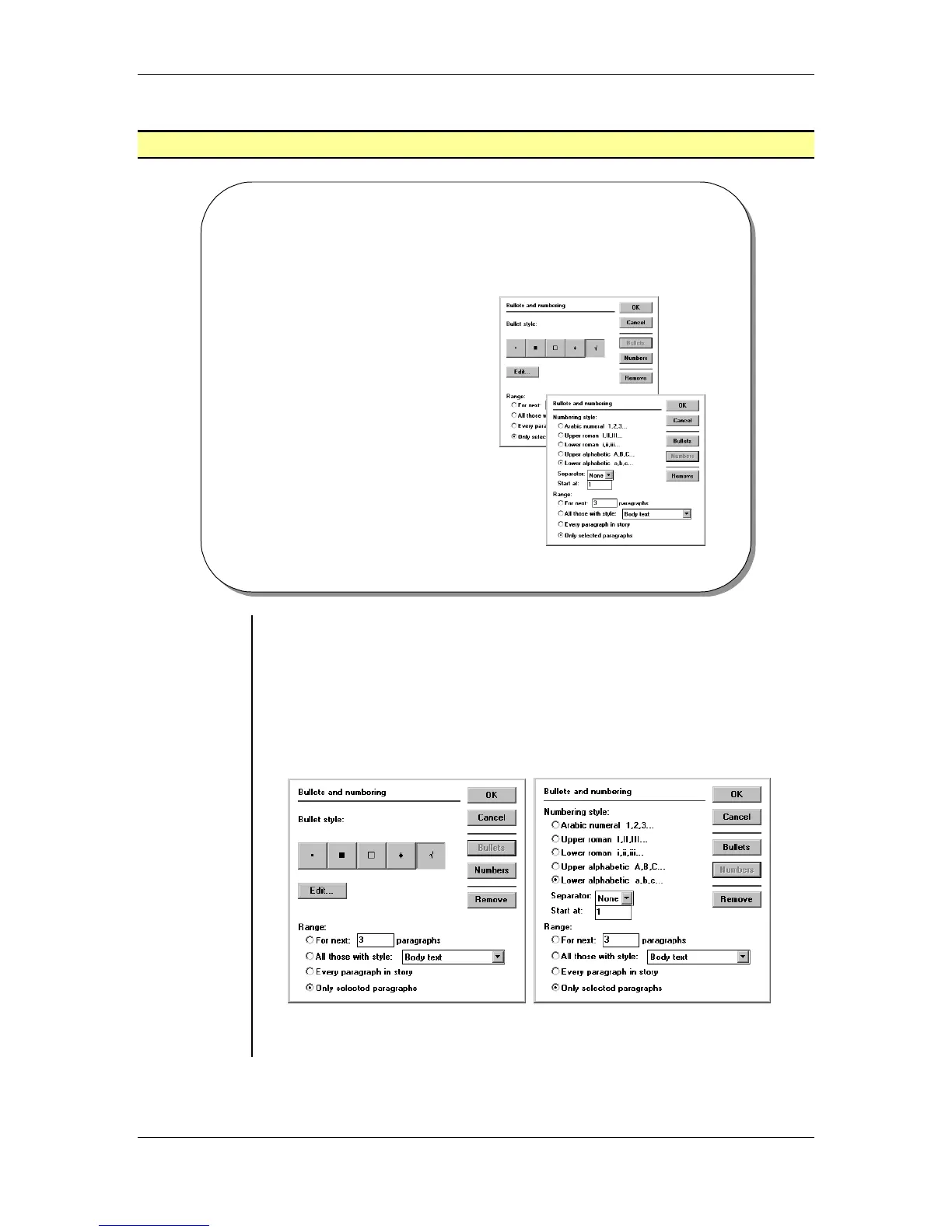
To display the Bullets and Numbering dialog box:
• From the main menu, choose Utilities > Plug-ins > Bullets and
Numbering:
Note: Click the Bullets or Numbers buttons to toggle between the
Bullet style and the Numbering Style.



 To Next Page