PostScript Printing 117
PageMaker 6.5 Intermediate 2001 Cheltenham Computer Training
FOR USE AT THE LICENSED SITE(S) ONLY
Cheltenham Computer Training 1995-2001 - www.cctglobal.com
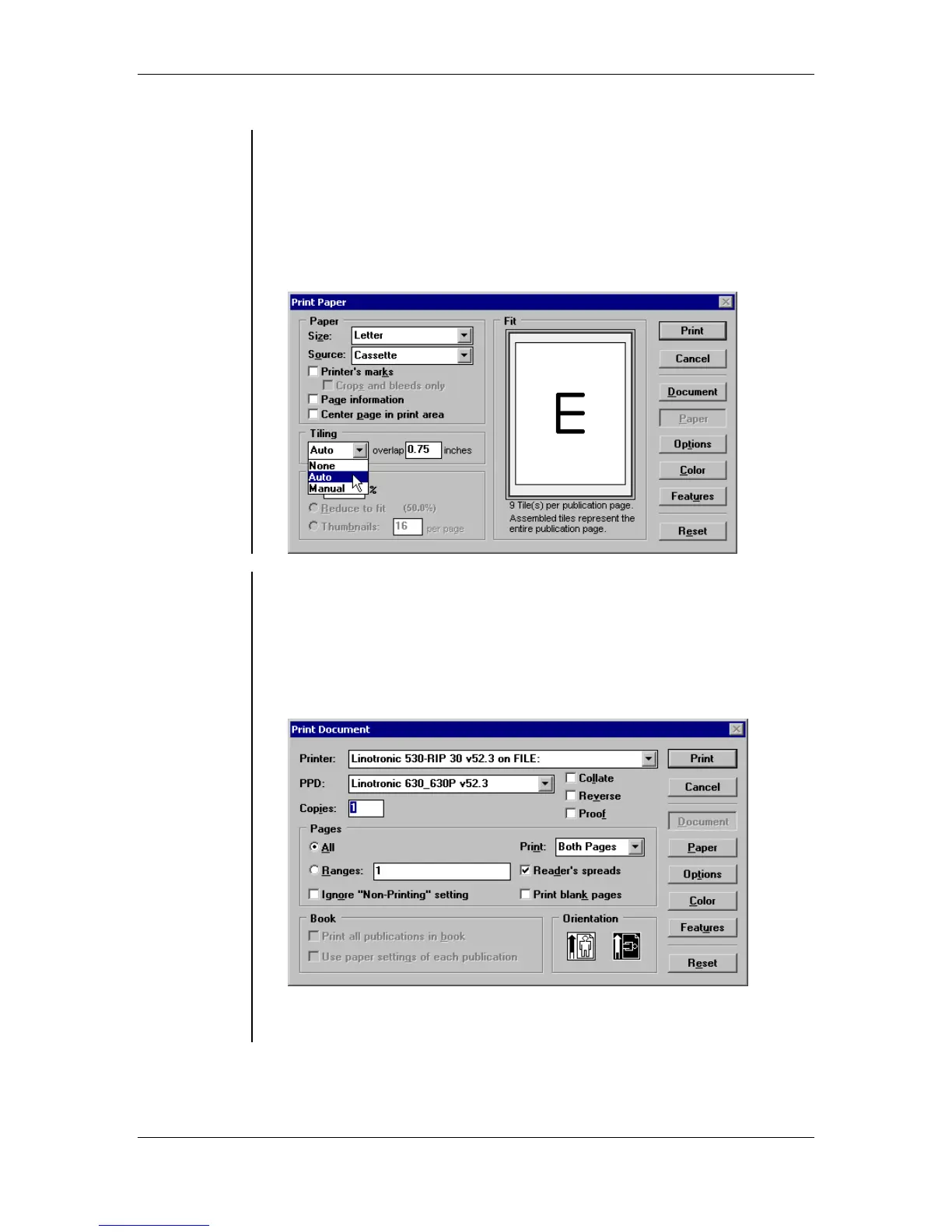
• The Tiling drop-down list allows you to choose one of three options:
None - allows you to turn off page Tiling.
Auto - allows PageMaker to calculate the number of pages required to
print the publication.
Manual - allows you to control the exact dimensions of the tiles:
Automatically
Tiling pages
To automatically tile a publication:
• From the main menu, choose File > Print.
• Select a PostScript printer from the printer drop-down list.
• Select the PPD for your printer type.
• Set any other option from the Print Document dialog box that may
apply to your publication such as page range, non-printing setting
and orientation:
• Click the Paper button.
• Select Auto from the Tiling drop-down list.



 To Next Page