Text 77
PageMaker 6.5 Foundation 2001 Cheltenham Computer Training
FOR USE AT THE LICENSED SITE(S) ONLY
Cheltenham Computer Training 1995-2001 - www.cctglobal.com
Setting Type
Style
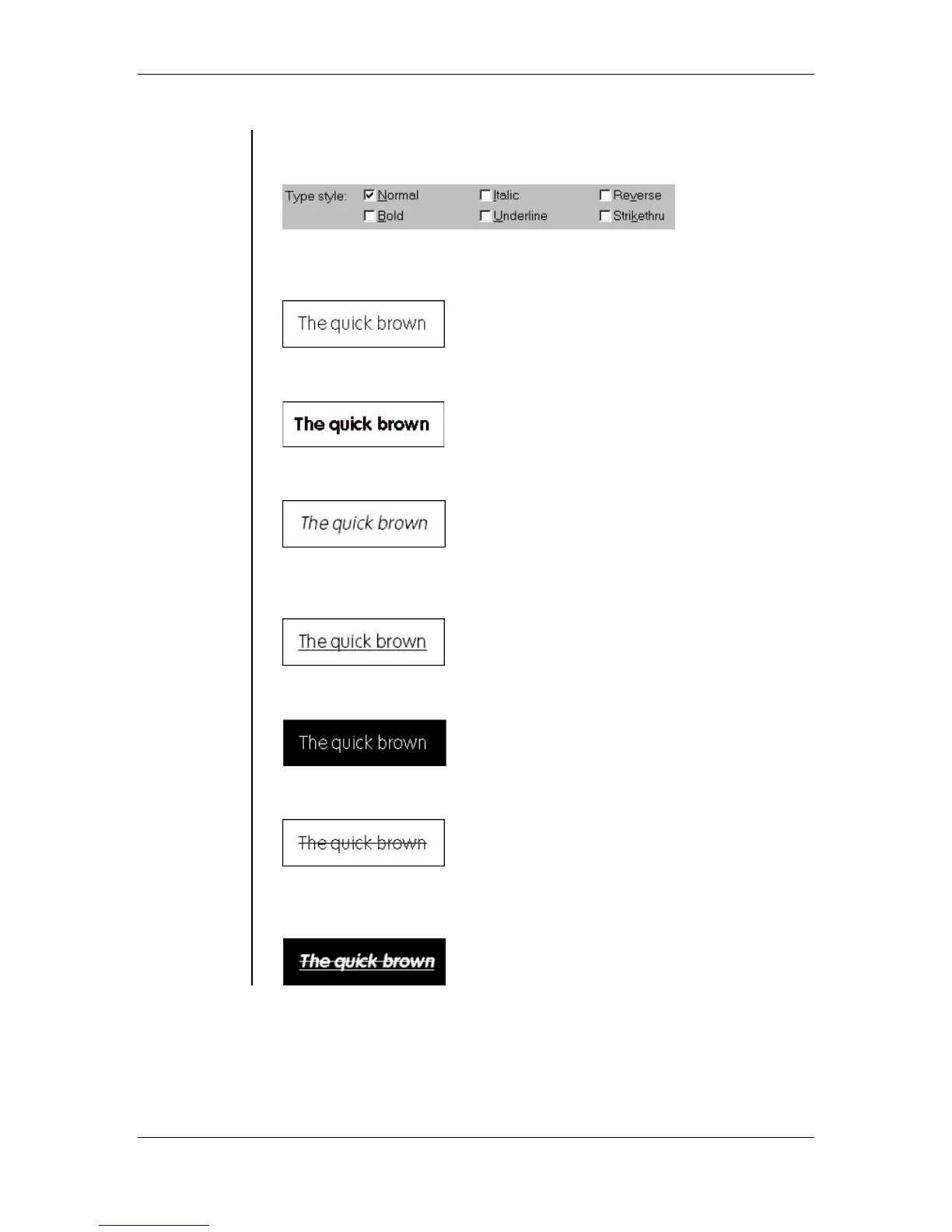
• Type Style checkboxes allow you to make various changes to the look
of your text. You have six options to choose from:
Normal: This option will return the text back to it’s original state (with
no Style applied to it):
Bold: This option will increase the weight of your text, making it thicker:
Italic: This option will give the text a slight slant:
Underline: This option will place a horizontal line under a character or
words:
Reverse: This option will make your text white. This is used to apply
text to a Black or dark background:
Strike thru: This option will draw a horizontal line through the text:
Note: You can also combine the options to further alter the look of you
text:



 To Next Page