EXERCISES - Master Pages 3
PageMaker 6.5 Intermediate 2001 Cheltenham Computer Training
FOR USE AT THE LICENSED SITE(S) ONLY
Cheltenham Computer Training 1995-2001 - www.cctglobal.com
Master Pages
Using the Master Pages Palette
• Use the Windows Explorer to create a folder called PageMaker 6.5 Intermediate Work
Folder, just below the My Documents folder.
• Start the PageMaker 6.5 application.
• Press the Ctrl + N key combination, to create a New Publication page.
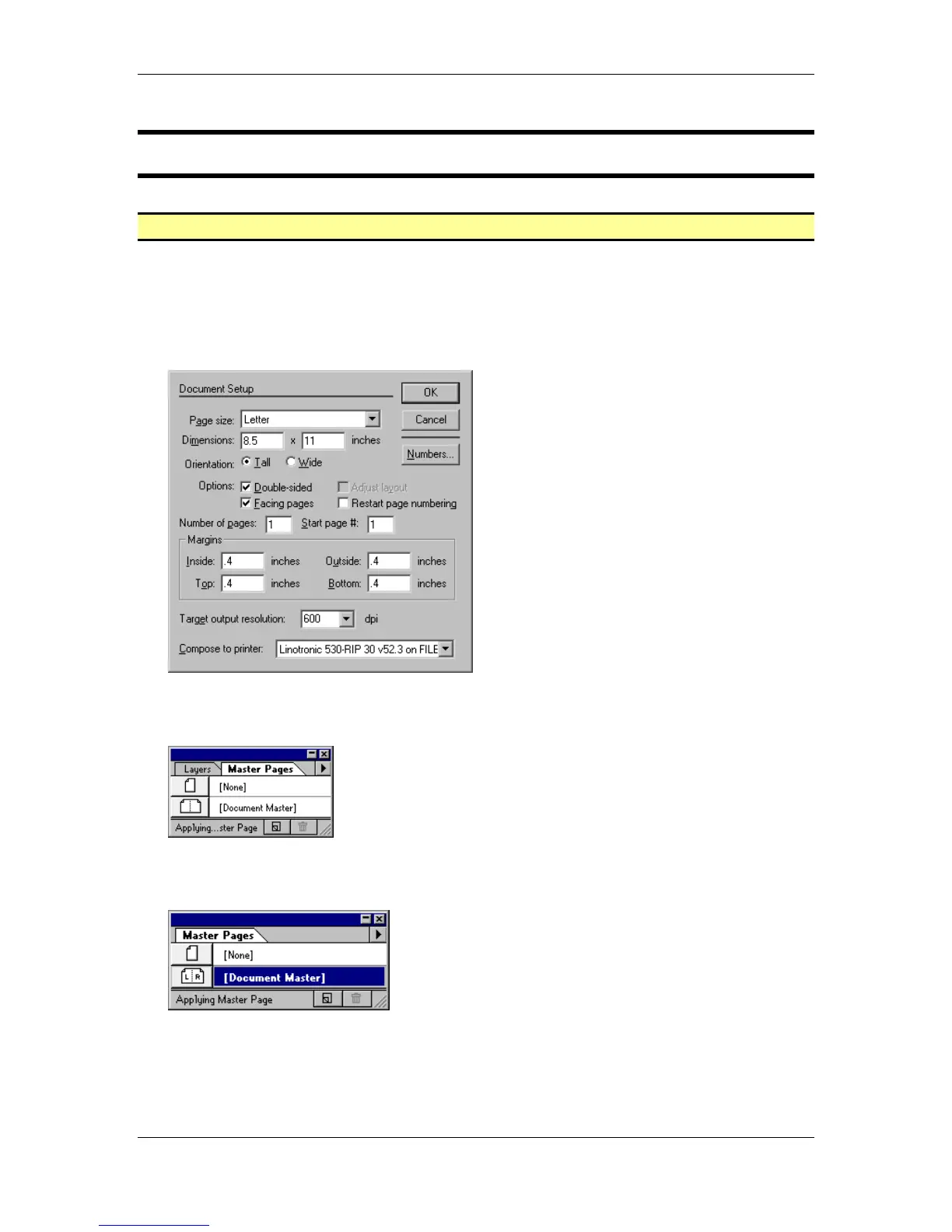
• Enter the following settings in the Document Setup dialog box and OK:
• Hide all the visible palettes, with the exception of the Tools palette.
• From the main menu, choose Window > Show Master Pages:
• Click and drag the Master Page Tab out so that the palette window is not being shared with
another palette:
• Close the remaining palettes so that you only have the Master Pages palette and the Tools
palette visible.



 To Next Page