Working With Multiple Objects 107
PageMaker 6.5 Intermediate 2001 Cheltenham Computer Training
FOR USE AT THE LICENSED SITE(S) ONLY
Cheltenham Computer Training 1995-2001 - www.cctglobal.com
Removing
layers
• When Removing Layers, it is important to remember that each layer
appears on every page of a publication.
Note: Before you remove a layer, hide all of the other layers, and go to
each page to make sure you will not be removing any needed content
from your publication.
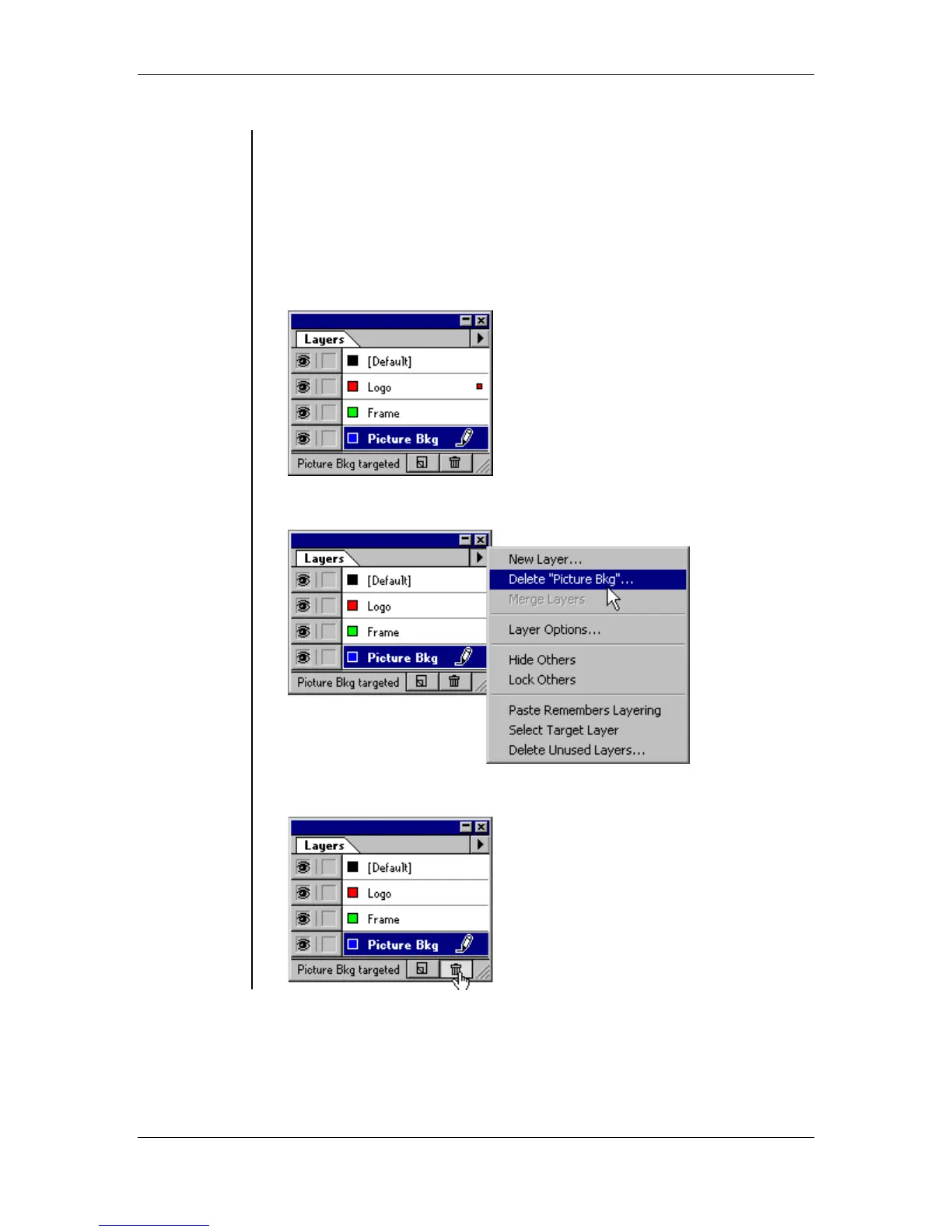
To remove a layer:
• Select the layer name in the Layers palette:
• From the layers palette menu, choose Delete "Layer name":
OR
click the Trash button:



 To Next Page