106 Working With Multiple Objects
2001 Cheltenham Computer Training PageMaker 6.5 Intermediate
FOR USE AT THE LICENSED SITE(S) ONLY
Cheltenham Computer Training 1995-2001 - www.cctglobal.com
Merging
layers
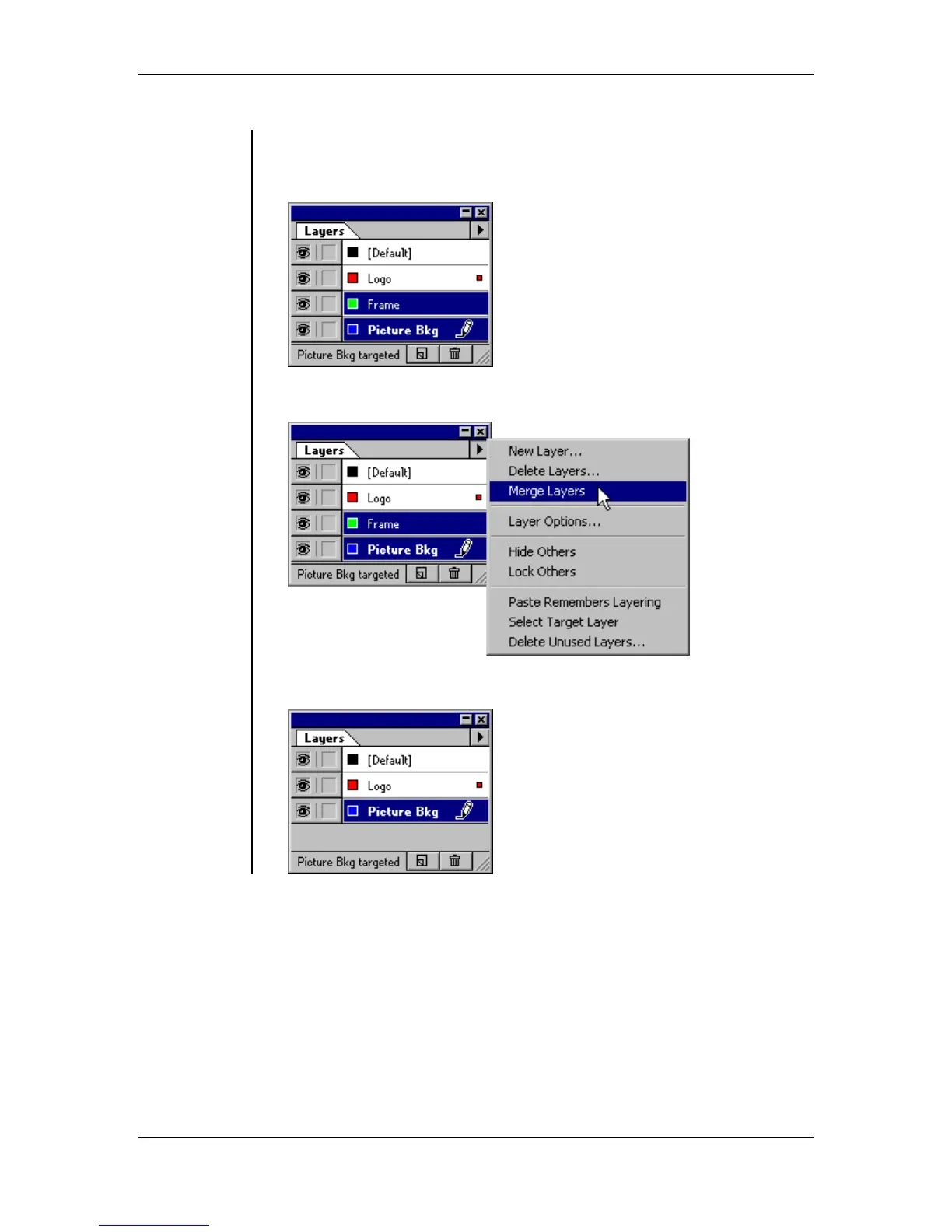
To merge layers together:
• Select two or more layers which you would like to merge, using the
Ctrl key to select multiple layers:
• From the layers palette menu, select the Merge Layers command:
• The resulting merged layer is now displayed:



 To Next Page