68 Scripts
2002 Cheltenham Computer Training PageMaker 6.5 Advanced
FOR USE AT THE LICENSED SITE(S) ONLY
Cheltenham Computer Training 1995-2002 - www.cctglobal.com
Tracing
Scripts
• You can use the Trace Script command to help you understand what
the script is doing command by command. Slowing the script down
will help you pinpoint where any problems might be.
To trace a script:
• From the main menu, choose Windows > Plug-in Palettes > Show
Scripts.
• From Scripts palette, select the script to be traced.
• From the Scripts palette menu, choose Trace Script.
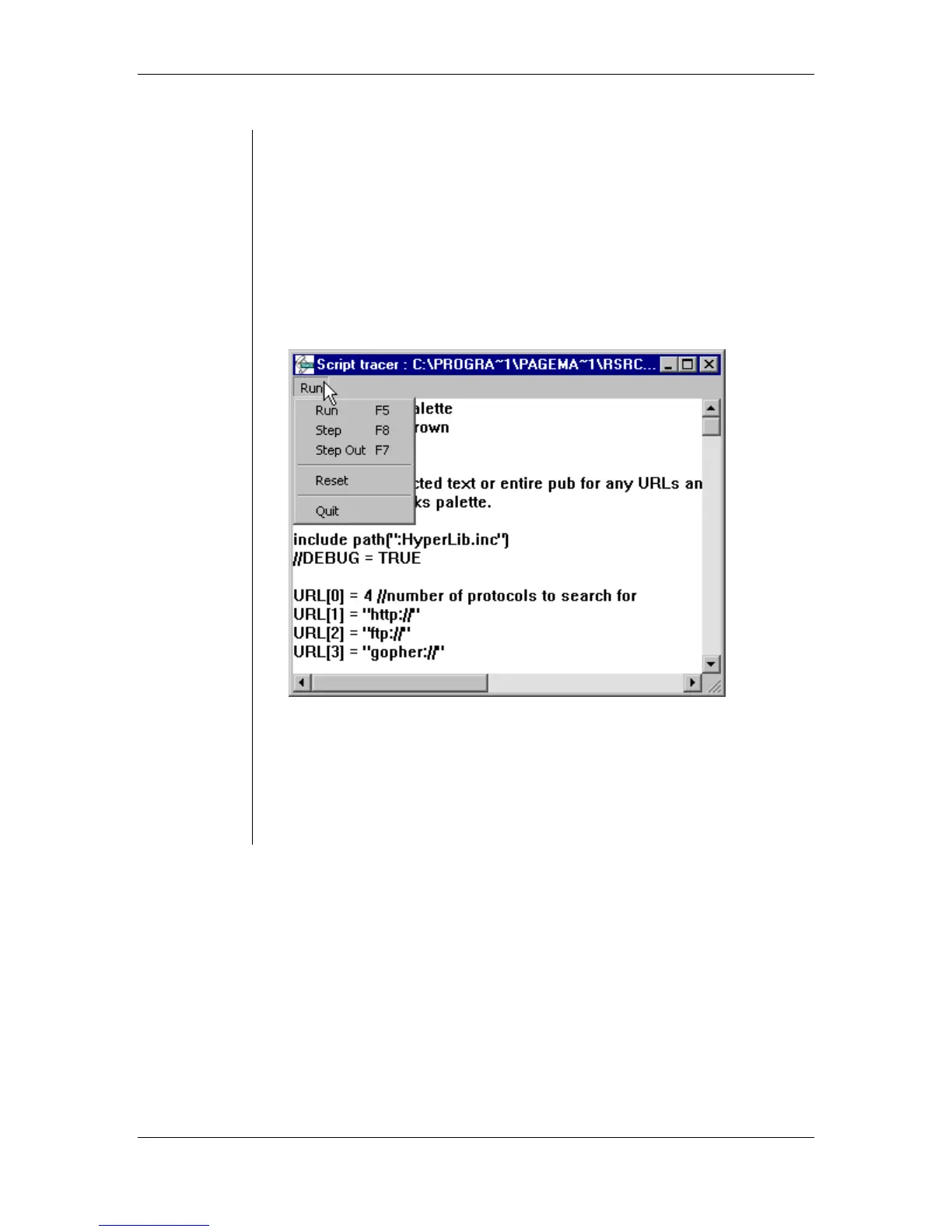
• In the Script Tracer window, choose one of the commands from the
Run menu:
• Run – runs the entire script.
• Step – runs the script one line at a time.
• Step Out – runs a series of command sub-routines at one time.
• Reset – stops the script from running without closing the Script
Tracer window.
• Quit – stops the script from running and closes the Script Tracer
window.



 To Next Page