EXERCISES – Introduction to PageMaker 3
PageMaker 6.5 Foundation 2001 Cheltenham Computer Training
FOR USE AT THE LICENSED SITE(S) ONLY
Cheltenham Computer Training 1995-2001 - www.cctglobal.com
Introduction to PageMaker
Setting up General Preferences
• Use the Windows Explorer to create a folder and call it PageMaker 6.5 Foundation Work
Folder. Place your new folder just below the My Documents folder, and copy all PageMaker
sample files from the Samples folder into the Work Folder. We will be utilizing these samples
as the basis for the PageMaker 6.5 Foundation Exercises.
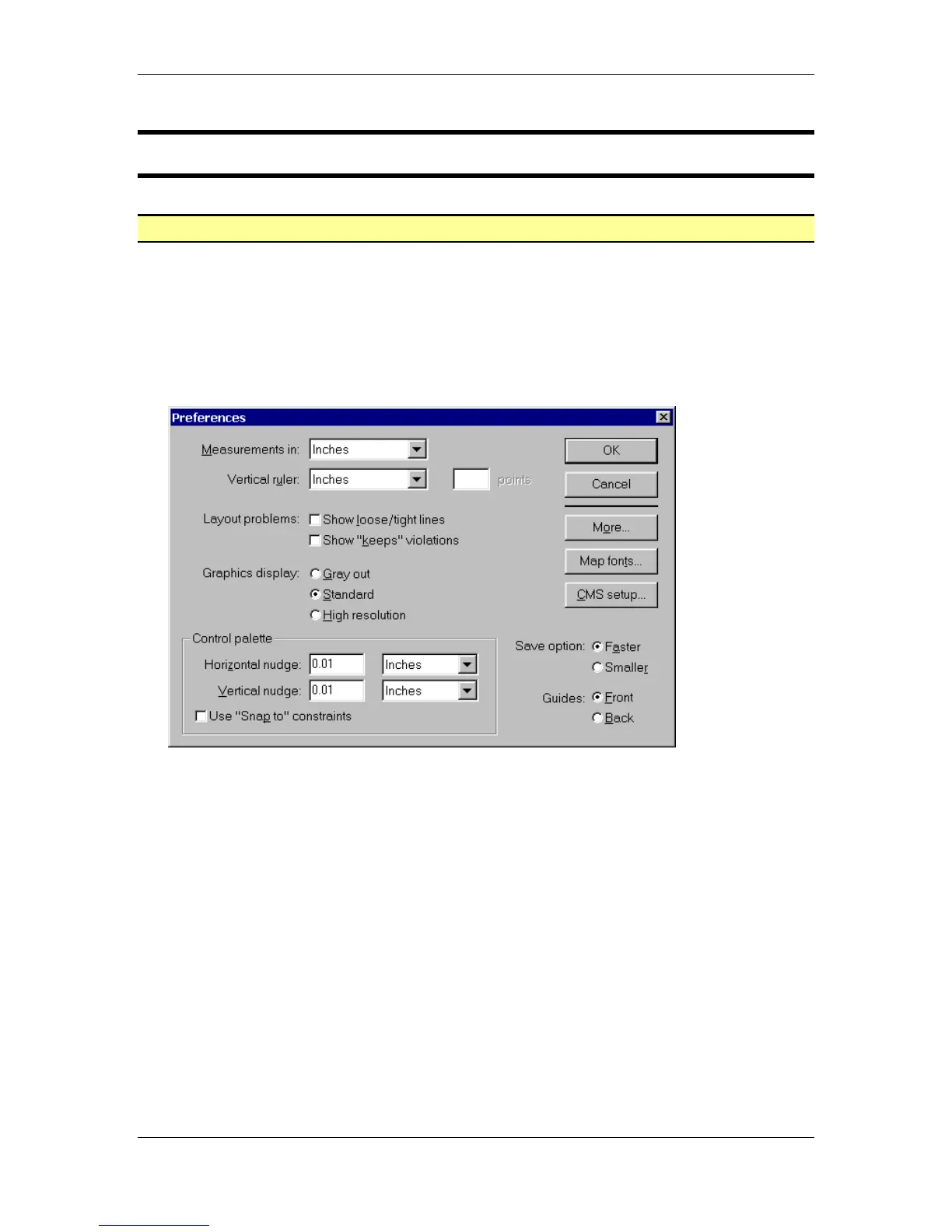
• From the main menu, choose File > Preferences > General to open the General
Preferences dialog box:
• Make the following changes:
Measurements in: Inches
Vertical ruler: Inches
Graphics Display: Standard
Horizontal nudge: 0.01 Inches
Vertical nudge: 0.01 Inches
Save options: Faster
Guides: Front
• Select the OK button.



 To Next Page